Twitter Video Downloader
Key Takeaways
- A twitter video downloader lets you save public Twitter (now X) videos and GIFs as MP4 files on any device—Android, iOS, Windows, macOS, or Linux.
- Downloads work by pasting the tweet url into an online tool, which extracts the direct media link from the twitter cdn without storing copyrighted material.
- Core benefits in 2026: best downloading speed for minimal wait times, completely free use, no sign-up required, browser-based access with no application installation needed, and support for HD, full hd, and 4K video resolutions. Most Twitter video downloaders are accessible on any device with a web browser, including Windows, Mac, and Linux.
- Most Twitter video downloaders do not require users to sign up or create an account, making the process quick and hassle-free. Downloading videos for personal, offline viewing is generally considered a gray area, but redistributing or monetizing copyrighted content without permission is illegal and violates Twitter’s Terms of Service. Using downloaded Twitter videos for personal use is typically acceptable, but redistributing or using them for commercial purposes without permission is illegal.
- This guide covers step-by-step instructions for phone and desktop, plus FAQs on privacy, large files, and private accounts.
Download Twitter Videos & GIFs from Tweets
You can quickly download videos from Twitter and save Twitter videos or GIFs from any public tweet using an online twitter video downloader in 2026. With simple steps, you can easily save your favorite content for offline viewing, and the process works across all major devices.
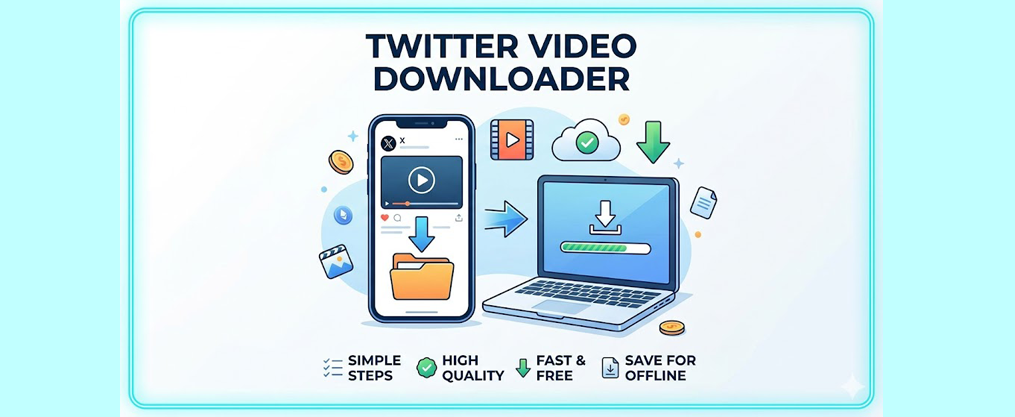
The basic workflow is straightforward:
- Copy the tweet link from Twitter/X
- Paste it into the downloader input field
- Click the download button to get an MP4 file
The steps mentioned above allow you to convert Twitter videos and GIFs into downloadable formats. Several reliable tools exist for downloading videos from Twitter (X), ranging from simple web-based sites to curated lists of free Twitter video downloaders to advanced desktop software.
Videos from Twitter and GIFs are fetched directly from Twitter’s content delivery network, preserving original quality including HD and 4K when available. No software installation is needed—everything works via modern browsers like Chrome, Edge, Firefox, and Safari on both mobile devices and desktop.
These services do not host copyrighted material or support unauthorized file sharing. They simply help you save videos you can already view publicly.
How to Download Twitter Videos Online
Here’s a concise breakdown of using any twitter video downloader website through your browser. With optimized downloading speed, you can save Twitter videos quickly and efficiently. The same process works for standalone videos, Twitter GIFs, or short clips embedded in quote tweets.
For non-premium users, third-party services are the most common way to save videos from Twitter, and even newcomers who just completed signing up for a Twitter account can use them without extra setup.
Downloads usually complete in just a few seconds, depending on video length and your connection. No registration is required, and you can easily save your favorite Twitter videos without limits.
Step 1: Copy the Tweet Link
On the Twitter app for Android or iOS:
- Open the Twitter app and find the tweet with the video you want to download
- Tap the share icon under the tweet
- Select “Copy link” or “Copy link to Tweet”
In a browser, open twitter.com or x.com, navigate to the specific tweet, and copy the full URL from the address bar. Make sure you’re on the actual tweet page (with a /status/ ID), not a profile timeline.
Important: Only public tweets can be downloaded. Content from private accounts remains inaccessible to any downloader.
Step 2: Paste the Tweet Link into the Downloader
Visit your preferred online twitter video downloader and locate the prominent input box at the top of the page. Most online twitter video downloaders do not require a browser extension, making the process simple and compatible across devices. Paste the copied link using:
- Long-press on mobile
- Ctrl+V (Windows/Linux) or Cmd+V (macOS)
Click or tap the download button next to the field. The tool parses the tweet and finds direct media URLs in the background. If you see an error message, double-check that you have a valid twitter link—not a shortened or truncated version.
Step 3: Choose Quality and Download the Video
After processing, the downloader displays available resolutions—typically 360p, 480p, 720p, 1080p, or higher when provided by Twitter.
Quality | Best For |
|---|---|
360p/480p | Saving data, limited storage |
720p | General viewing, balanced quality |
1080p+ | Full HD viewing, content creation |
Click your preferred resolution to start the download. Files save to your device’s default Downloads folder. GIFs convert to MP4 format for better compatibility with players and editors. |
Why Use an Online Twitter Video Downloader?
Online tools offer significant advantages over browser extensions or standalone apps:
- Cross-platform compatibility: Works on Android, iOS, Windows, macOS, and Linux without installation
- No permissions required: You only provide public tweet URLs, reducing privacy risks
- Automatic updates: Browser-based tools adapt to Twitter X interface changes server-side
- No bloatware: Reputable services focus solely on parsing media URLs without injecting ads or tracking download history, unlike some aggressive Twitter likes generator tools that may require deeper access to your account
- Only restriction: Most services allow unlimited downloads, with the only restriction being a short wait time between downloads. This wait time is designed to reduce server loading and ensure optimal download speed for all users.
Key Features of a Modern Twitter Video Downloader
A high-quality free twitter video downloader in 2026 should offer MP4 output, multiple quality options, and support for videos and gifs. A modern twitter video download tool must also address privacy and copyright considerations, ensuring that processing is fast and that servers don’t permanently store video content or user data.
Format & Quality Support
MP4 serves as the primary download format because it works flawlessly across all operating systems, smart TVs, and editing software. When Twitter offers multiple bitrates, you’ll see options from low resolution up to full hd and sometimes 4K.
GIF tweets are technically short video loops, so they’re saved as compact MP4 files—often smaller than traditional GIFs while maintaining animation quality.
Privacy, Safety & Copyright
A responsible twitter downloader online:
- Never asks for Twitter passwords or private information
- Streams media directly from the twitter cdn without archiving
- Processes content temporarily before passing it to you
Only download videos you have rights to use. Redistributing content without permission—especially commercially—may violate copyright laws. The services themselves do not host copyrighted material; content is directly stored on Twitter’s servers.
Download Twitter Videos on Any Device
The general steps remain consistent: copy tweet link, paste, download. However, finding saved files differs slightly by platform.
Android Phones & Tablets
- In the X app, tap Share → “Copy link”
- Open Chrome and visit the downloader site
- Paste the link and tap Download
- Find videos in the Downloads app or Files manager
Some users may prefer to download a dedicated app from the Google Play Store for easier access to Twitter video downloads on Android devices, especially if they frequently create and share high-performing Twitter videos.
Share saved MP4 files via WhatsApp, Telegram, or other messaging apps, or turn them into humorous posts using a Twitter meme generator.
iPhone and iPad (iOS/iPadOS)
- Tap the share icon in the X app → “Copy Link”
- Open Safari and navigate to the downloader
- Paste, download, and confirm in the iOS dialog
- Access files via Safari Downloads or the Files app
To add videos to your camera roll, move the MP4 from Files into the Photos app, then use them as part of engaging Twitter post content.
Note: On iPhones with iOS 13 and later, you can save Twitter videos directly to the Photos app using the Safari web browser. For earlier iOS versions, you may need a third-party app from the Apple App Store to complete the download.
Desktop and Laptop (Windows, macOS, Linux)
- Copy the tweet link from the address bar at x.com
- Open the downloader in a new tab
- Paste, select quality, and click download
- Files save to your standard Downloads folder
Play with VLC, QuickTime, or import into editing software. If you plan to repost or repurpose clips, consider how they fit into strategies to get more views on Twitter. Bookmark the site for quick future access.
Tips for Smooth Twitter Video Downloads
- Use stable Wi-Fi for HD/4K videos, especially on limited mobile data
- Verify the tweet is still live—deleted tweets cannot be processed
- Clear browser cache if processing stalls or links don’t appear
- For very large files, try lower resolutions or switch to a desktop browser, or organize your saved clips alongside other posts in a Twitter RSS feed setup
- Older iOS Safari versions may struggle with files over several hundred megabytes

Frequently Asked Questions
Can I download private or protected Twitter videos?
No public downloader can access videos from private accounts. Those tweets are restricted by Twitter’s security controls. Only content visible without logging in—or visible to any logged-in user—can be processed. This limitation protects user privacy by design.
Is it legal to download Twitter videos for personal use?
Downloading publicly accessible videos for strictly personal, offline viewing is generally tolerated. However, copyright laws differ by country. Sharing, reposting, or using downloaded clips commercially without permission can violate copyright or platform terms. When in doubt, ask the original creator for permission.
Why does my download fail or stop on iPhone Safari?
Older iOS versions historically struggled with very large files. Update iOS and Safari to the latest version, or try Chrome or Firefox for iOS. Selecting a lower resolution (720p instead of 1080p) also helps with unstable connections or limited storage, especially if you plan to process clips further with automation tools like TweetFull.
Do I need a twitter account to use a downloader?
No. Most web-based tools require just a tweet url—no login, account creation, or connection to your Twitter profile. This approach improves privacy by avoiding unnecessary sharing of credentials.
Where do my downloaded Twitter videos get saved?
On Android, videos go to the Downloads folder accessible via Files or Downloads app. On iPhone and iPad, they appear in the Files app’s Downloads folder. On desktop systems, browsers save to the default Downloads directory unless you’ve changed this setting, where you might also keep exports from Twitter follower list tools.