
X Post: How to Create High-Impact Posts on X (Formerly Twitter)
Whether you call it a tweet or an X post, the way you publish on X can determine whether your message reaches a handful of followers or millions of people around the world. The platform has evolved dramatically since Elon Musk acquired Twitter in October 2022, and if you haven’t updated your approach, you’re leaving reach and engagement on the table.
This guide walks you through everything you need to know about the X post in 2026-from understanding how the algorithm works to crafting content that earns replies, reposts, and real business results. Let’s get into it.
Key Takeaways
- An X post is the core content unit on X, the social media platform formerly known as Twitter. It appears across feeds, profiles, search results, and trending topics, making it one of the fastest ways to reach an audience online.
- Creating an effective X post involves drafting a strong opening line, adding media like images or videos, using 1–2 relevant hashtags, and publishing at times when your followers are most active.
- X’s recommendation algorithm heavily weights early engagement-likes, replies, and reposts within the first 30–60 minutes-so timing and hook quality matter more than raw follower count.
- “X post” replaced “tweet” after the 2023 rebrand, and both terms refer to the same format, but up-to-date marketing and documentation now use “X post.” Features like threads, long-form posts, and polls give creators flexibility beyond the standard 280-character limit.
- You can immediately start optimizing your X presence by using content templates, scheduling tools, analytics reviews, and the best practices outlined in this guide.
What Is an X Post?
An X post is the primary message format on the X platform, the social media platform rebranded from Twitter in 2023. It replaced the term “tweet” in product language, documentation, and the platform’s UI.
At its simplest, an X post can be text-only. But most effective posts combine text with media-images, videos, GIFs-along with links, polls, and more. By default, posts are public, meaning anyone on the web can see them unless privacy settings are changed.
Think of an X post as the atomic unit of conversation on the platform. Each one appears in Home feeds, on profile timelines, in search results, and under hashtags. X posts facilitate immediate audience engagement and feedback, which is what separates X from slower platforms like blogs or YouTube where responses take hours or days.
Posts can promote discussions and connect users with shared interests-whether that’s breaking news, niche hobbies, or customer support threads. X serves as a real-time information network for breaking news and updates, giving it a pace that no other platform matches.
Every engagement action-likes, reposts, quotes, replies, bookmarks-is tied specifically to individual posts, not just accounts. That’s why crafting each post with intention matters so much.
How X Posts Appear and Spread on the Platform
When you publish an X post, it immediately shows up in three places: your profile timeline, your followers’ Home timelines, and potentially the “For You” recommendation feed.
The “Following” tab shows posts chronologically from accounts a user follows. The “For You” tab is where X’s recommendation algorithm surfaces posts from accounts a user doesn’t follow, based on interests, engagement patterns, and relationship strength. This is how an X post can reach users beyond your followers-and it’s where viral moments are born.
Posts also enter search results, hashtag feeds, and topic pages. If your post aligns with trending topics or popular conversations, it has an even higher chance of being discovered by a specific audience outside your existing network.
Here’s what a typical post card looks like in someone’s feed: the author’s avatar, display name, handle, and timestamp sit at the top. Below that is the post text, any media, and an engagement bar showing reply, repost, like, bookmark, and share buttons.
Early engagement matters enormously. According to Buffer’s analysis of X’s algorithm, performance within the first 30–60 minutes strongly influences whether a post continues to be shown more widely. A post that earns quick replies and reposts is far more likely to enter recommendation feeds than one that sits untouched, and applying strategies to get more views on X can further amplify that early momentum.

Components of an X Post
Every X post is built from a combination of elements. Here’s what you can work with:
Element | Description | Notes |
|---|---|---|
Text | The core message | 280 characters for free users |
Images | Up to 4 photos per post | Add alt text for accessibility |
Videos | Uploaded clips or recorded content | Duration limits vary by account tier |
GIFs | Animated graphics from built-in library | Best for casual, playful posts |
Polls | Question + up to 4 options | Custom duration settings |
Links | URLs with auto-generated previews | Requires destination site metadata |
Hashtags | Topic tags prefixed with # | Connect posts to larger conversations |
Mentions | @username tags | Notify other users directly |
Location | Optional geo-tag | Rarely used but available |
Standard text posts on X have a character limit of 280 characters. X Premium subscribers get access to longer posts-up to approximately 25,000 characters-which opens the door for deeper content in one post without threading. |
External links generate link previews with a title, description, and thumbnail when the destination website provides the right metadata (Open Graph tags). This makes link-heavy posts more visually appealing.
Polls allow a question with up to four options and a user-set duration. They’re an effective engagement mechanic for gathering feedback, gauging sentiment, or sparking conversation. Polls can be included in X posts for audience engagement across any niche or industry.
For accessibility, always add alt text on images and captions for videos. This ensures inclusive user engagement and also gives the algorithm more context about your media content.
X Post vs. Tweet: What Changed After the Rebrand?
“Tweet” was the official term from Twitter’s launch in 2006 through mid-2023. Twitter was rebranded to X on July 23, 2023, when the name “X” and its now-familiar logo replaced the bird icon. The domain name changed from twitter.com to x.com on May 17, 2024, completing the migration.
Technically, an “X post” and a “tweet” refer to the same type of content. But “X post” is the preferred term in current marketing, documentation, and user education. The shift also brought new terminology: “retweet” became “repost,” and “Twitter Blue” became X Premium.
Many users and journalists still say “tweet” out of habit, and both terms appear in screenshots, legal documents, and older tutorials. If you’re referring to historical events or quoting someone, “tweet” is perfectly fine for context.
Several legacy Twitter features were removed after the acquisition, while X includes new features like long-form texts and audio-video calls. X aims to be an “everything app” similar to WeChat, blending social media, payments, and multimedia into a single platform.
For brands: primarily use “X post” in your content, but consider referencing “tweet” parenthetically once when writing for audiences who may not have caught up with the rebrand.
X Posts, Threads, and Long-Form Content
An X thread is a connected series of posts from one account, used to bypass single-post character constraints while keeping a narrative flow. Threads let non-subscribers tell longer stories without paying for premium access.
Creating a thread is straightforward: open the composer, write your first post, tap the “+” button to add another post, and continue until you’ve completed your narrative. Threads appear stacked in the feed and on your profile page, making them easy to follow.
Common use cases for threads include:
- Step-by-step tutorials
- Live event coverage
- Storytelling and case studies
- Product launch breakdowns
- Curated resource lists
Long-form posting-available for X Premium users-allows thousands of characters in a single post. When should you choose a single long-form post over a multi-part thread? Generally, use long-form when you want a seamless reading experience (like a blog post) and threads when you want engagement at each step (since users can like and reply to individual posts in the chain).
A smart approach is mixing formats: publish a short “hook” post that links to a long-form post or thread. This captures attention in the feed while offering depth for those who want it, especially when you apply best practices for high-performing X threads.
Creating Your First X Post: Step-by-Step
Here’s a concrete walkthrough for publishing your first X post:
- Sign in to X on mobile (app) or desktop (web). Navigate to the Home feed.
- Tap the “Post” button-the prominent icon at the bottom-right on mobile or the left sidebar on desktop. This opens the composer window.
- Write your first sentence. Start with a short, sharp opening line that can stand alone if truncated in notifications or previews. Strong opening lines are crucial for engaging X posts.
- Add media. Below the text field, you’ll see icons for photos, GIFs, polls, and emoji. Tap the image icon to upload a photo or video from your device. Tap the GIF icon to search the built-in GIF library. Use images and videos to enhance post context.
- Add a poll (optional). Tap the bar-chart icon to create a poll with up to four options and a custom duration.
- Choose who can reply. Below your text, tap the reply-control option. You can select “Everyone,” “Accounts you follow,” or “Only accounts you mention.”
- Publish or schedule. To publish immediately, tap the “Post” button. To schedule, tap the calendar icon, pick a date and time, and confirm. X posts can be scheduled for future publication-ideal for planning campaigns across time zones.
Save your post as a draft if you want to review it later. Drafts are accessible from the composer menu.

What You Can Include in an X Post (With Practical Examples)
Here are content formulas that consistently perform well:
Question + Visual + Hashtag
“What’s the one tool you can’t live without for remote work? Drop it below 👇 #RemoteWork” [Attach an image of a clean home office setup]
Statistic + Opinion + Link
“73% of buyers say trust is the #1 factor in choosing a vendor. Here’s how we build it from day one → [link]”
Before vs. After
“Our landing page conversion rate before the redesign: 1.2%. After: 4.8%. Here’s what we changed 🧵”
Good use of images includes product shots, charts, before-and-after visuals, and photos of your team. Videos work well for quick demos, behind-the-scenes clips, and short tips.
GIFs are perfect for light, playful posts, reactions, and memes. Avoid them for serious announcements, crisis communication, or formal brand statements.
Polls are excellent for gathering feedback. For example: “When should we host our next webinar?” with options like “Tuesday 10 AM,” “Wednesday 2 PM,” “Thursday 6 PM,” and “Weekend.” This gives your audience a voice and generates data at the same time.
Keep in mind that users on slower phone connections may skip media-heavy posts. When possible, compress images and keep videos under 60 seconds for mobile accessibility.
Hashtags, Mentions, and Trending Topics
Hashtags help categorize X posts and enhance topic discovery. When you include a hashtag like #ContentMarketing, your post becomes findable by anyone searching or following that tag. Mentions using the @username format notify other users directly and can draw them into the conversation.
To find relevant trending topics, open the “Explore” or “Search” tab on X. You’ll see local and global trends, topic-based feeds, and what’s happening in real time across the world.
How many hashtags should you use? The general guidance is 1–2 focused, relevant tags per post. Avoid overusing hashtags in X posts-long strings of tags look spammy, dilute your message, and can actually signal to the algorithm that your content isn’t genuine; instead, apply proven tactics for using X hashtags effectively.
Strategic mentions extend reach. Tag partners, customers, speakers, or media outlets when it’s authentic. For example, if you’re sharing a recap from a conference, mention the speakers and organizers. This encourages replies, reposts, and engagement from their followers.
A word of caution on newsjacking: jumping on trending topics can boost visibility, but it can also backfire. If a trend involves a sensitive or polarizing issue, attaching your brand to it without genuine value can appear insensitive or opportunistic. Always ask: “Does my brand have something meaningful to add here?”
X posts allow users to mention others using @username, and X posts allow tagging other users with @username-but only tag people when it’s contextually appropriate. Nobody likes being pulled into irrelevant threads.
How the X Algorithm Affects Post Visibility
X’s recommendation system ranks posts based on several signals:
- Engagement rate: How many people interact vs. how many see the post
- Recency: Newer posts are prioritized; posts older than ~48 hours often drop from recommendation pools
- Author reputation: Consistent posting history, follower-to-engagement ratio
- Relationship strength: How often a viewer has engaged with the author before
Early likes, replies, and reposts are especially powerful. BangerKit’s analysis of X’s 2026 algorithm explains that the platform’s Phoenix model-a transformer-based ranking system-predicts which posts a user is likely to engage with and scores them accordingly.
Negative signals hurt visibility too. If users mute, block, or report your posts, or if engagement is consistently low relative to impressions, the algorithm learns to show your content to fewer people.
X publicly open-sourced parts of its recommendation logic in 2023 and has continued to tune the system through 2026, updating weights and defaults multiple times weekly.
What can you do with this knowledge? Experiment with different post formats and publishing times. Try posting at different times, testing different hooks, and comparing engagement metrics. Over time, patterns emerge that reveal what the algorithm favors for your specific account and audience.
User Engagement: Replies, Reposts, Quotes, and Bookmarks
Here’s how each engagement type works on X:
- Reply: A response that appears nested under the original post, creating a threaded conversation
- Repost: Sharing someone else’s post to your followers (the retweet equivalent)
- Quote post: Reposting with your own added commentary or context
- Like: A quick endorsement that signals interest to the algorithm
- Bookmark: Saves a post privately for later reference
- Share: Sends a post via DM or external channels
Users can interact with X posts by replying, reposting, and liking. Replies build threaded conversations under a post, and brands should monitor and respond quickly to questions and feedback from clients and community members, paying attention to insights from your most engaged X interactions.
Reposts and quote posts are the main viral drivers on X. When someone reposts your content, it appears in their followers’ feeds-exposing your message to an entirely new audience. Quote posts add a layer of context or commentary that often sparks further discussion.
Bookmarks and link clicks are “quiet” engagement metrics. They may not boost your public numbers, but they signal depth of interest. A post with high bookmark counts often indicates that users found it valuable enough to revisit.
To stimulate two-way interaction instead of just broadcasting, use calls-to-action:
- “Reply with your biggest challenge this week”
- “Quote this with your hot take”
- “Bookmark this for later reference”
X Posts for Personal Branding and Creators
Creators and professionals use X posts to build authority by sharing insights, threads, and curated links in their niche. The platform rewards consistency-both in posting frequency and topic focus-and benefits from systematic strategies for gaining traction on X.
A solid posting rhythm for creators might look like:
- Daily: One original insight, observation, or tip
- Weekly: A thread or long-form post that goes deeper on a topic
- During events: Live commentary during industry conferences, product launches, or news cycles
Mix original posts with replies to other experts and reposts of valuable content. This builds a visible, active presence and shows you’re involved in your community, not just broadcasting into the void.
Use pinned posts at the top of your profile to highlight a key thread, long-form article, or portfolio link. This is the first thing visitors see on your page, so make it count-it’s your digital handshake.
Consistent voice, visual style (cover image, avatar, imagery), and topic focus help followers quickly understand what they’ll get. If someone visits your profile and can’t tell what you’re about within five seconds, you’ve got work to do.
X Posts for Businesses and Organizations
Organizations use X posts for customer service and public communication. The platform’s real-time nature makes it ideal for:
- Product announcements and service updates
- Event promotion and live streams coverage
- Recruiting and employer branding
- PR statements and crisis communication
- Customer support via replies and DMs
Brand awareness can be increased through announcements and customer engagement on X, especially when you avoid outdated tactics and adopt modern X marketing strategies that actually work. For example, a SaaS company might publish a post announcing a new feature with a short demo video, invite users to try it, and then respond to feedback in the replies. A local retailer could promote a weekend sale with a photo carousel and a location tag.
Support teams can turn X into a responsive help channel by monitoring mentions, keywords, and industry hashtags. When a customer posts a complaint, a fast, empathetic reply in the comment thread can turn a negative moment into a positive brand experience.
Consistency matters for businesses. Build a posting calendar that includes:
- Campaign-specific posts (launches, promotions)
- Recurring content (weekly tips, monthly recaps)
- Community highlights (sharing customer wins, user-generated content)
- Reactive posts (jumping into relevant conversations in real time)
X Premium and Advanced Posting Features
X Premium (formerly Twitter Blue) is a paid subscription that unlocks advanced posting capabilities. Higher tiers-like Premium+-offer even more.
Key posting benefits for subscribers include features that also support monetization strategies for earning on X:
Feature | Free Account | X Premium / Premium+ |
|---|---|---|
Character limit | 280 | Up to ~25,000 |
Edit posts | Not available | Within 1 hour, up to 5 edits |
Video upload length | Standard limits | Extended (longer webinars, demos) |
Media quality | Standard | Higher resolution |
Analytics | Basic | Advanced views |
AI assistance | Limited | Grok AI drafting tools |
Subscribers can access exclusive content creation tools and enjoy better visibility in some recommendation scenarios. The ability to edit posts within a time window is a significant advantage-edits are transparent, with an “edited” label and version history visible to other users. |
When should a brand or creator consider upgrading? If you’re posting frequently, relying on X as a primary marketing channel, or regularly publishing long-form content, the subscription pays for itself through efficiency and reach.
Designing High-Performing X Posts
Visual best practices matter on a fast-scrolling platform. Use high-contrast images, readable text overlays, correct aspect ratios, and brand-consistent colors.
Strong X posts should focus on one main message. If you’re cramming three ideas into one post, your audience won’t know what to engage with. Keep it tight: one idea, one call-to-action.
The first line is everything. Make it curiosity-driven, benefit-focused, or contrarian-but never clickbait. Here are three openings that work:
- “Most marketers get this wrong about email subject lines.”
- “We increased retention by 34% with one change.”
- “Hot take: your content calendar is hurting you.”
For longer posts, use white space and line breaks to make the text scannable on mobile devices. Nobody wants to read a wall of text on their phone.
A/B-style testing helps you learn what resonates. Write two versions of a post about the same topic-different hooks, different images-and compare engagement. Over time, this data is gold for refining your voice and strategy.

Common X Post Mistakes to Avoid
Here are the most common errors that hurt reach and credibility:
- Posting only promotional content. If every post is a sales pitch, followers tune out. Follow a rough 80/20 rule: 80% value, 20% promotion.
- Ignoring replies. When someone takes time to comment, ignoring them signals you don’t care about the conversation.
- Overusing hashtags. Three or more hashtags per post reduces clarity and can appear spammy.
- Copy-pasting from other platforms. Content written for LinkedIn or Instagram doesn’t always translate to X. Adapt tone, length, and format.
- Posting off-topic controversial takes. Going wrong with a hot take unrelated to your niche can alienate core followers and damage brand trust.
- Cluttered visuals. Auto-playing sound-heavy videos without a caption or context get skipped.
- Bad timing. Posting during low-activity hours for your audience means fewer people see it. Spamming too many posts in a short window is equally damaging.
- Compliance risks. Sharing copyrighted material, sensitive media, or misleading information about regulated industries can result in account penalties or legal issues.
Scheduling and Managing X Posts
You can schedule X posts for specific dates and times, which is essential for maintaining consistency and reaching audiences in multiple time zones.
X’s native scheduling tool is available on the web version: tap the calendar icon in the composer, select your date and time, and confirm. Third-party social media platform tools like dashboards and calendars add multi-channel planning capabilities for larger campaigns, especially when combined with AI-driven X marketing content systems.
Build a simple weekly content calendar that mixes:
- Breaking news and commentary
- Evergreen tips and how-tos
- Community highlights and customer shoutouts
- Promotional posts (product launches, offers)
Always monitor scheduled posts for relevance. Be ready to pause campaigns during sensitive news cycles or crises-nothing looks worse than a cheerful promotional post going live during a tragedy.
For larger teams, assign roles and approvals so scheduled posts reflect accurate, up-to-date messaging. A post drafted two weeks ago might reference data that’s now wrong or a feature that’s since changed.
Analytics: Measuring the Success of Your X Posts
Review X analytics to identify high-performing posts. Key metrics available in X’s analytics dashboard include:
- Impressions: How many times your post was seen
- Engagements: Total likes, replies, reposts, quotes, clicks
- Engagement rate: Engagements ÷ impressions (a quality signal)
- Detail expands: Users clicking “see more” on your post
- Link clicks: Traffic driven to external pages
- Profile visits: Users who visited your profile after seeing the post
- Follows: New followers gained from a post
- Bookmarks: Users who saved the post for later
Track which topics, formats (threads, polls, videos), and posting times consistently outperform others. Monthly or quarterly reviews of your top-performing posts can inspire future content and refine your voice.
For connecting X activity to on-site behavior, use UTM parameters on links. Tools like Google Analytics let you trace referral traffic from X posts to signups, purchases, and downloads on your website.
Using X Posts to Participate in Trending Topics
To discover active trending topics, open the Explore section in the X app or web interface. You’ll see what’s happening globally and locally, organized by topic categories.
Posting timely commentary or data-backed insights during breaking news or live events can dramatically boost reach. For example, during a major industry conference, sharing key takeaways in real time positions you as a go-to source for your global community.
But tread carefully. Participating in sensitive or polarized topics carries risks. Always align your response with clear brand values and legal guidance where applicable. Provide genuine value-context, explainer threads, or resources-instead of simply attaching a hashtag to unrelated marketing copy.
Save templates for rapid-response posts during recurring trends like major sports events, industry conferences, or annual celebrations. Having a framework ready means you can publish faster without sacrificing quality.
Cross-Posting X Content to Other Social Media Platforms
When an X post performs well, extending its lifespan by sharing it to platforms like Instagram, LinkedIn, or TikTok makes sense. Screenshots of popular posts regularly go viral on other channels.
However, adapt tone, length, and aspect ratio for each platform. A punchy X post might need a longer caption on Instagram or a more formal framing on LinkedIn. Automatic, unedited cross-posting often feels lazy and disconnects from each platform’s audience expectations.
X threads make excellent source material for blog posts, newsletters, videos, or podcast segments. If you’ve written a detailed thread on ideas worth exploring, repurpose it into a longer-form piece for your website. Maintain consistent messaging across channels.
Drive traffic back to X when appropriate: “Join the full discussion on X” works well for audiences who prefer real-time discussions. But avoid over-automation that makes your accounts feel robotic or floods multiple channels with identical posts at the same moment.
Safety, Moderation, and Brand Protection for X Posts
X provides several safety tools for accounts:
- Blocking and muting unwanted accounts
- Limiting who can reply to your posts
- Keyword filters for mentions and replies
- Reporting abusive or harmful content
Create internal guidelines about acceptable topics, tone, and escalation paths when facing harassment or coordinated attacks. Set up alerts or third-party monitoring to spot impersonation accounts or malicious replies targeting your brand.
Draft templated responses for common issues-clarifying when to move conversations to DMs, username email support channels, or dedicated support portals. This saves time and keeps responses consistent across your team.
Regularly audit old pinned posts, bios, and media. Nothing outdated or inaccurate should remain prominent on your profile page. A review every quarter is usually sufficient.
Examples and Templates for High-Impact X Posts
Here are plug-and-play templates you can customize:
Announcement Post
“🚀 [Product/Feature Name] is live. Here’s what it does and why it matters for [audience]: [1-sentence benefit]. Try it → [link]”
Event Promotion
“📅 [Event Name] is [date]. We’re covering [topic] with [speakers/partners]. Save your spot → [link] #EventHashtag”
Customer Win
“Shoutout to [customer/client @handle] who [achieved result] using [your product]. Here’s what they said 👇 [quote or screenshot]”
Thought-Leadership Opinion
“Unpopular opinion: [contrarian statement about your industry]. Here’s why → [2-3 sentence reasoning]”
Recruitment Post
“We’re hiring a [role] to join our team in [location/remote]. If you love [what the role involves], we’d love to hear from you. Apply → [link]”
These templates follow a “Problem → Insight → Call-to-Action” structure. Adapt them for different audiences-customers, investors, students, press-by changing the language and CTA.
Test templates over several weeks and refine them based on user engagement metrics like replies and reposts. Maintain a private library of proven templates for team members to reuse when planning campaigns or responding quickly to news.

Future of X Posts: Features and Trends to Watch
The X platform continues to evolve. Here’s what to watch:
- Richer media: The shift from short text to longer videos, live audio, live streams, and interactive polls changes how creators publish and how audiences consume content.
- X Money: In-post payments and tipping could turn posts into transactional surfaces, allowing creators to monetize directly from their content.
- AI integration: Tools like Grok may increasingly assist in drafting, summarizing, and translating X posts in real time, making it faster to create content for a global community.
- Regulatory changes: Evolving content moderation rules and data-privacy requirements will impact how brands post, especially in regulated industries. Apple continue to enforce their app store policies that affect how X operates on iOS. Google continue to apply similar standards on Android.
- Algorithm transparency: As X updates its open-source algorithm repository, creators who stay informed will have an edge. Google doorgaan with indexing public X posts, making them discoverable beyond the platform itself.
Periodically review X’s official blog to stay aligned with new posting capabilities and best practices.
Frequently Asked Questions About X Posts
How long should an ideal X post be in 2026?
While standard users can post up to 280 characters and X Premium allows posts up to ~25,000 characters, concise posts of 80–200 characters usually perform best for quick engagement. The sweet spot is long enough to deliver value but short enough to read in a single glance. Use threads or long-form posts for deeper dives rather than cramming multiple complex ideas into one post.
What is the best time to publish X posts?
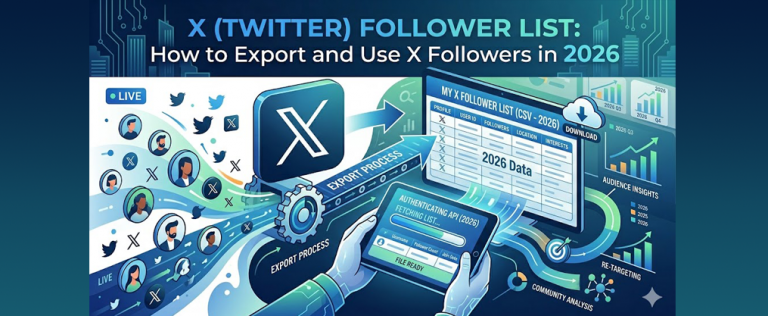
Optimal times vary by audience, but many accounts see stronger engagement on weekdays during workday mornings and early evenings in their primary time zone. The key is using X analytics or third-party tools to identify when your followers are most active and then scheduling posts around those windows. Phone usage patterns also matter-many users check X during commutes and lunch breaks, and exporting a structured list of your X followers can further improve how you segment audiences and time campaigns.
Can I edit an X post after publishing it?
Yes, but only if you’re an X Premium subscriber. You can edit an original post or quote post within one hour of publishing, with up to five edits allowed during that window. Edits are transparent-an “edited” label appears, and previous versions are accessible to anyone who views the post. Editing is not available for replies, threads, polls, pinned posts, or posts published through certain third-party tools. Always double-check text, links, and media before you publish.
How many hashtags should I use in an X post?
Stick to 1–2 highly relevant hashtags per post for clarity and discoverability. Long strings of tags reduce readability and can signal spam to both the algorithm and your audience. If you’re running a campaign, create and consistently use one branded hashtag so users can follow related posts easily.
Do X posts help with SEO outside the platform?
Individual X posts can appear in search engine results-especially for brand names, public figures, and trending topics. While X posts are not a primary SEO lever, they can drive traffic to your website, earn backlinks when journalists or bloggers reference them, and increase branded search interest over time. Public profiles indexed by Google mean your posts are part of your online footprint whether you optimize for it or not.