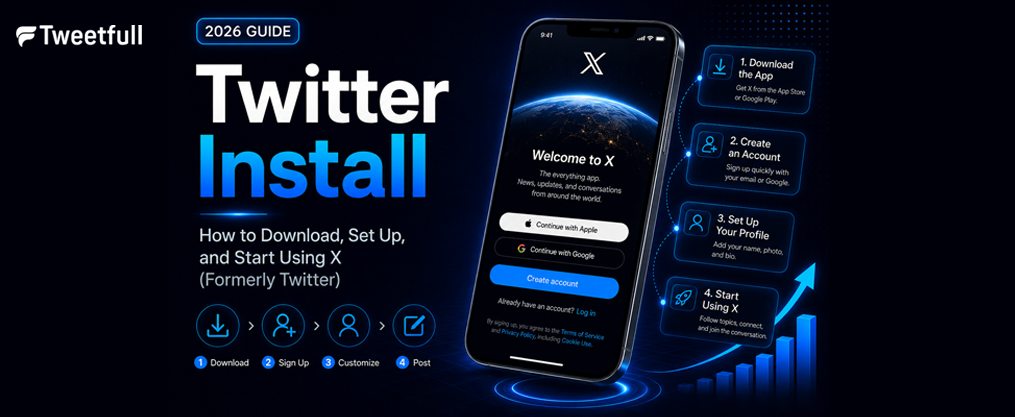
Twitter Install: How to Download, Set Up, and Start Using X (Formerly Twitter)
Whether you call it Twitter or X, one thing hasn’t changed: it remains the place where the world connects in real time. This guide walks you through every step of the twitter install process on iOS, Android, and desktop so you can start posting, following, and engaging within minutes.
Key Takeaways
- Twitter has been officially rebranded as X. The X app is free to download on both iOS and Android devices, and you can also use it on desktop through twitter.com or x.com as of 2026.
- After installing, users can follow live breaking news, send private direct messages, and share short posts with images, videos, GIFs, and polls with up to four response options.
- X offers in-app purchases for premium features, including longer posts, fewer ads, and a blue checkmark, with X Premium costing $114.99 annually.
- The article covers privacy basics, including what data shared with X is used for and how to control it in your settings.
- An FAQ at the end addresses common issues like install errors, storage problems, sign-up limits, and regional availability.
What Is X (Formerly Twitter)?
X is the rebranded version of Twitter, a social media app and real time source for news, conversations, and cultural moments. In a world of constant change, X has positioned itself as a trusted digital town square for shaping public dialogue and connecting people with the world’s leading voices, and its impact on modern communication continues to grow as the platform evolves.

As of 2026, the app still runs on the twitter.com domain alongside x.com, but all branding uses the black “X” logo that replaced the original blue bird. The X app is available in most countries worldwide.
Users can post thoughts, photos, and videos up to 280 characters (longer with Premium), attach GIFs, links, and polls, and interact through replies, reposts, and likes. Here’s what makes X stand out:
- It’s widely used to follow breaking news and live events in sports, politics, and entertainment, giving users a front row seat to what’s happening worldwide.
- X supports direct messages for private one-to-one or group conversations, separate from public dialogue, while a range of tools helps users focus on creating engaging Twitter post content that resonates with their audience.
- The platform champions free speech and diverse perspectives, making it a global community where users can explore diverse perspectives from every corner of the world.
How to Install Twitter (X) on iOS (iPhone & iPad)
The twitter install process on iPhone and iPad takes less than two minutes. The app is free to download and works on devices running iOS 15.0 or later.
Steps to install:
- Open the App Store on your iPhone or iPad.
- Tap the search icon and type “X” or “Twitter.”
- Look for the official app from X Corp. with the black X icon.
- Tap Get (or the cloud download icon if you’ve installed it before).
- Authenticate with Face ID, Touch ID, or your Apple ID password.
Requirements to keep in mind:
- Stable Wi-Fi or mobile data connection
- Apple ID signed in on the device
- At least 300–400 MB of free storage (the app download is approximately 364.7 MB)
Organizing the App on Your Home Screen
After installation, press and hold the X icon to drag it into your Home Screen dock or a folder for quicker access. This saves time if you plan to check real time updates throughout the day.
iOS Troubleshooting
- “Not available in your region”: Check that your Apple ID country matches your actual location. Some regional restrictions apply.
- Download stuck on “Waiting…”: Pause and resume the download, restart your device, or verify your iOS version is up to date. Devices with fewer than 130 MB free may fail to install.
How to Install Twitter (X) on Android Phones & Tablets
The X app can be installed on most Android phones and tablets through the Google Play Store. The process is nearly identical across Samsung, Google Pixel, Xiaomi, and OnePlus devices.

Steps to install:
- Open the Google Play Store.
- Search for “X Twitter” or “X (formerly Twitter).”
- Verify the official app by checking for X Corp. as the developer and the black X logo.
- Tap Install and wait for the download to complete.
Android requirements:
Requirement | Detail |
|---|---|
OS version | Android 8.0 or later recommended |
Google account | Must be signed into Play Store |
Free storage | ~300–400 MB minimum |
On first launch, the app requests permissions for notifications, camera, microphone, and location. You can allow or deny each permission individually and adjust them later via Android Settings → Apps → X. |
Tip: If you’re in a region without Google Play Store access, avoid downloading APKs from unofficial sources. Unverified files carry significant malware risks. Stick to verified alternative app stores where available.
Using X on Desktop: Web and App Options
You don’t need a mobile app to access X. Visit twitter.com or x.com in any modern browser on Windows, macOS, Linux, or ChromeOS to sign up or log in.
To create an app-like desktop experience, use Chrome or Edge to install X as a Progressive Web App (PWA):
- Navigate to x.com and sign in.
- Click the browser menu (three dots).
- Select “Install X” or “Create shortcut” and check “Open as window.”
The desktop interface includes all core features: home timeline, notifications, direct messages, search, and profile editing. Some advanced tools like content scheduling work more smoothly through the web.
Users can be logged in on phone, tablet, and desktop simultaneously. Posts, messages, and notifications sync in real time across all devices.
First-Time Setup: Create or Log Into Your X Account
Once the twitter install is complete, users can log in with an existing account or create a new account. If you had a Twitter account before the rebrand, it carries over automatically-your posts, followers, and settings remain intact.
To create a new account:
- Choose a sign-up method: email, phone number, or Apple/Google login.
- New account setup requires name, phone number, and date of birth.
- Pick a unique handle (username) and set your display name.
- Verify your contact details via a code sent to your email or phone.
Complete your profile on first launch:
- Upload a profile photo and optional header image
- Write a short bio describing your interests
- Add your location and website link (optional)
- Import contacts to find friends (optional) and follow recommended accounts
Join millions of users already on the platform by tailoring your home feed around interests like news, sports, or entertainment, and follow a clear Twitter sign up guide if you’re creating your very first account. Note that users must meet minimum age requirements (typically 13+, though the App Store rates the app 16+), and sensitive content preferences can be adjusted in Settings.
Core Features After You Install Twitter (X)
Once X is installed, it becomes your ultimate destination for real time updates and viral conversations. Here’s what you can do right away:
- Home timeline: A mix of posts from accounts you follow and algorithmically recommended content. Short posts, images, sports clips, and video clips appear in both chronological and ranked order, delivered instantly to your feed.
- Breaking news and live breaking news: Follow journalists, newsrooms, and live event hashtags to stay ahead of what’s happening. X is the go-to real time source for sports news, political conversations, and trending memes on every hot topic.
- Direct messages: Chat privately in one-to-one or group conversations using text, media, and voice messages. Access DMs from the envelope icon in the navigation bar.
- Notifications and search: See likes, replies, reposts, and follows. Use search or the Explore tab to discover relevant trending topics and trending news.
Beyond the basics, X lets users stream live video or host audio discussions with Spaces-an audio feature where you can host discussions, hold interviews, or run your next live podcast. You can also watch live streams of a live game, follow gaming sessions, create shareable posts with a Twitter meme generator, and catch top podcasts and live events as conversations unfold.

X gives you a front row seat to sharing ideas, building communities, and following your favorite creators. Whether it’s a live podcast or a trending news story, the platform helps you build communities tailored to your interests and explore diverse perspectives from around the world, especially when you understand how to export and analyze your Twitter follower list for deeper insights. X’s real time data makes it the place where users can summarize trending news, watch and explain videos, and stay connected to what matters.
Managing Privacy, Data Shared, and Safety Settings
Installing any social media app means some data is shared with the service. X collects account info, device identifiers, approximate location, interactions with posts and ads, and optional contacts sync. Understanding what data X processes helps you make informed choices.
Key privacy controls:
- Switch between public and protected posts (only approved followers see your content)
- Limit who can reply to your posts: everyone, people you follow, or only mentioned accounts
- Control whether your profile is discoverable by email or phone number
How to access privacy settings:
- On mobile: tap your profile icon → Settings and Support → Settings and Privacy → Privacy and Safety.
- On desktop: click More → Settings and Support → Settings and Privacy.
- From here, adjust ad personalization, location sharing, and request a download of your data.
Managing harassment and spam: Use muting, blocking, and reporting tools to handle unwanted interactions. Keyword filters let you reduce specific content from your timeline and direct messages, and ongoing Twitter improvement strategies for better engagement continue to focus on safer, more trusted conversations.
Premium Features and Advanced Options (Optional)
X is free to install and use, but X Premium subscriptions unlock exclusive features for power users and creators. Basic users see advertisements on their timeline, while Premium members enjoy fewer ads-X Premium reduces ads by up to 50%.
Feature | Free | Premium |
|---|---|---|
Post length | 280 characters | ~25,000 characters |
Video uploads | Standard | Longer videos (up to 3 hours) |
Ads | Full ads | Fewer ads |
Blue checkmark | No | Yes |
Post editing | No | Yes |
AI assistant | Limited | Full Grok access |
Prioritized replies | No | Yes, with boosted visibility |
X Premium costs $114.99 annually, and pricing may vary by region. Premium users can unlock exclusive features like creator revenue sharing, the ability to offer exclusive content to subscribers, and access to an ai assistant powered by Grok that can summarize trending news and provide more context on any topic, making it easier to apply proven strategies to make money on Twitter. |
The blue checkmark signals a verified account, and post editing lets you fix typos within a one-hour window. Premium users also keep their audience engaged with exclusive content and boosted visibility through prioritized replies, and a dedicated guide to a verified Twitter account and blue check mark steps can help you understand what that badge represents.
To manage subscriptions, visit your App Store, Google Play Store, or desktop account settings. You can cancel anytime if you no longer need the powerful social experience that Premium delivers. X brings everything together into one powerful social experience-whether you’re a casual scroller or a creator looking to offer exclusive content to a growing following, planning AI-driven X marketing content systems, or trying to fix Twitter marketing tactics that stopped working.
FAQ
Is Twitter still available, or is it only called X now?
The Twitter app is now officially rebranded as X. Your existing Twitter account, followers, posts, and settings carry over automatically. As of 2026, you can still reach the service via twitter.com and x.com, and the mobile apps appear in stores under the name X. The rebranding is cosmetic and structural-the core platform where public dialogue and live news thrive remains the same.
Can I use X without installing the mobile app?
Yes. You can access X entirely through a web browser by visiting twitter.com or x.com and signing in. All core features-posting, direct messages, search, and notifications-are available on the web. Push notifications may be less immediate than native app alerts, but you still get a complete experience for following trending topics and catching live breaking news.
Why can’t I find the Twitter or X app in my App Store or Google Play Store?
Common reasons include regional restrictions, a device that doesn’t meet minimum OS requirements (iOS 15.0+ or Android 8.0+), active parental controls, or temporary store issues. Check your country or region settings, update your operating system, and ensure content filters aren’t blocking social media apps. The Twitter app can be downloaded from official app stores in most countries.
How much storage space do I need to install X?
Plan for at least 300–400 MB of free space. The iOS download is approximately 364.7 MB, and Android sizes are comparable. After installation, cached images and videos will increase storage use over time. If your device reports “Not enough storage,” clear old apps, photos, or downloads before retrying.
Does installing X automatically share my contacts or personal data?
No. The app may request permission to access contacts, camera, microphone, or location, but you can deny each permission individually. Contact uploads, precise location sharing, and ad personalization are opt-in. You can turn them off at any time in the app’s privacy and security settings, keeping control over what data leaves your device.