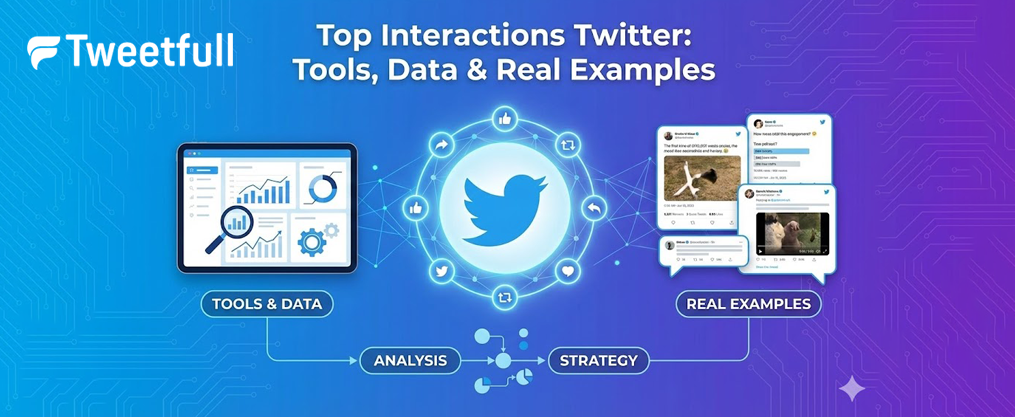
Top Interactions Twitter: Tools, Data & Real Examples
Key Takeaways
- Twitter/X doesn’t offer an official “top 10 interactions” list, but you can get remarkably close using analytics tools like Twitonomy, Circleboom, and the X API.
- Tools such as Twitonomy can show who you interact with most over the past months, focusing primarily on replies, mentions, and retweets as core engagement signals.
- Developers and power users can leverage the X Account Activity API and v2 endpoints to pull detailed interaction histories for followers, sometimes reaching back to 2020–2021 data if properly archived.
- High-engagement accounts like BTS, Harry Styles, and EXO demonstrate how interactions scale at massive levels—BTS averaged over 422,000 engagements per tweet in April 2019.
- Privacy rules, data access caps, and API limitations mean you can infer but never definitively prove exactly why a specific follower decided to follow you.
What “Top Interactions” on Twitter/X Actually Means
When people talk about top interactions on Twitter, they’re referring to the accounts you most frequently engage with through replies, mentions, retweets, and likes within a specific time range. This isn’t a single metric but rather a composite view of your social behavior on the platform. Understanding this data can transform how you connect with your audience and refine your content strategy.
Here’s a breakdown of the main interaction types that tools and analytics platforms track:
- Replies: Direct responses to someone’s tweet that appear in their mentions and create threaded conversations
- Mentions: Including another user’s username in your tweet (e.g., @handle), which notifies them
- Retweets and quote tweets: Sharing someone’s content with your followers, either as-is or with your own commentary added
- Likes: The lowest-friction positive interaction, signaling appreciation or agreement
- Profile clicks: When users visit your page after seeing your content
- Link clicks: Actions on embedded media, cards, or external links you’ve shared
- Follows triggered by a tweet: New followers gained from a specific piece of content
Most third-party tools rank your “top 10” based on interaction counts from a recent period—typically the last 1–9 months rather than your entire account history. These tools help you visualize and summarize the key things about your Twitter interactions, such as identifying your most engaged followers, spotting trends, and understanding which connections drive the most activity. To learn more about how Twitter Threads can drive engagement and foster deeper online conversations, check out our detailed exploration. The total number of interactions gets calculated and sorted to generate your list.
It’s worth clarifying three distinct questions that often get confused. For those interested in maximizing social media impact, enhance your Twitter marketing with strategic list management for monitoring competitors and engaging your audience effectively:
- Who do I interact with most? The accounts you actively reply to, retweet, and mention
- Who interacts with me most? The followers and friends who consistently engage with your posts
- Who drives the most engagement on my tweets? Users whose interactions (comments, retweets) spark additional visibility
Making this distinction explicit helps you extract the right insights. For example, you might discover that @newsaccount appears in your “who I interact with” list because you frequently reply to their threads, while @superfan123 dominates your “who interacts with me” data because they never miss liking your content. Learning about top Twitter influencers can help you better identify and engage with the accounts driving those interactions.
How to See Who You Interact with Most Using Twitonomy
Twitonomy.com has been a go-to analytics tool for Twitter users who want to dig into their interaction patterns. On its free plan, you can typically view data covering roughly the last 9 months of activity, which is enough for most people to spot meaningful engagement trends.
Here’s how to access your top interactions data:
- Visit Twitonomy.com in your browser
- Sign in with your X/Twitter account and authorize the app
- Wait for the account scan to complete (this may take a few minutes depending on your activity volume)
- Navigate to the “Interactions” or “Most engaged users” section in your dashboard
- Review the ranked list of accounts you’ve interacted with most frequently
A free Twitonomy account historically shows up to 3–9 months of data, depending on how active you are. Premium tiers can dig back further—sometimes 1–2+ years of tweets—giving you a longer view of your engagement patterns.
As a concrete example, your top 10 list might look something like this after analysis:
Rank | Handle | Interaction Type | Period |
|---|---|---|---|
1 | @friend1 | 47 replies, 23 mentions | April 2023 – Jan 2024 |
2 | @brand2020 | 31 retweets, 18 replies | April 2023 – Jan 2024 |
3 | @newsaccount | 28 quote tweets, 15 replies | April 2023 – Jan 2024 |
This data reveals not just who you engage with, but how you engage with them. Some relationships are reply-heavy (indicating conversation), while others lean toward retweets (indicating amplification).
Limitations to keep in mind:
- Twitonomy can only access tweets still available via X’s API—deleted content won’t appear
- Direct messages are never included in public analytics
- Post-2023 API policy changes may affect how far back the free plan can see
- Very high-volume accounts may find their older data truncated
If you are interested in more detailed engagement metrics and advanced analysis, explore Twitonomy’s premium features for deeper insights.

Creating a Twitter Interaction Circle (Tweetfull & Similar Tools)
A Twitter interaction circle is a visual graphic that places your account at the center and arranges your most-interacted-with accounts around you in concentric rings. Think of it as a social map showing who occupies your inner circle versus your outer orbit. These images have become popular to share on the platform as a great way to showcase your network, boost engagement, and acknowledge your community.
Take a moment to celebrate your connections by sharing your interaction circles and recognizing the value of your Twitter friendships.
Tweetfull’s Free Interaction Circle Generator makes this process straightforward:
- Visit the Tweetfull interaction circle generator page
- Sign in with your X account and grant the necessary permissions
- Let the tool analyze your recent activity (usually covering the last few weeks or months)
- Generate your circle image automatically
After generating your interaction circle, you can share it directly on Twitter or download it for other uses.
The tool typically offers two modes. To create your own tweet conversations, you can use a fake tweet generator.
- Activity-Based Circles: Weighted by a combination of likes, retweets, replies, and mentions from your recent activity window
- Count-Based Followers/Friends Circles: Pure interaction counts without any weighting applied
Here’s what this might look like in practice: imagine a user who sees @journalist, @game_dev, and @musicfan positioned in their inner ring. This placement happened because they exchanged replies with these accounts nearly every day during October–December 2024, making those relationships stand out from the rest.
Users commonly share these circles on X with shoutouts, using hashtags like #TwitterCircle or #InteractionCircle. This creates a form of public acknowledgment that often sparks reciprocal engagement—the people featured in your circle are likely to reply, retweet, or create their own circles in response.
The easiest way to generate one of these images is through Tweetfull, though similar tools exist across the web. Just check that any tool you use has proper authorization through X’s official OAuth system rather than asking for your password directly.
Using the X (Twitter) Account Activity API to Trace Interactions
The Account Activity API is an official developer tool on the Twitter/X Developer Platform designed to capture real-time events like mentions, follows, replies, and direct messages. For those willing to get technical, it offers the richest data access available for understanding interaction patterns.
Requirements to get started:
If you are interested in using Twitter data as a developer, learn more about Twitter API and Free Data Access To Developers.
- An approved X developer account with elevated access (per 2023–2024 policy)
- Setting up a webhook endpoint to receive activity notifications
- Subscribing a user account to receive its activity events
- Infrastructure to store and process incoming data
For historic interactions, you’ll typically need to combine the Account Activity API with REST or v2 endpoints. The conversations endpoint and user timelines endpoint let you reconstruct when a follower last replied, retweeted, or liked your posts.
Consider this practical scenario from early 2021: a marketer notices they gained a new follower on January 6, 2021, and wants to understand what triggered that follow. By having stored follow events from the Account Activity API, they can cross-reference the follow date with their tweet history and previous replies/mentions. If that new follower had replied to three of their threads in the week before following, the answer becomes clearer.
Trade-offs to consider:
- API rate limits restrict how much data you can pull in a given time window
- You’ll need a database to store historical events from 2020–2024 for any longitudinal analysis
- Even with detailed logs, you can’t perfectly infer the exact point that made a user follow you—correlation isn’t causation
- The API requires ongoing maintenance as X updates its policies and endpoints
This approach demands more technical investment than using Twitonomy or Circleboom, but the depth of insight you can access makes it worthwhile for serious analysts, brands, and developers building custom solutions.
Analyzing Followers’ Past Interactions Without Real-Time Data
A common problem emerged among users in early 2022: they wanted to analyze their existing followers’ historical behavior without having collected real-time data beforehand. If you didn’t set up the Account Activity API years ago, how do you reconstruct who among your followers engaged with you back in 2020 or 2021?
For non-developers, here’s a manual approach:
- Check a follower’s profile and visit their “Liked” tab to see if your tweets appear
- Use advanced search queries like from:@yourhandle to:@theirhandle since:2020-01-01 to surface old replies
- Search for your username in their tweet history to find mentions and quote tweets
- Save screenshots or notes as you find relevant interactions
For a more scalable approach:
- Request your official data export from X (Settings → Your Account → Download an archive of your data)
- Import your full tweet archive into a spreadsheet or analytics tool
- Compute per-follower metrics: number of likes, retweets, and replies between specific date ranges
- Cross-reference with your current follower list to identify your most loyal long-term supporters
Here’s an example of what this analysis might reveal: a brand in 2022 exports their tweet data and calculates that follower @sampleuser interacted 37 times across their campaigns—24 likes, 9 retweets, and 4 replies spread across 2020 and 2021. This person never appeared on their radar because they rarely replied publicly, but the like count tells a different story.
The truth about retroactive analysis:
- Deleted tweets disappear from the record permanently
- Suspended accounts may have their interaction history become inaccessible
- API changes after 2023 mean some old interaction data may be missing forever
- Your data export captures your side of conversations, not comprehensive engagement metrics
This partial view is frustrating but inevitable. The rest of your analysis depends on what remains accessible through X’s current systems.
Real-World Examples of “Top Interactions” at Scale
Looking at massive accounts puts “top interactions” into perspective. When you’re wondering whether 50 retweets is good, consider what happens at the extreme end of the engagement spectrum. Data from around April 2019 reveals just how dramatically interactions can scale.
BTS (@BTS_twt) held the record as of April 29, 2019, with an average of approximately 422,228 engagements per tweet. This staggering number consisted primarily of retweets, though likes and replies contributed significantly. Their tweets didn’t just perform well—they dominated the platform.
Here’s how other top accounts compared during the same period:
Account | Handle | Avg. Engagements per Tweet |
|---|---|---|
BTS | @BTS_twt | ~422,228 |
Harry Styles | @Harry_Styles | ~115,559 |
Justin Bieber | @justinbieber | ~69,619 |
EXO | @weareoneEXO | ~44,758 |
These “engagements” include retweets, replies, likes, link clicks, profile clicks, hashtag taps, and tweet expansion views—mirroring how modern X Analytics defines engagement metrics today.
BTS’s follower count had reached approximately 19.6 million by April 2019, fueled by their global success with albums like “Love Yourself – Tear,” “Love Yourself – Answer,” and “Map of the Soul – Persona.” Their offline popularity created a ready audience eager to engage with every post, generating interaction volumes that smaller accounts can only imagine.
What makes this data useful for regular Twitter users? It establishes a ceiling and shows what’s possible when content, timing, and audience size align perfectly. Your engagement rate relative to your follower count matters far more than raw numbers.
How to Use Top Interaction Data to Improve Your Twitter/X Strategy
Once you know your top interactions, you can refine your content approach, network more effectively, and even support monetization efforts on X like subscriptions or ad revenue sharing. This data isn’t just interesting—it’s actionable.
Segment your top interaction accounts into categories:
- Friends: Personal connections you enjoy talking with
- Superfans: Followers who consistently engage but aren’t close friends
- Influencers: Accounts with larger followings who occasionally amplify your content
- Customers: People who’ve purchased from you or expressed buying interest
- Press contacts: Journalists, bloggers, or podcast hosts in your space
Each category warrants different treatment. You might send DMs to influencers about collaboration, while superfans get public acknowledgment and thanks. Customers deserve prompt replies to their questions, and press contacts might receive early access to announcements.
Use interaction circles and Twitonomy reports to identify unexpected loyalists. These are people who liked and replied throughout 2022–2024 but never appeared on your radar because they didn’t fit your mental model of your audience. A quick scroll through your top 20 might reveal someone worth reaching out to directly.
Optimize posting times and content formats based on who engages:
- If your most engaged users are active in Europe around 18:00–21:00 CET, adjust your posting schedule accordingly
- If your top interactors respond most to thread content, create more threads
- If video generates replies from your core audience, prioritize video over static images
- Test polls and questions when you notice high reply rates from specific followers
Build stronger relationships proactively:
- Reply to your top interactors’ posts, not just your own
- Share their content when it’s genuinely valuable
- Tag them in relevant discussions where they can add expertise
- Follow back if you haven’t already
The people who interact with you most are giving you their attention repeatedly. That attention is worth cultivating. A single superfan who shares your content regularly might drive more new followers than a hundred passive observers who never engage.

FAQ
Can I see an official “top 10 people I interact with” list inside Twitter/X?
No. As of 2024, X does not provide a built-in “top 10 interactions” feature anywhere in its native interface or analytics dashboard. You have to use third-party analytics tools, export your data manually, or build a custom solution with the X API to approximate this list. The platform shows you aggregate engagement metrics but doesn’t break them down by individual account.
How far back can tools like Twitonomy or Circleboom see my interactions?
On free plans, most tools work with only a slice of your timeline—often up to 3–9 months of recent tweets depending on your activity volume. Paid plans and custom API solutions can sometimes reach back multiple years, but they’re still limited by what the X API provides and your own archives contain. The longer you wait to start tracking, the more historical data becomes inaccessible.
Is it possible to know exactly why a specific user followed me?
Not with certainty. You can correlate the follow date with your tweets and previous interactions using analytics or the Account Activity API, but you can’t definitively prove which single action caused the follow. Someone might have seen your tweet, read your bio, checked your profile photo, scrolled your recent posts, and then decided to follow—the exact trigger remains a guess.
Do DMs count as “interactions” in these tools?
Public analytics tools and interaction circles usually ignore direct messages because DMs are private and not accessible through standard API endpoints. The official Account Activity API can surface DM events to your own app if you’re the account owner, but third-party dashboards rarely include them in public “top interaction” rankings. Your DM conversations remain separate from your public engagement metrics.
Can I analyze interactions for accounts I don’t own?
You can see public activity involving any public account—mentions, replies, retweets, and quote tweets that appear on their timeline. However, deep analytics that require account authorization (like full timeline access, protected tweets, or DM data) are only available if you control or have explicit permission for that account. You can learn a lot from public data, but the rich insights require ownership.