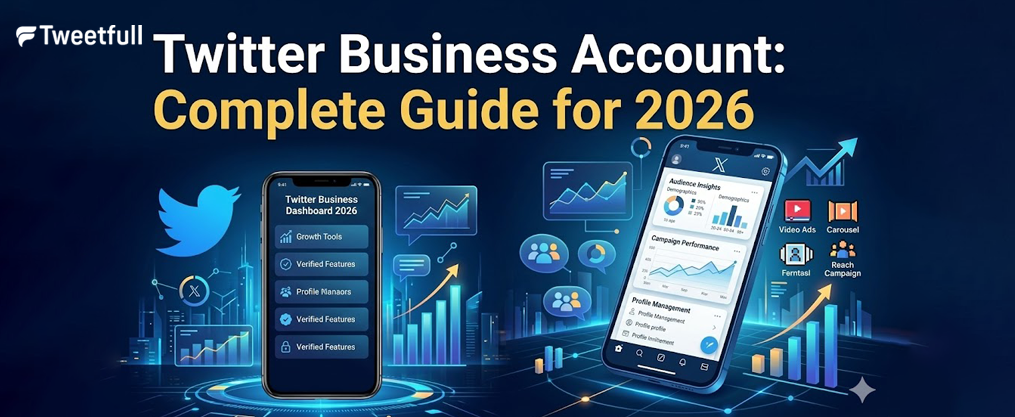
Twitter Business Account: Complete Guide for 2026
Key Takeaways
- A Twitter business account on X is essential for real-time customer communication, marketing, and brand building in 2026.
- Setting up a Twitter business profile takes less than 30 minutes when you prepare your company logo, bio, and website link in advance.
- Verification with a gold checkmark and access to Twitter analytics are crucial for credibility and performance tracking.
- Success comes from a clear strategy: consistent posting, fast replies to direct messages, and smart use of features like Lists, Spaces, and ads.
- Businesses should combine organic activity, paid promotion, and influencer marketing collaborations for the strongest results on the platform.
Introduction: Why Twitter Still Matters for Business in 2026
Twitter has evolved into X, but the fundamentals that made it valuable for businesses remain intact. Throughout this complete guide, we’ll use “Twitter” because most marketers and business owners still search for this term when looking to establish their presence on the platform.
The numbers speak for themselves. Twitter maintains over 330 million monthly active users, with the vast majority accessing the platform via mobile devices. What makes this particularly compelling for businesses is the concentration of journalists, decision-makers, and industry professionals who rely on Twitter for breaking news and real-time updates. Research shows that about 65.8% of US companies with 100+ employees use Twitter for marketing, and brands that engage here enjoy a 19% boost in customer satisfaction.
Unlike other social media platforms that prioritize polished, evergreen content, Twitter thrives on immediacy. It’s where customers expect answers within the hour, where trending topics can boost brand awareness overnight, and where a single well-timed tweet can spark conversations that reach a wider audience than traditional advertising.
This article walks you through everything from the sign up process to advanced growth strategies. You’ll learn how to create a Twitter business account, optimize your business profile, develop a customer experience strategy, leverage Twitter analytics, and use ads to drive traffic and sales.
Why Use a Twitter Business Account?
Many brands underuse Twitter despite high customer expectations for real-time responses. By 2026, most first customer contacts happen on digital channels rather than phone or email, and Twitter sits alongside Facebook and WhatsApp as a top-tier support channel.
A business Twitter account helps you achieve three core goals:
Customer support and experience: Handle inquiries publicly, move sensitive details to direct messages, and demonstrate responsiveness that builds trust with potential customers and existing customers alike.
Brand awareness and thought leadership: Reach journalists, analysts, and industry leaders who shape narratives in your space. Participate in trending topics and share valuable insights that position your brand as an authority.
Traffic, leads, and sales: Drive traffic to your website through link tweets, threads, and pinned posts. Use retargeting via ads to convert visitors into customers.
Twitter is especially valuable for SaaS companies announcing updates, e-commerce brands promoting drops and flash sales, media organizations distributing content, and local services sharing hours, closures, and events.
Personal vs Business Account Comparison
Aspect | Personal Account | Business Account |
|---|---|---|
Primary Goal | Self-expression | Brand representation |
Profile Image | Personal avatar | Company logo |
Features | Standard only | Quick Promote, Professional Profiles, Shopping |
Analytics | Basic metrics | Full account and ad analytics |
Ads | Limited access | Full X Ads capabilities |
Verification | Blue check (subscription) | Gold checkmark for organizations |
Tone | Casual, personal | Professional, consistent brand voice |
How to Create a Twitter Business Account (Step-by-Step)
This chronological setup guide works for both desktop and mobile flows in 2026. Whether you’re using the X app or web browser, the process remains straightforward. You can either convert an existing personal account or start fresh—converting works best when you already have followers and engagement history, while starting fresh is better for clean branding and avoiding legacy content issues.

Step 1: Sign Up or Convert an Existing Account
To create a new Twitter account, go to x.com or open the X app and tap “Create account.” Enter your business name as the display name—this becomes what users see in their feeds and search results.
For the email field, use a role-based address like [email protected] rather than a personal inbox. This ensures long-term access and admin continuity when team members change. For date of birth, organizations can enter their founding or incorporation date.
Username/handle best practices:
- Keep it under 15 characters, short and memorable
- Match your handles across other social media platforms for consistency
- Avoid underscores, numbers, or temporary campaign references
- Choose your official brand name rather than product slogans
For converting an existing personal account to a business free profile:
- Change your display name to your brand name
- Update your handle to match the brand if available
- Switch your email to a corporate or role-based address
- Replace your avatar with your company logo
- Rewrite your bio to reflect business messaging
- Access account settings and apply for Professional Account status via “Switch to Professional”
Immediately verify both email and phone number to unlock account recovery, password reset, and two-factor authentication features.
Step 2: Optimize Your Business Profile
Your profile page is your digital storefront on Twitter. Start with a square profile picture at 400×400 pixels—this should be a clean version of your logo optimized for display at small sizes in feeds and notifications.
Your header image should be 1500×500 pixels. Use this space for a product hero shot, team photo, or current campaign creative. Include only large, legible text if any, and update it seasonally or around major campaigns.
Writing your bio (160 characters max):
Your bio needs to work as an elevator pitch. Include:
- What you do (core product or service)
- Who you serve (target audience or vertical)
- Location if relevant to your service area
- A keyword for searchability
- A branded hashtag or slogan if you have one
Strong bio examples to model:
JetBlue’s bio clarifies that their handle is for customer service and includes operating hours. Spotify emphasizes music discovery and their global audience. McDonald’s uses casual, brand-appropriate copy with campaign taglines.
Add your website URL, physical location, and operating hours if you provide customer support. These details help potential customers find and trust you.
Step 3: Configure Business and Security Settings
A compromised corporate account can damage your brand reputation within hours. Protect your official account with these security measures:
Two-factor authentication: Navigate to Settings → Security → Two-factor authentication. Choose authenticator app over SMS text message when possible—app-based methods are more secure against SIM-swap attacks.
Password management: Use a strong, unique password stored in a password manager. Avoid sharing this password across team members.
Multi-user access: Instead of sharing login credentials, connect your account to a social media management tool that provides user-level logins, role-based permissions, and audit trails showing who posted what.
Privacy and messaging settings: Enable “Receive messages from anyone” if you’ll use the account for customer support. This allows non-followers to reach you via DM.
Create an internal content and reply policy document that covers:
- Tone of voice guidelines
- Response time targets (e.g., reply within 1 hour during 9–5)
- Escalation procedures for crises or legal concerns
- Templates for common scenarios with room for personalization
Step 4: Enable Business Tools and Analytics
Even if you’re not ready to run ads immediately, set up your X Ads dashboard early:
- Navigate to business.x.com or the Monetization/Ads section in your profile menu
- Set your account country and time zone (this is permanent)
- Add a funding source: credit card plus billing details
- Configure business information including legal entity and contact details
This preparation allows website tags to start collecting data for retargeting, and your custom audience pools can warm up before you launch campaigns.
Accessing Twitter analytics:
Click “More” or your profile menu and select “Analytics” (or “Insights” in newer interfaces). You’ll find:
- Account-level metrics: follower growth, impressions, profile visits, mentions
- Tweet-level metrics: impressions, engagements, engagement rate, link clicks
- Audience insights: locations, interests, demographics
Pin your first tweet:
Create an introductory tweet explaining who you are, what followers can expect (support, tips, industry news, offers), and where to find help. Pin this tweet so every visitor sees it first on your profile page.
How to Use Your Twitter Business Account Strategically
A static profile generates nothing. This section serves as your playbook for turning that profile into an active channel that supports customers directly, builds your brand, and drives measurable business results.
Strategy should center on three pillars: customer experience (CX), content and engagement, and paid promotion with analytics, supported by a strategic, A-to-Z approach to Twitter marketing and tools. Brands like JetBlue demonstrate responsiveness and human tone in service interactions. McDonald’s shows culturally aware brand voice. Spotify excels at data-driven content and personalized messaging.

Create a Customer Experience (CX) Strategy for Twitter
Define clear CX goals before you post regularly. Your objectives might include:
- Reducing email and phone volume by shifting contacts to DMs
- Improving customer satisfaction scores for social interactions
- Decreasing first response time for mentions
- Increasing positive public mentions as social proof
Public vs private handling:
Handle initial acknowledgment publicly—reply to complaint tweets to show you’re listening. Move sensitive or complex details to direct messages for order numbers, personal info, and troubleshooting steps. Post public updates during incidents to close the loop for your broader customer base.
Separate support handles:
High-volume brands often run dedicated support handles (e.g., @YourBrandHelp) to separate marketing content from service conversations. Use a branded support hashtag like #AskYourBrand to track inbound volume.
Document your SLAs:
- Respond to mentions within 1 hour during business hours
- Acknowledge complaints within 15–30 minutes during major incidents
- Provide resolution or next steps within 24 hours
Train your team on brand voice, how to apologize without admitting undue liability, when to escalate to PR or legal, and which templates to use for common scenarios.
Respond to Customers Quickly and Professionally
On Twitter, speed often matters more than length. A quick “We see this, we’re on it—DM us your order ID so we can help” beats a detailed but delayed response.
Brands that respond within 15 minutes see significantly higher customer satisfaction scores than those taking over an hour.
Set up monitoring:
- Use native notifications for low volume
- Deploy third-party tools with advanced filters and sentiment analysis for higher volume
- Create saved searches for phrases like “[BrandName] problem” or “[BrandName] + competitor”
Quick reply templates:
Build templates for common scenarios—shipping delays, login issues, refund questions—but always personalize with the user’s handle and specific context. Generic responses feel robotic and can backfire.
Crisis management framework:
- Acknowledge publicly within minutes
- Pin a tweet or create a thread with ongoing updates and timestamps
- Provide a central resource link (status page, FAQ)
- Stick to confirmed facts; avoid speculation
- Coordinate with PR and legal for consistent messaging
Automation and chatbots:
Use automation for initial DM responses, gathering needed information, and routing to human agents. Always provide a clear path to a human for complex issues, and disclose bot use transparently.
Measure Results and Optimize Your Twitter Strategy
Track these core metrics to gain insights into your performance:
Metric | What It Shows | Why It Matters |
|---|---|---|
Engagement rate | Engagements / impressions | Content resonance |
Follower growth | Net new followers over time | Audience building |
Link clicks | Traffic to your site | Funnel performance |
Profile visits | Interest in your brand | Discovery effectiveness |
Response time | Speed of customer replies | Service quality |
Using Twitter analytics: |
Identify top-performing tweets by engagement and clicks, then replicate what works—topic, format, timing. Understand your audience demographics by country, device, and interest segments to adjust content and ad targeting.
Monthly reporting template:
- Top 5 tweets by engagement
- Traffic driven to website (via UTM tracking)
- Follower growth and share of voice vs competitors
- Key learnings and tests for next month
A/B testing ideas:
- Posting times: morning vs afternoon, weekdays vs weekends
- Content formats: text vs image vs video, short vs threads
- Calls to action: “Read more” vs “Download now” vs specific offers
Integrate Twitter With Your Support and Marketing Stack
Centralizing conversations prevents lost messages and improves response quality. Connect Twitter to your help desk or CRM software so mentions and DMs convert automatically into tickets linked to customer records.
Benefits of unified inboxes:
- Single view of customer: email, chat, and social tied to one record
- Agents see full history when replying
- No missed messages when staff switch between tools
- SLA compliance tracking across channels
Sync Twitter data with CRM records for better segmentation and retargeting. Marketing and support teams should share one editorial calendar so promotional tweets align with service announcements and campaign timing.
Leverage APIs, AI, and Automation on Twitter
The Twitter/X API enables businesses to:
- Schedule tweets at scale beyond native limits
- Monitor mentions, DMs, hashtags, and keywords programmatically
- Pull analytics data for custom dashboards
- Automate workflows like posting from RSS feeds or application events
AI chatbot use cases:
- Handle FAQs in DMs
- Perform basic troubleshooting
- Route complex issues to human agents
- Summarize long conversation threads for internal agents
Design automations carefully to avoid robotic-sounding public replies. Keep bot use transparent and ethical—users should know when they’re talking to automation.
Experiment with AI tools that help draft tweets, adjust tone, and suggest relevant hashtags, and explore Twitter marketing strategies for creating engaging content and driving growth. Keep human approval in the loop, especially for anything customer-facing or sensitive.
Automation should improve response speed and consistency but never fully replace human judgment in sensitive situations.
Best Practices to Get the Most From Your Twitter Business Account
These habits separate successful brand accounts from inactive or ineffective ones. Focus on language, profile branding, voice, engagement routines, content formats, and network-building.
Learn Twitter Lingo and Culture
Understanding platform-specific terms improves your communication:
- Tweet/Post: Core content unit
- Repost: Formerly retweet; sharing others’ content
- Quote tweet: Repost with your added commentary
- DM: Direct message, private communication
- Spaces: Live audio rooms for discussions
- Lists: Collections of accounts to organize your feed
- Thread: Series of connected tweets
Use natural, conversational language. Avoid jargon-heavy corporate speak that feels out of place on a platform built for real conversations.
Stay aware of meme culture and trending topics, but only participate when they genuinely fit your brand. Forced trend-jacking often backfires.
Limit hashtags to 1–2 per tweet. Overusing them or tagging unrelated accounts appears spammy and hurts credibility with other users.
Create a Branded Profile That Stands Out
Consistent visuals—your company logo, colors, and design language—make your profile instantly recognizable in timelines and search results.
Profile optimization checklist:
- Align your cover photo with seasonal campaigns, product launches, or major events
- Pin a tweet showing your current main offer or lead magnet
- Use the display name field creatively (e.g., add a campaign tag)
- Audit quarterly to ensure info, links, and branding are current
Use a Consistent, Human Brand Voice
Define your brand’s personality before posting. Are you helpful and friendly? Witty and bold? Calm and professional? Document this in a short voice and tone guide for your social team.
Adjust tone by situation:
- Playful for campaigns and entertaining content
- Formal and empathetic for complaints or crises
- Informative for industry news and announcements
Consider signing off with initials or first names in support replies to humanize interactions.
Before and after example:
Generic: “Thank you for reaching out. We will look into this.”
On-brand: “Hey! We hear you and we’re digging into this now. DM us your order number and we’ll get you sorted. —Sarah”
Engage Regularly and in Real Time
Check mentions, direct messages, and relevant hashtags multiple times per business day. Participation matters more than one-way broadcasting.
Engagement strategies:
- Join trending topics and industry chats when they align with your audience interests
- Host or join Twitter Spaces for Q&As, product demos, or panel discussions
- Set a baseline posting frequency (1–3 tweets per day) and adjust based on engagement data
Genuine conversation—replies, quote tweets, DMs—often drives more value than simply sharing links, especially when combined with proven strategies for consistent Twitter audience growth.
Create Content That Attracts Prospects and Customers
Mix your formats to keep followers informed and engaged:
- Text posts for quick updates and thoughts
- Threads for deeper explanations and user generated content roundups
- Images for product showcases and behind-the-scenes
- Short videos for demos and announcements
- Polls for engagement and feedback
Content quality guidelines:
- Educational content: how-tos, tips, short checklists
- Behind-the-scenes: product development, team culture
- Customer stories: testimonials, case study snippets
Plan recurring content themes—#TipTuesday, weekly case study threads—to simplify ideation and set audience expectations. Include UTMs on all links to track traffic in your analytics tools as you test paid and organic strategies for increasing Twitter followers.
Organize Your Feed With Twitter Lists
Lists help you manage information overload and prioritize engagement:
List Type | Purpose | Visibility |
|---|---|---|
VIP Customers | Track high-value users for engagement | Private |
Journalists & Analysts | Monitor industry coverage | Private or public |
Partners | Support co-marketing | Public |
Competitors | Competitive intelligence | Private |
Review Lists daily or weekly to stay current on industry news and engagement opportunities. Private competitor Lists avoid signaling your monitoring strategies to other accounts. |
Follow Strategic Accounts and Build a Network
Follow industry leaders, journalists covering your sector, complementary brands, and local organizations relevant to your niche.
Network-building tactics:
- Reply thoughtfully to larger accounts’ tweets to expose your brand to a larger audience
- Reshare customer content (with permission) for social proof
- Post occasional shoutouts to partners or creators to deepen relationships
Maintain a healthy follower/following ratio, but prioritize quality connections over vanity metrics. A smaller, engaged following beats a large, inactive one for getting more followers who actually care about your services, aligning with organic Twitter growth tools and services that focus on genuine followers.
Get Verified and Build Trust
In 2026, verification options include:
- Gold checkmark: For verified organizations through Organizational Verification
- Blue check: Via X Premium monthly subscription for individuals and some brands
- Additional tiers: News, media, and government entities may have specific categories
Benefits of verification:
- Higher trust from users
- Reduced impersonation risk
- Potential algorithmic advantages in visibility
- Priority in rankings for premium users
Eligibility basics:
- Active, complete profile (avatar, header, bio, website, location)
- Compliance with platform rules
- Clear representation of a genuine business
Apply once your profile is fully optimized and you’ve posted a baseline of content quality. Even without verification, consistent branding, fast replies, and clear contact info build credibility.
Growing and Monetizing Your Twitter Business Account
Growth should be sustainable and organic-first, complemented by strategic ads and influencer work. Treat Twitter as part of a broader funnel: awareness leads to engagement, which leads to website visits, which convert to leads or sales, supported by targeted Twitter follower growth tactics for business.

Use Twitter Ads to Accelerate Results
Main ad types available in 2026:
- Promoted posts: Standard tweets amplified to targeted audiences
- Promoted accounts: Growth campaigns encouraging users to follow your X account
- Promoted trends: High-cost placements promoting a hashtag or conversation
Targeting options:
- Location: country, region, metro area, city
- Demographics and interests based on user activity
- Keywords: tweets or searches containing target terms
- Follower lookalikes: users similar to those following selected accounts
- Custom audiences: website visitors (via pixel), app users, or uploaded email lists
Campaign best practices:
- Start with small test budgets and one clear objective
- Use creative that feels native to the feed—concise copy, strong visuals
- Include one primary call-to-action per ad
- Continuously optimize by pausing underperformers and refining targeting
Sponsored content should blend with organic posts while clearly delivering your message to your target audience.
Collaborate With Influencers and Creators
Identify relevant influencers by niche, audience demographics, and engagement rate—not follower count alone. A smaller creator with highly engaged followers often outperforms accounts with a global audience but low interaction.
Collaboration structures:
- Product seeding or early access for honest coverage
- Affiliate or revenue-share deals with unique tracking links
- Co-created content: threads, Spaces events, joint AMAs
Make expectations clear—number of tweets, disclosure requirements, key messages—while allowing creators to maintain their authentic voice. Track performance with unique links or codes and monitor engagement quality, not just impressions.
Build ongoing relationships with high-fit creators rather than running one-off campaigns with many.
Drive Traffic, Leads, and Sales From Twitter
Lead generation tactics:
- Promote downloadable resources (guides, webinars, checklists) via tweets and pinned posts
- Use soft CTAs in informative threads that naturally lead to deeper resources
- Direct to simple, mobile-friendly forms with minimal fields
Combine these with targeted Twitter lead generation campaigns using DMs and promotions and, for product-based brands, a well-optimized Twitter Shop and social commerce setup.
Landing page optimization:
Most Twitter traffic comes from smartphones, so ensure fast load times, responsive design, and visual continuity between tweet creative and landing page when running Twitter ad campaigns using different formats and targeting options.
Retargeting strategies:
- Install X’s website tag to build audiences of visitors for retargeted ads
- Retarget users who engaged with previous tweets or ads
- Segment by behavior (viewed pricing, started signup but abandoned) for specific offers
Track end-to-end performance from tweet to sale using proper UTM parameters and analytics tools, especially when you focus on Twitter lead generation and nurturing strategies. Connect social data with CRM and revenue systems to identify high-value cohorts and help your business grow.
FAQ: Twitter Business Account
Do I need a separate Twitter account for my business, or can I use my personal one?
A dedicated business account provides clearer branding, easier team access, and separation between personal opinions and official statements. This matters when you plan to run ads, offer customer support, or onboard multiple team members.
Solo founders can successfully cross-promote between personal and business accounts. Use your personal account for thought leadership and networking while keeping the business account focused on product updates, support, and official communications. Just maintain distinct policies and tone for each—what works as a personal opinion shouldn’t become a company statement.
How much time should I spend managing my Twitter business account each week?
For small businesses starting out, budget 30–60 minutes per day for monitoring mentions, responding to direct messages, and posting content. Larger teams with dedicated roles may invest several hours daily, especially during campaigns or high-volume periods.
A sustainable routine includes daily monitoring and replies, 3–7 posts per week, and a 30–60 minute monthly analytics review. Use scheduling tools and alerts to reduce constant context switching while ensuring you’re still responding promptly when customers reach out.
What should I do if my business receives negative tweets or complaints?
Follow a calm, three-step approach: acknowledge the concern publicly, move details to DM for resolution, and follow up with a public update if the conversation gained attention.
Never delete critical tweets unless they’re abusive or violate platform policies—deletion without explanation often backfires. Respond transparently and professionally, treating complaints as feedback opportunities. Log recurring issues internally for product or service improvement. A well-handled complaint can actually build more trust than no complaint at all.
Can a small local business really benefit from a Twitter business account?
Absolutely. Local businesses use Twitter for announcing hours, closures, and events—updates customers actually care about. It’s also effective for customer support, community engagement, and connecting with nearby audiences through local hashtags.
Follow regional accounts like news outlets and city organizations to build visibility. Even a modest follower count delivers value if those followers are loyal local customers who visit your location and recommend you to others.
Is Twitter still worth it with so many other social platforms available?
Twitter remains especially valuable for industries where news, support, and real-time conversation matter: tech, media, SaaS, and local services all thrive here. The platform’s speed and openness create opportunities that slower, more visual networks can’t match.
Evaluate based on where your audience actually is. If customers mention or search for you on Twitter, you need to be present and responsive. Twitter doesn’t have to replace other networks—it should complement them as part of a broader social media strategy, handling the real-time engagement and publicly visible customer experience that other platforms don’t do as well.