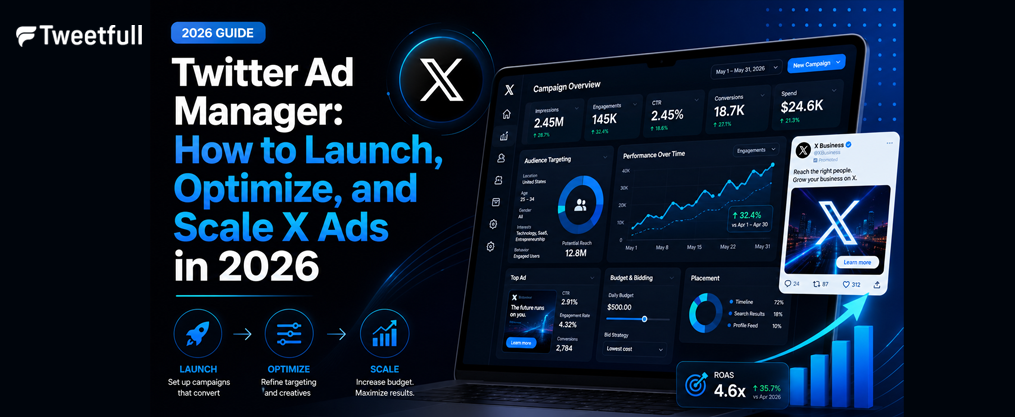
Twitter Ad Manager: How to Launch, Optimize, and Scale X Ads in 2026
Running paid campaigns on X (formerly Twitter) has never looked quite like this. With a rebuilt ads manager, AI-powered targeting, and new creative formats designed for a conversation-first platform, 2026 is the year advertisers either adapt or fall behind. This article walks you through everything you need to know – from setting up your account to scaling campaigns with confidence.
Key Takeaways
- Twitter Ads Manager (now X Ads Manager under X Corp) is the self-serve platform where advertisers create x ads, target specific audiences, and track roi directly from a single interface accessible via ads.x.com.
- X Corp rebuilt its ads manager starting on April 30, 2023 – the overhaul is X’s most ambitious advertising platform update ever – introducing AI-driven targeting, new retrieval and ranking systems, and improved brand safety controls.
- Getting ready to get started only requires an X account, a valid payment method, and a clear campaign objective. There is no minimum spend enforced by the platform.
- X’s ad revenue is projected to reach $2.46 billion by 2026, signaling growing advertiser confidence and expanding inventory.
- Success on Twitter Ads Manager comes from strong creatives, smart audience targeting, continuous A/B testing, and careful measurement of key metrics like CTR, CPC, and conversion rate.
What is Twitter Ads Manager (X Ads Manager)?
Twitter Ads Manager is X Corp’s self-serve platform for creating, managing, and analyzing paid campaigns on X (formerly Twitter). It’s where brands and businesses of all sizes go to turn organic presence into measurable advertising results.
A quick note on terminology: Twitter Ads Manager, X Ads Manager, and “ads manager on X” all refer to the same campaign interface under X Corp. Despite the rebrand, many advertisers, help docs, and industry resources still use the legacy name. Both point to the same platform at ads.x.com.
Core Functions
The ads manager handles five primary jobs:
- Campaign creation – Build campaigns around specific objectives like awareness, traffic, or conversions.
- Budget and bid controls – Set daily or lifetime budgets, choose bidding strategies, and control how your spend is allocated.
- Audience targeting – Reach users by demographics, interests, keywords, behaviors, and custom audience lists.
- Creative management – Upload and organize images, videos, carousels, and other ad formats.
- Real-time performance reporting – Monitor impressions, clicks, conversions, and cost metrics as they happen.
Supported Ad Formats in 2026
X Ads Manager emphasizes interactive and high-performance ad formats. Here’s what’s available:
Format | Best For |
|---|---|
Promoted Posts (image/text) | Quick announcements, brand awareness |
Video Ads | Storytelling, product demos |
Carousel Ads (2-6 cards) | Product catalogs, multi-feature showcases |
Vertical Video Ads | Immersive, full-screen mobile engagement |
X Amplify (pre/mid-roll) | Aligning with premium publisher content |
Dynamic Product Ads | Retargeting users who viewed products |
Collection Ads | Multi-destination product showcase |
Takeover Placements | Mass-reach, high-visibility launches |
Both small businesses and large brands can use the ads manager globally, with billing in major currencies and multiple payment options. Whether you’re running a local shop or managing campaigns for an enterprise, the platform scales to fit. |

How X Ads Manager Works in 2026
The X Ads Manager rebuild began on April 30, 2023, and has continued rolling out globally through 2026. The new Ads Manager focuses on AI-powered performance improvements across three pillars: simplicity, unmatched control, and superior AI-driven performance. This is the most significant platform overhaul in X’s history and aligns closely with AI-driven content systems for X marketing that help brands create and distribute posts more efficiently.
Campaign Hierarchy
Every campaign in ads manager follows a three-level structure:
- Campaign – A campaign corresponds to a single advertising objective (e.g., website traffic, app installs, video views). Campaigns control the overall budget and timing of ads, including daily budget and flight dates.
- Ad Group – One campaign can have many ad groups. Each ad group holds its own targeting parameters, placements, bid settings, and creative assignments. Ad groups can have individual spend caps.
- Ad – An ad group can contain one or more ads, and you can have as many ads as you want in an ad group. This is where your actual creative – image, video, text, CTA – lives.
AI-Driven Retrieval and Ranking
The rebuilt platform uses contextual and semantic signals from live conversations to match ads with relevant users. Rather than relying purely on keyword or demographic signals, the system analyzes what people are talking about in real time and surfaces your ads alongside the most relevant discussions.
AI-driven media buying can reduce costs by up to 40%, according to early performance data from the new system. X aims to improve ad targeting and relevance with AI tools that go beyond traditional interest categories.
Automation vs. Manual Control
Automation now influences targeting, placements, and budget allocation. For example, Campaign Budget Optimization automatically allocates budget among ad groups based on which ones are performing best. However, advertisers still have manual controls for demographics, placements, bid strategy, and creative variant testing.
What’s Improved Over the Legacy Platform
Compared to the old twitter ads manager, the 2026 version offers:
- A faster, more responsive interface
- More transparent reporting at the placement and content adjacency level
- Stronger brand safety filters including keyword and author exclusions
- More reliable optimization through AI-powered retrieval
4 Ready to Get Started: Setting Up Access to Twitter Ads Manager
Getting ready to get started with X Ads Manager is quick and mostly self-serve. You don’t need a sales rep, a special invitation, or a large budget to launch your first campaign.
Step 1 – Create or Convert an X Account
If you don’t already have one, create an X account that represents your business. Set up a professional profile with:
- A handle that matches your brand name
- A clear bio describing what your business does
- A profile image (your logo works well) and a header image
Your profile is often the first thing users see after interacting with your ad. Make it count.
Step 2 – Access Ads Manager
Go to ads.x.com, sign in with your X credentials, and accept any updated terms from X Corp. The page will walk you through initial setup if this is your first time.
Step 3 – Add Billing
Add a credit card or other payment method. Billing only begins once a campaign is launched – you won’t be charged just for setting up your account.
Account-Level Settings
At this stage, you can also configure:
- Time zone – Affects how your campaign schedules and reporting are displayed.
- Currency – Choose the currency for billing and reporting.
- Business country – Determines available targeting and policy options.
- Multi-user access – Add team members or set up agency roles if multiple people will manage campaigns.

Creating Effective X Ads: Formats and Best Practices
Scroll-stopping creatives are essential because X is a fast, conversation-driven timeline. Users move quickly, and you have about one to two seconds to earn their attention, so follow best practices for creating engaging X posts to maximize every impression.
Choosing the Right Format
Each ad format serves a different purpose:
- Single image or text posts – Best for quick messages, announcements, or time-sensitive promotions. Simple, fast to produce, effective for awareness.
- Video ads – Ideal for storytelling, product demos, and brand personality. Utilizing rich media formats like images and videos enhances content engagement significantly.
- Carousel ads – Perfect for product catalogs, multi-step tutorials, or telling a story across 2-6 swipeable cards. Use all available cards, tell a cohesive story, and customize headlines per card.
- Vertical Video Ads – Full-screen, sound-on, immersive. Vertical Video Ads drive actions like clicks, likes, and follows more effectively than standard ads. Recommended aspect ratio is 9:16.
- Followers ads – Designed specifically for community growth and growing a targeted X audience.
Creative Tips
- Hook early. The first line of copy and the first 1-3 seconds of video determine whether someone stops scrolling or moves on.
- Clear CTA. Tell users exactly what you want them to do – visit a url, download an app, follow your account.
- Brand visibility. Keep your logo or brand name visible within the creative, not buried at the end of a video.
- Mobile-first framing. Square (1:1) and vertical (9:16) formats fill mobile screens. Short videos under 15 seconds tend to perform best, though X supports up to 2 minutes 20 seconds.
Test Multiple Variants
Use multiple versions of copy and creative in Ads Manager so the system can learn which combinations drive higher engagement and lower CPC. Running three or four creative variants per ad group gives the algorithm enough signal to optimize delivery toward your best-performing assets, especially when paired with strategies to get more views on X.
Building and Launching Campaigns in Twitter Ads Manager
Let’s walk through the journey from clicking “New Campaign” in ads manager to watching your ads go live.
Choosing a Campaign Objective
Every campaign starts with an objective. Objective-based campaigns align ad spend with specific business goals, and the objective you pick determines how X optimizes delivery and how you’re billed.
Available objectives include:
- Awareness / Reach – Maximize how many users see your ad.
- Website traffic – Drive clicks to a specific url or landing page.
- App installs – Push downloads through integrated app buttons.
- Engagement – Get likes, reposts, replies, and follows.
- Video views – Optimize for completed or partial video watches.
- Conversions – Drive purchases, sign-ups, or other on-site actions.
- Followers – Grow your X audience.
Setting Budgets and Schedules
Campaigns require a daily budget and flight dates (start and end dates). You can also set lifetime budgets for campaigns that need to spend a fixed amount over a defined period.
Pacing options let you control how quickly budget is spent each day. After launch, you can adjust budgets, extend dates, or pause campaigns at any time.
Campaign Budget Optimization automatically allocates budget among ad groups, shifting spend toward the ad groups delivering the best results. This saves you from manually redistributing funds.
Structuring Ad Groups
Use multiple ad groups to segment your campaigns by:
- Different audience segments (e.g., one for retargeting, one for prospecting)
- Different placements or bid strategies
- Different creative sets for testing
Remember: ad groups can have individual spend caps, so you can control how much each segment receives even within an optimized campaign.
Pre-Launch Checklist
Before you hit “Launch,” run through this checklist:
- [ ] Targeting settings reviewed – correct locations, demographics, and interests
- [ ] Creatives previewed on mobile and desktop
- [ ] Tracking links verified (pixels installed, UTMs appended)
- [ ] Payment details confirmed in ads manager
- [ ] Start and end dates double-checked

Targeting Options and Brand Safety Controls
X’s targeting tools let you reach the right people in real time while maintaining control over where your ads appear. Advanced targeting capabilities allow targeting based on search intent and user behaviors, going well beyond basic demographics.
Key Targeting Types
- Demographics – Use demographic targeting to narrow delivery by age, language, and location. You can also filter by gender, device type, and platform.
- Interests – X offers 350+ interest segments across roughly 25 categories. Targeted audience options allow reaching specific groups based on interests and keywords.
- Keywords – Target users based on words they’ve recently used in posts, searches, or engagements.
- Follower lookalikes – Reach people who resemble the followers of specific accounts.
- Custom audiences – Custom audiences enable retargeting of existing customers using CRM data or website visitors. Upload email lists, use website activity data, or build audiences from app events.
- Conversation targeting – Tap into trending topics and live discussions. This is particularly powerful for brands tied to events, trends, or happening cultural moments.
Contextual and Conversation-Based Targeting
X’s AI-powered system uses current topics and semantic understanding to place ads alongside relevant discussions. This means your ad can appear next to conversations about your industry even if you haven’t explicitly targeted every possible keyword. It’s where the platform’s real-time nature becomes a competitive advantage.
Brand Safety Tools
Brand safety controls in X Ads Manager include:
- Sensitivity settings – Choose between Standard (default) and Limited (strict) content adjacency. A Relaxed option is coming soon.
- Keyword exclusions – Block up to 4,000 keywords to prevent your ads from appearing near unwanted content.
- Author/account blocklists – Exclude up to ~2,000 account handles.
- Content category controls – For Amplify placements, select or exclude specific publisher categories.
- Placement controls – Choose whether ads appear in Profiles, Search Results, or Post Replies.
Stricter brand safety settings tend to reduce available inventory and may increase CPMs. Find the balance that matches your brand’s risk tolerance without starving your campaigns of reach.
Regularly review performance by placement and explore any environments that don’t align with your brand standards.
Measuring Performance and Optimizing X Ads
The real power of Twitter Ads Manager lies in its analytics, which show you what to scale and what to fix. Ads Manager provides robust analytics and conversion tracking in real-time, so you’re never flying blind.
Key Metrics in Ads Manager
The Ads Manager dashboard allows for real-time tracking of key metrics such as impressions and clicks. Performance monitoring tracks key metrics like engagement rate and conversion rates. Here’s a summary of what you’ll see:
Metric | What It Tells You |
|---|---|
Impressions | How many times your ad was shown |
Engagement rate | Percentage of users who interacted |
CTR (Click-through rate) | Ratio of clicks to impressions |
CPC (Cost per click) | What you’re paying per link click |
CPM (Cost per thousand) | Cost for every 1,000 impressions |
Conversions | Actions completed (purchases, sign-ups) |
Cost per result | What each desired action costs |
ROAS (Return on ad spend) | Revenue generated per dollar spent |
Using Reporting Views and Filters
You can add multiple filters in Ads Manager to slice data by campaign, ad group, ad, device, location, or creative asset. Filters can be saved for future use in Ads Manager, so you don’t have to rebuild your analysis view every time you log in.
Customize metrics by selecting or unselecting options in Ads Manager to focus on the numbers that matter most for your goals. Saved metric sets are available in the metrics drop-down, making it fast to switch between different reporting perspectives.
You can also export data to analyze campaign performance effectively in spreadsheets or BI tools for deeper analysis.
Optimization Workflow
A practical optimization loop looks like this:
- Pause underperformers – Identify ads with high spend but low results and pause them.
- Scale winners – Increase budget gradually on ad groups delivering strong results.
- Refine targeting – Add exclusions, tighten demographics, or test new keyword groups.
- Swap creatives – Replace fatigued ads with fresh variants based on what’s working.
- Adjust bids – Optimization involves regularly adjusting bidding strategies based on performance data.
A/B testing helps identify which ad elements convert best. Test one variable at a time – headline, image, CTA, audience – to isolate what’s actually driving improvement. Run incremental tests across multiple campaigns over time rather than making sweeping changes all at once.

Advanced Features and Tips for Power Users
If you’ve mastered the basics and want to push X Ads Manager further, these advanced features can help you unlock better results at scale.
Advanced Bidding and Optimization
Beyond standard automated bidding, X offers conversion-optimized campaigns and value-based optimization where available. For app install campaigns specifically, conversion optimization (e.g., optimizing for app purchases on Android) has yielded roughly 33% lower cost per purchase compared to simple install optimization, according to X’s internal testing.
AI-driven media buying can reduce cost per SQL by up to 40%, making sophisticated bidding strategies worth exploring for performance-focused advertisers.
Tracking and Conversion Events
Set up web pixels and app SDKs to track conversions and build remarketing audiences from website visitors, app users, or engaged X profiles. Third-party mobile measurement partners and SKAdNetwork on iOS provide additional attribution layers for app campaigns.
These events also feed the platform’s machine learning, giving it better signal to connect your ads with users most likely to convert.
Bulk Editing and API Access
For agencies and large advertisers managing dozens or hundreds of campaigns, bulk editing and CSV upload features save significant time. The X Ads API supports campaign management, targeting criteria, creative assets, and card generation programmatically, which is essential for services that need to scale operations across multiple client accounts.
Combining Organic and Paid Strategies
One of the most underused tactics: using organic performance data can inform ad spend decisions before scaling campaigns. If a post is already generating strong engagement organically, promote it through ads manager to amplify its reach and revisit your broader approach using updated X marketing tactics that actually work.
Share insights from organic content – which topics resonate, what tone works, which formats earn the most engagement – and use those learnings to guide your paid creative direction. Monitor organic conversations to discover conversation targeting opportunities tied to what’s happening in your industry.
The best-performing campaigns on X typically start with content that already proved itself organically.
FAQ
Is Twitter Ads Manager still available now that Twitter is called X?
Yes. X Corp still provides the same core self-serve ads manager, now commonly referred to as X Ads Manager. However, many advertisers, industry articles, and help docs continue to use the legacy term “Twitter Ads Manager.” Both names point to the same platform at ads.x.com, and all features work identically regardless of which name you use.
What is the minimum budget to run X ads?
There is no strict global minimum spend enforced by Ads Manager. Advertisers can start with modest daily budgets – for example, $5 to $10 per day – and scale as they see results. Some objectives may recommend higher budgets for stable learning, but the platform won’t prevent you from starting small. Benchmark CPMs on X typically range between $4 and $8 for awareness campaigns, with CPCs for link clicks between $0.50 and $2.00 in english-speaking markets.
Can I run Twitter ads without a website?
Yes. You can run campaigns focused on followers, engagement, or video views directly on X without a website. These objectives keep users within the platform. However, a website or app is required for traffic, conversions, and app install objectives, since those campaigns need a destination url to send users to.
How long does it take for a new X ad to be approved?
Most x ads are reviewed automatically within a few minutes to a few hours. Manual reviews can take longer, especially during high-volume periods like Black Friday, product launches, or major cultural events. Build review time into your campaign timelines so you’re not scrambling at the last minute. If an ad is rejected, ads manager will provide a reason and you can edit and resubmit.
Can agencies manage multiple client accounts in Twitter Ads Manager?
Agencies can work with multiple ad accounts by requesting access from clients or using multi-user account features in ads manager. Each account maintains its own billing, currency, and country settings, but campaigns are managed through a single login. This makes it straightforward to support multiple brands or businesses from one source without mixing data or budgets, especially when you’re also exploring monetization strategies to make money on X. Reach out via email to client support if you need help configuring agency-level access.