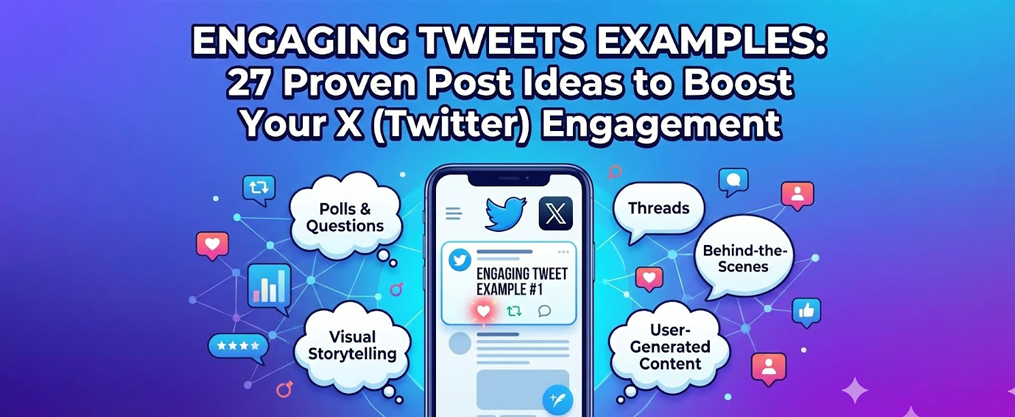
Engaging Tweets Examples: 27 Proven Post Ideas to Boost Your X (Twitter) Engagement
Key Takeaways
- This blog post delivers 27 practical tweet examples, including blog content promotion and brand announcements, with ready-to-use templates you can adapt today, not abstract tips you’ll never implement.
- Every format—questions, threads, polls, behind-the-scenes, and more—is designed for creators, founders, and social media managers growing on X in 2025–2026.
- Examples focus on organic follower growth and genuine audience-building rather than vanity metrics or spammy tactics.
- Once you find formats that work, TweetFull can help automate posting, engagement, and analytics so you scale without burning out.
- You’ll see specific tweet copy, clear structures, and real-world angles that perform across different tweets and niches.
Why Engaging Tweets Matter for Growth on X (Twitter)
Over 500 million tweets flood the platform daily. In 2025–2026, grabbing your twitter audience’s attention requires more than showing up—it demands posts that actually stop the scroll. If your tweets blend into the noise, your growth stalls.
Twitter’s character limit—originally 140, now 280—shapes tweet structure and forces you to create concise, attention-grabbing content that can quickly capture attention in a crowded feed.
Engaging tweets aren’t just posts that rack up likes. They’re the twitter posts that earn replies, quote tweets, profile visits, and link clicks. These deeper interactions signal to X’s algorithm that your content matters, which translates to more placements in the “For You” timeline and reach beyond your existing twitter followers. Using interactive strategies like contests, giveaways, and Q&A sessions can boost engagement by encouraging more user interaction.
Here’s why this matters: tweets with visual content get roughly 150% more engagement than text-only posts. Tweets between 120-130 characters achieve the highest click-through rates. Format and structure directly impact whether a twitter user scrolls past or stops to interact. Optimizing tweet structure—such as using line breaks, clear organization, and compelling headlines—helps capture attention and boost engagement. The algorithm rewards engagement velocity—how quickly your post generates reactions in the first few minutes.
Including explicit calls to action in your tweets is crucial; tweets with explicit calls to action receive 18% more clicks than those without.
This article gives you 27 concrete tweet ideas across multiple categories, plus notes on how TweetFull helps you scale what works once you’ve identified winning formats.

Still doing this manually?
Founders waste hours replying, searching, and engaging manually on X.
Tweetfull automatically finds and engages in conversations that bring you inbound leads. See How It Works →
Crafting Compelling Tweet Copy
Crafting compelling tweet copy is the foundation of strong twitter engagement. To capture your target audience’s attention in a crowded twitter feed, every tweet should start with a hook—something that makes people stop scrolling. This could be a bold statement, a surprising fact, or a thought-provoking question. Follow up with a clear, concise message that delivers value or sparks curiosity, and always include a call-to-action to encourage interaction, whether it’s asking for replies, retweets, or clicks.
To boost tweet engagement, use power words and emotional triggers that resonate with your audience. Questions are especially effective for inviting replies and generating conversations. Don’t forget to incorporate relevant hashtags to increase discoverability and tag other users when appropriate to expand your reach and drive traffic to your profile or website.
Mix up your content by sharing promotional offers, educational tips, and entertaining stories—this variety keeps your audience engaged and coming back for more. Regularly review your twitter analytics to see which tweets perform best, then refine your approach to create even more engaging tweets. By focusing on compelling copy and strategic content, you’ll boost customer engagement, encourage interaction, and maximize the impact of every tweet you send.
Content Strategy for Consistent Engagement
A strong content strategy is essential for maintaining consistent twitter engagement and building a loyal following. Start by planning a diverse mix of tweets: combine text posts, eye-catching images, and informative Twitter threads to keep your audience engaged. Use Twitter polls to gather feedback and encourage interaction, and share behind the scenes glimpses to humanize your brand and foster deeper connections.
Stay relevant by posting about industry news and trending topics—this positions your brand as a thought leader and keeps your content fresh in your audience’s minds. To ensure you never miss a beat, create a content calendar to plan and schedule your tweets in advance. This not only saves time but also guarantees a steady flow of high-quality posts.
Monitor your performance with twitter analytics to identify what resonates most with your audience. Use these insights to adjust your content strategy, double down on what works, and experiment with new tweet formats. By consistently delivering valuable, engaging content and leveraging tools like Twitter polls and behind the scenes updates, you’ll build credibility, encourage interaction, and drive long-term growth for your brand.
Humorous and Relatable Tweets
Humor performs exceptionally well on social media platforms because it humanizes your brand and makes you memorable. When someone laughs at your tweet, they’re more likely to follow, reply, and remember you when they need what you offer.
Incorporating humor, GIFs, and insightful industry facts not only humanizes your brand but also encourages shares on Twitter, providing more value to your audience by making your content both entertaining and informative.
Here are short joke examples tailored to creators and founders:
Quick one-liners:
- “Wrote the perfect tweet. Scheduled it for 9 AM. Deleted it at 8:59 because ‘what if it’s not good enough.’”
- “My twitter analytics said my best performing tweet was a typo. Cool. Great. Love that for me.”
- “Posted a thread that took 4 hours to write. Got 3 likes. Posted ‘lol same’ as a reply. Got 47.”
Observational “relatable pain” tweets:
- “11 PM: I should go to sleep. Also 11 PM: Let me just rewrite this hook one more time.”
- “The confidence I have clicking ‘Schedule Tweet’ vs. the panic I feel 10 minutes before it goes live.”
Keep humor on-brand by staying niche-specific and avoiding punching down. SaaS founders joke about ARR anxiety. Solopreneurs joke about doing everything themselves. Marketers joke about algorithm chaos.
TweetFull’s AI tweet generator can spin multiple variations of your top-performing jokes so you can A/B test which angles resonate most with your target audience.
Trend-Based and Real-Time Reaction Tweets
Trending topics carry existing attention waves you can ride. When you react quickly and cleverly to industry news or cultural moments, you tap into conversations already happening in your twitter feed and across the platform. Live tweeting during events and using an event hashtag can help you join real-time conversations and increase your visibility to both attendees and those following along online.
Tech/creator trend example: When X rolls out a new feature (like extended video or updated analytics), post something like:
- “X just added [feature]. Here’s what this means for creators who actually want to grow (not just look busy): [your take]”
Cultural meme format example: Adapt the “distracted boyfriend” or “me vs. me” text-only meme structure:
- “Me: I should batch content this week. Also me: Let me just doom-scroll for ‘research.’”
To stay relevant, only join trending topics where your audience actually cares and where you have a clear angle. Don’t force connections to trends that have nothing to do with your niche.
TweetFull can auto-engage with posts under certain hashtags or topics to keep your twitter account active around trends while you focus on creating original reactions. Engaging with other tweets around trending topics and event hashtags can further expand your reach and foster more interaction within your community.
Engaging Questions and Conversation-Starters
Questions invite replies—and replies are gold for the algorithm. When your audience responds, your tweet gets pushed to more people and you gain valuable information about what your twitter audience cares about. Sometimes, just one tweet asking for tips or advice can spark a wealth of responses and encourage sharing tips among your followers.
High-performing question formats:
Format | Example Tweet |
|---|---|
This or that | “Threads or carousels—which actually grows your account faster? Reply with your pick.” |
Controversial-but-safe opinion | “Hot take: Posting 5x/day is overrated. Posting 1 great tweet beats 5 mediocre ones. Agree or disagree?” |
Share your best | “What’s the one tool you can’t run your business without? Drop it below—I’m building a list.” |
What’s one mistake | “What’s one mistake you made early on Twitter that you’d warn new creators about?” |
Reply to as many answers as possible. This deepens conversations, shows you’re listening, and encourages more interaction on future posts.
TweetFull can surface your most replied-to questions in your twitter analytics so you can repost or expand them into a twitter thread later.
Want This Done For You Automatically?
Instead of manually finding posts to engage with, Tweetfull tracks keywords and engages in relevant conversations automatically.
- ✔ Targeted keyword campaigns
- ✔ Smart engagement automation
- ✔ Built for early-stage SaaS founders
Value Threads and Educational Mini-Guides
Threads remain powerful for building authority and driving twitter followers. A well-structured thread is composed of multiple tweets, starting with a first tweet that sets the context for the discussion. This tweet structure positions you as an expert and gives readers valuable content worth bookmarking and sharing.
Simple 5–7 tweet thread structure:
- First tweet (Hook tweet) – Grab attention with a bold claim or promise and set the context
- Context tweet – Why this matters right now
- Steps 1–3 – The core system or insights
- Mini-case or example – Real proof it works
- TL;DR summary – Quick recap for skimmers
- CTA – Question or link to drive action
Tip: Including native videos that immediately communicate value in your threads can drive up to 10x more engagement than typical posts.
Example hook:
- “I grew from 0 to 10k followers in 9 months. No paid ads. No viral luck. Here’s the exact system (thread):”
Sample body tweets:
- “Step 1: Post 1 value thread per week. Every. Single. Week. Consistency compounds faster than you think.”
- “Step 2: Reply to 20 accounts in your niche daily. Not ‘great post’—actual thoughtful replies that add value.”
- “In month 3, I had 847 followers. By month 6, I hit 4,200. The curve isn’t linear—it’s exponential if you stick with it.”
TweetFull can schedule each thread part at optimal times, recycle your best-performing threads every few months, or help you turn threads into single tweet summaries for repurposing.
Behind-the-Scenes and “Building in Public” Tweets
Transparency builds trust faster than polished marketing. When you share real numbers, messy drafts, honest updates, and feature updates about new functionalities or changes, you invite your audience into your journey—and they become invested in your success.
BTS tweet examples:
- “March update: 2,847 → 4,102 followers. What worked: daily questions + 2 threads/week. What flopped: promotional tweets without value first.”
- “Here’s my TweetFull dashboard this week. 147 scheduled tweets. 23 auto-engagements. 0 hours spent manually posting.”
- “Just shipped a feature update: now you can schedule threads with images! Let me know what you think.”
- “My workspace right now: cold coffee, 14 browser tabs, and a half-written thread I’ll probably delete.”
Mistake and lesson tweet:
- “Last month I tried posting 8x/day. Engagement dropped 40%. Lesson: quality over quantity isn’t just a cliche—it’s algorithm math.”
To boost engagement, encourage your audience to reply or ask questions based on your last tweet in a series. This helps spark conversations and keeps your followers involved.
Blur or hide sensitive data (revenue, client names) while keeping the authentic feel. Your audience wants realness, not your bank statements.
TweetFull’s analytics provide real numbers you can share in these posts without manual spreadsheet work—follower growth, engagement rates, and top-performing content at a glance.

Product, Service, and Offer Tweets That Don’t Feel Spammy
Most of your tweets should deliver value or spark engagement. A smaller portion—roughly 20%—can be direct promotion. The key is making promotional tweets feel like helpful announcements, not desperate sales pitches.
Non-pushy promotional tweet examples:
For more ideas on how automation tools like a Twitter bot can help grow your profile’s engagement, check out this guide.
- “We just shipped a new feature: AI-generated tweet variations. Write one idea, get 5 versions to test. Here’s how it works → [link]”
- “48-hour flash sale: 30% off annual plans. If you’ve been waiting to try TweetFull, this is the window.”
- “Special offer: Use promo code TWEET20 at checkout for an extra 20% off your first month! Limited time only.”
- “New case study: How a solopreneur went from 1.2k to 9k followers in 90 days using our scheduling + auto-engagement tools → [link]”
- “Excited for our upcoming launch? Stay tuned for exclusive sneak peeks and behind-the-scenes content—follow us for the latest updates!”
Problem–solution format:
- “Tired of spending 2 hours/day on Twitter with nothing to show for it? We built TweetFull to automate the grunt work so you can focus on content that matters. Try it free → [link]”
Include social proof where possible—numbers, screenshots, or a short testimonial quote. “4,000+ creators use TweetFull” hits harder than “try our tool.”
To maximize reach, consider using Twitter ads to amplify your promotional tweets and target a wider audience. When promoting products or offers, avoid posting the same content repeatedly—vary your promotional messages to keep your audience interested and prevent fatigue.
TweetFull can schedule promotional tweets between value posts so your twitter feed never feels like constant ads—keeping your audience engaged instead of annoyed.
Case Studies, Wins, and Social Proof Tweets
Specific outcomes convert readers into trial users or leads far better than vague praise. When you share concrete results, you prove your methods (or product) actually work. Share your best case studies and testimonials on other platforms as well to further boost credibility and reach.
Mini-case study tweet:
- “In 60 days, a SaaS founder went from 2k to 8.7k followers using TweetFull. The breakdown: 3 scheduled tweets/day, 15 auto-engagements/day, 2 threads/week. No paid ads.”
Testimonial tweet formats:
- “‘I tried 4 different scheduling tools before TweetFull. This is the first one that actually helped me grow, not just post.’ — @creatorname”
- “Screenshot: ‘Just hit 5k followers. Couldn’t have done it without the TweetFull auto-engagement feature. Game changer.’”
- “Before TweetFull: 45 min/day on Twitter. After: 10 min/day. Same growth. More time for actual work.”
Tag featured clients (with permission) to boost reach and build credibility. They often retweet, exposing you to their audience.
TweetFull can help identify high-engagement users and successful campaigns to turn into future case study tweets—so you’re always collecting proof.
Polls and Quick Feedback Tweets
Twitter polls lower the barrier to interaction dramatically. One click is easier than typing a reply, so you’ll often see higher engagement rates. Plus, you gather market insights directly from your target audience.
Tip: Use Twitter Cards to enhance the visibility and engagement of your poll tweets. Properly set up Twitter Cards can attach rich media to your polls, making them stand out in feeds and increasing click-through rates.
Example poll questions:
- “Which content format grows your account faster? ○ Threads ○ Single tweets ○ Quote tweets ○ Replies to big accounts”
- “Best time to post on X? ○ 7–9 AM ○ 11 AM–1 PM ○ 5–7 PM ○ 9–11 PM”
- “What’s your biggest Twitter struggle right now? ○ Finding tweet ideas ○ Staying consistent ○ Getting replies ○ Converting followers to customers”
Poll + follow-up question combo:
- “Vote above, then reply: WHY is that your answer? Curious to hear the reasoning.”
Share poll results in a separate tweet or short thread once voting closes. This closes the loop and gives you another piece of content.
TweetFull can schedule follow-up tweets automatically and track which twitter polls led to the most profile visits and follows—so you know which topics resonate.
Quotes, Opinions, and Thought-Leadership Tweets
Short, strong takes get bookmarked, shared, and discussed. When you stake out a clear position, you attract people who agree (and sometimes those who want to debate)—both drive engagement. Sharing strong opinions and insights as part of your overall Twitter content strategy helps build authority and a consistent voice in your niche.
Opinion tweet examples:
- “Unpopular opinion: Most ‘automation’ tools kill your account. The ones that work automate timing, not authenticity.”
- “Organic growth is slower than paid ads. It’s also more durable, more trusted, and builds an actual community.”
- “Posting daily matters less than posting consistently. 3x/week for 6 months beats 7x/week for 2 months.”
- “Content without distribution is a diary. Distribution without content is spam. You need both.”
- “Your audience doesn’t owe you attention. You earn it every single tweet.”
Avoid generic inspirational fluff. Anchor every opinion with a concrete angle or example from your experience. “Work hard” means nothing. “I posted 200 tweets before one hit 100 likes” means something.
TweetFull’s analytics reveal which opinions resonate most so you can double down on similar takes and build credibility in your niche.
Holiday, Seasonal, and Event-Based Tweets
Holidays and industry events open natural conversation windows. People are already thinking about New Year goals, Black Friday deals, or major holidays—you just need to join the conversation with a relevant angle.
Holiday tweet examples:
- “New Year challenge: Post every day in January. No excuses. Who’s in? Reply ‘I’m in’ and I’ll check on you mid-month.”
- “Black Friday deal: 50% off TweetFull annual plans. Ends Monday. If growing on X is a 2026 goal, this is your sign → [link]”
- “2025 in review: I posted 847 tweets. Grew from 3k to 11k followers. Best decision? Starting threads. Worst? Ignoring replies for two months.”
Tip: Create a unique hashtag for your holiday or event campaign. This not only helps brand your campaign but also makes it easy for your audience to join and follow the conversation. For example, #TweetFullHoliday or #BlackFridayGrowth can establish a dedicated space for your community and showcase your expertise.
Fun fact: The first recorded use of ‘hashtag’ was in 2007.
Specific date example:
- “Before January 1, 2026, set up your first 30 days of scheduled tweets. Future you will be grateful. Here’s how to do it in 20 minutes:”
Align visuals with the season—festive banners, countdown graphics—for better CTR on holiday posts.
TweetFull can pre-schedule entire holiday campaigns and automate follow-ups while you’re offline enjoying the actual holiday.
Curated Content and Partner-Shoutout Tweets
You don’t need to create posts from scratch every day. Mixing your own content with high-quality curated posts, including relevant blog content from your industry, keeps you valuable and present without burnout.
Curated content tweet examples:
- “Just read this breakdown on content repurposing by @creatorname. Key takeaway: One thread = 10 pieces of content if you slice it right. Worth 5 minutes → [link]”
- “This YouTube video on building in public changed how I share updates. Watch the first 3 minutes at least → [link]”
- “Thread worth bookmarking: @expertname on why engagement rate matters more than follower count.”
Tool stack shoutout:
- “My current creator stack: Figma for graphics, Notion for planning, TweetFull for scheduling and auto-engagement. All three = under $50/month.”
Avoid linking to direct competitors while still giving credit to helpful resources in your space.
TweetFull can auto-retweet or quote-tweet selected accounts in your niche to keep your twitter account active with curated insights, such as blog content, while you focus on original creation. Balancing how you create posts with both curated and original material helps maintain consistent engagement.
Visual, Meme, and Infographic Tweets
Visual content stops the scroll and makes complex ideas digestible. In a feed of text, an image or chart stands out immediately and captures attention.
Visual tweet ideas:
Type | Description |
|---|---|
Simple chart | Follower growth over 90 days with key milestones labeled |
Before/after screenshot | Analytics from month 1 vs. month 6 |
Text-only framework image | “The 3-step content system” as a clean graphic |
Branded graphics | Your best tweet tip in a shareable image format |
Twitter videos | Short, engaging videos (up to 2 minutes 20 seconds) to showcase tips, product demos, or quick insights—great for capturing attention and boosting engagement |
Meme-style example:
- Image: “What my friends think I do: [influencer on yacht]. What I actually do: [person staring at analytics at 11 PM].”
Keep branding subtle but consistent—same colors, fonts, and a small logo in the corner. You want recognition without distraction.
TweetFull can surface your best-performing visual tweets in analytics so you can repurpose and repost them regularly with updated data.

Retweets, Quote Tweets, and Reply-Based Engagement
Some of your best “tweets” won’t be standalone posts—they’ll be quote tweets and replies. These formats let you tap into existing conversations and borrow attention from larger accounts, or even automate engagement to boost your reach.
Quote tweet formats:
- Add a counterpoint: “Interesting take, but I’d argue the opposite is true for small accounts. Here’s why:”
- Add a case study: “This happened to me. In month 3, I tested this exact approach and saw specific result.”
- Summarize a long thread: “TL;DR version of this thread: [one-line summary]. Worth reading the full thing if you’re [target audience].”
Helpful reply examples:
- Reply to a how-to post: “Missing step here: before you do X, make sure you’ve set up Y. Saves hours of backtracking.”
- Reply with data: “This matches what I’ve seen. My average engagement jumped 34% after I started doing exactly this.”
- Reply with a story: “This exact thing happened to me last month. Switched my posting time by 2 hours and saw a 50% bump.”
Avoid low-effort replies like “totally agree” or “great post.” Add one actionable insight, data point, or short story to stand out.
TweetFull can automate likes and smart follows around specific accounts or keywords—so more people see your thoughtful replies when they check who engaged.
Scheduling, Testing, and Scaling Your Best Tweets
Once you’ve identified tweet formats that work, the next step is consistency and iteration. Random posting leads to random results. Systematic posting builds momentum.
Sample daily schedule:
- 1 question tweet (morning)
- 1 value post or thread (midday)
- 1 personal/BTS tweet (evening)
- 5–10 replies and quote tweets (throughout the day)
A/B testing approach:
- Test different hooks on similar content (question vs. statement opener)
- Test posting times (11 AM vs. 3 PM for the same tweet type)
- Test CTAs (link vs. “reply with questions” vs. no CTA)
- Track which variations get more engagement over 7–14 days
Save your top performers in a simple doc or spreadsheet. Every 4–6 weeks, repost or repurpose your best tweets with updated numbers or fresh angles. Most users won’t see your content the first time anyway.
Where TweetFull fits:
- AI tweet creation generates variations of your best ideas
- Auto-scheduling posts your content at optimal times without manual effort
- Auto-engagement keeps your twitter account active while you’re offline
- Performance reports show what’s working so you double down on winners
This system turns twitter efforts from a daily grind into a scalable growth engine.
FAQs on Creating Engaging Tweets
Q: How often should I post engaging tweets to see follower growth?
A: Aim for 3–5 posts per day—mix of original tweets, threads, and replies—for at least 30 consecutive days. After that initial period, check your twitter analytics to see what’s working and adjust frequency based on results and your own capacity. Consistency matters more than volume, so find a pace you can sustain.
Q: How can I reuse these tweet examples without sounding repetitive?
A: Reuse the same core idea with different hooks, formats (single tweet vs. thread), or visuals. Space reposts 4–6 weeks apart and update numbers, examples, or context to keep them fresh. Your twitter audience is always changing, and most users won’t see your post the first time anyway.
Q: What metrics should I track to know if my tweets are truly engaging?
A: Focus on replies, profile visits, follows per tweet, and link clicks more than likes. Likes are nice but don’t drive growth the way deeper twitter interactions do. A rising average engagement rate over 30 days is a strong sign you’re on the right track. TweetFull’s analytics dashboard makes tracking these key metrics simple.
Q: Can I automate my engaging tweets without hurting authenticity?
A: Yes—scheduling and auto-engagement tools handle timing and volume, while you personally write core messages and respond to important replies. The goal is to automate the repetitive work (posting at optimal times, initial engagement) so you can focus on creating valuable content and genuine conversations.
Q: Do I need a large following for these tweet examples to work?
A: These formats work from day one. Early on, prioritize questions, replies, and quote tweets to tap into other accounts’ audiences while you grow your own. A single tweet that sparks conversation can reach far beyond your current follower count through retweets and algorithmic amplification.
Understanding X Is Step One. Getting Seen Is Step Two.
Tweetfull automatically puts your account in front of conversations that matter.
No bots. No spam. Just strategic engagement automation.Try Tweetfull Free
Conclusion: Turning Engagement into Lasting Growth
Turning twitter engagement into lasting growth is all about strategy, consistency, and genuine connection with your target audience. By crafting compelling tweet copy, implementing a thoughtful content strategy, and leveraging twitter analytics, you can increase engagement, drive traffic, and build a vibrant online community.
Encourage interaction and create buzz by using Twitter polls, launching engaging Twitter threads, and sharing timely holiday posts or event hashtags. Keep your audience engaged by consistently delivering valuable information and sparking conversations that matter to them. The more you generate conversations and share content that resonates, the more likely your followers are to become loyal advocates for your brand.
Remember, lasting growth on Twitter isn’t just about numbers—it’s about building relationships and establishing your brand as a trusted resource in your industry. Stay consistent, keep experimenting, and always put your audience first. With the right approach, you’ll turn every tweet into an opportunity for engagement, connection, and long-term success.