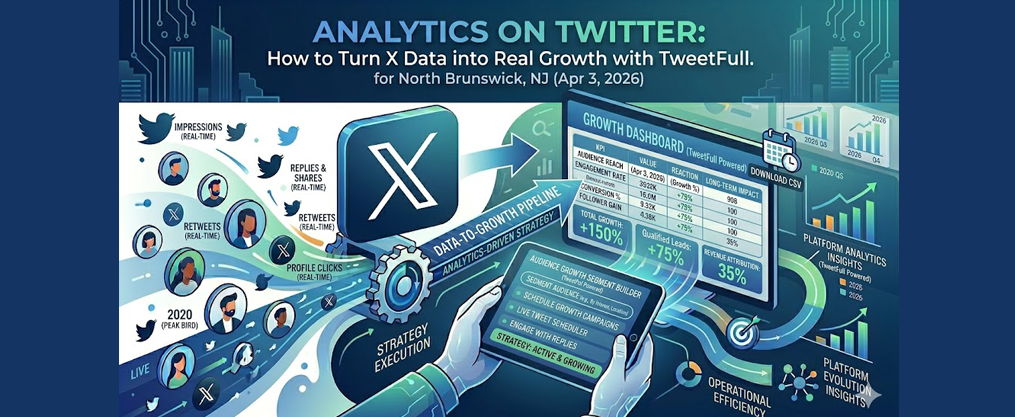
Analytics on Twitter: How to Turn X Data into Real Growth with TweetFull
Introduction: Why Analytics on Twitter Matter in 2026
Analytics on Twitter (now X) have changed dramatically since the 2023 rebrand, affecting how creators and businesses access and use data. Since the 2023 rebrand under Elon Musk, X has undergone significant changes that affect how creators and businesses access analytics data. By mid-2024, X limited the full analytics dashboard—including 28-day summaries of impressions, profile visits, mentions, and follower changes—to Premium subscribers only. Tighter API access has also reduced capabilities for third-party analytics tools, forcing many to either upgrade or find alternative solutions.
This guide covers how to access, interpret, and act on Twitter analytics in 2026, with a focus on practical strategies for creators and brands seeking real audience and revenue growth. Understanding analytics on Twitter means turning raw data (impressions, clicks, follows) into decisions about what to post, when to post, and who to engage with. Public industry reports from 2025 show that median engagement rates across X accounts hover below 1%, typically ranging from 0.05% to 0.5% for brands. This means even marginal improvements yield outsized growth—boosting from 0.5% to 1.5% can effectively double your reach without increasing ad spend.
TweetFull serves as an all-in-one Twitter marketing tool that uses analytics to power smarter automation while staying within X’s rules. This guide is written for creators, solo founders, small teams, and social media marketers who want measurable follower and revenue growth from X—rather than just vanity metrics.

Key Takeaways
- X (formerly Twitter) analytics in 2026 are split between basic per-post stats for all users and deeper dashboards for Premium accounts. TweetFull fills many gaps for non-Premium users by aggregating performance data and providing actionable insights without requiring a subscription upgrade.
- The most important metrics for growth-focused creators and brands are impressions, engagement rate, profile visits, link clicks, and net new followers—not just likes. These core metrics tell a complete story about how your content performs and converts.
- Using analytics weekly to test topics, formats, and posting times can reliably improve engagement and follower growth over a 60–90 day period. Small, consistent optimizations compound into significant results.
- TweetFull combines analytics with automation (targeting, auto-engagements, AI content, and scheduling) so users can act on insights without adding manual workload. The platform creates a feedback loop where data drives smarter content decisions.
- This article provides concrete, step-by-step guidance on accessing native X analytics, choosing the right key performance indicators, and building a simple optimization routine using TweetFull.
How to Access Analytics on Twitter (X) in 2026
The current state of X analytics splits functionality by user tier. Premium subscribers get a richer analytics dashboard with historical data and audience insights. All users still see basic per-post stats under each tweet, which provides enough data for initial content testing.
Three distinct scenarios exist for accessing your analytics data:
User Type | Access Level | Available Data |
|---|---|---|
Non-Premium (Mobile) | Per-tweet stats | Impressions, engagements, link clicks, video views |
Non-Premium (Desktop) | Per-tweet stats + limited summaries | Same as mobile, some account overviews |
Premium Accounts | Full dashboard | 28-day summaries, audience demographics, exports |
Note that UI labels may still display “Twitter” or “X” depending on your region and device. Navigation paths change slightly with major updates—as recently as April 2026, analytics moved under a “More” menu on desktop sidebars. | ||
Bookmark both the web analytics URL and your preferred third-party analytics tools (including TweetFull) to avoid hunting for data each time you need it. |
Accessing Basic Analytics in the X Mobile App
The official X app on iOS and Android does not offer a full tweet activity dashboard but does show key stats for each tweet and video. Here’s how to check analytics on a single post:
- Open your profile by tapping your avatar
- Navigate to the tweets tab and select the specific tweet
- Tap the bar chart icon or “View post engagements”
- Review impressions, total engagements, and detailed breakdowns
On mobile in 2026, you’ll see views, likes, replies, reposts, bookmarks, detail expands, link clicks, and video views where relevant. These basic metrics provide enough data to gauge immediate performance.
Practical use cases for mobile checks include monitoring a live thread during an event or checking how a scheduled tweet performed within the first hour. For multi-week trends and deeper analysis, rely on desktop analytics or third-party dashboards like TweetFull.
Accessing Analytics via Desktop or Mobile Browser
Premium accounts can access analytics through the browser at analytics.twitter.com (or x.com/i/analytics), though some regions may redirect to Premium upsell pages. Non-Premium accounts mainly see per-tweet stats and limited account summaries.
To access analytics via desktop:
- Log in on web and open the side navigation
- Look for “Analytics” under the drop down menu or “More” section
- Alternatively, navigate directly to the legacy URL
On a Premium account, the home analytics page shows:
- 28-day summary of total impressions
- Profile visits and mentions
- Follower changes over time
- Highlighted top performing posts
Data can be filtered by specific date range and exported to a CSV file for deeper analysis in Excel or Google Sheets. This historical data proves invaluable for tracking trends over 90+ days.
TweetFull serves as an alternative for users without Premium, aggregating performance trends even when native dashboards are limited. The platform pulls per-post data and visualizes patterns that would otherwise require manual tracking, while its follower-growth engine is built to boost and track real Twitter followers over time.
Transition: Now that you know how to access your analytics, let’s explore which metrics matter most for growth.
Core Twitter (X) Metrics You Need to Understand
Key Twitter Analytics Metrics: Definitions
Before diving into the details, here’s a quick glossary of the most important Twitter analytics metrics and their definitions:
- Impressions: Impressions show how many times your content was displayed on X.
- Engagement: Engagement reflects the total number of times people interacted with your content, including likes, replies, reposts, and clicks.
- Engagement Rate: The engagement rate is calculated by dividing the number of engagements by the total impressions.
- Profile Visits: Profile visits indicate how many times users have viewed your profile, reflecting interest in your account.
- Link Clicks: Link Clicks demonstrate intent and success in driving traffic off the platform.
- Follower Growth: Follower Growth indicates if a social media strategy attracts new, relevant followers over time.
These core metrics should be read together—high impressions with low engagement suggests a weak hook or misaligned topic for your target audience.
TweetFull mirrors and extends these performance metrics, providing unified views across organic posts, replies, and automated engagement campaigns. Guides on the top key Twitter metrics to track can further clarify which numbers matter most. Understanding what “good” looks like helps you set realistic benchmarks for your twitter account.
Impressions and Visibility
Definition: Impressions show how many times your content was displayed on X.
Impressions count every time a tweet displays in someone’s timeline, search results, or profile—similar to tracking impressions in classic digital marketing. Tweet impressions represent potential exposure, not guaranteed attention.
Consider this example: a tweet showing 12,000 impressions over 7 days but only 40 engagements indicates broad reach but uncompelling content. The audience sees your post but doesn’t feel moved to interact.
Realistic benchmarks for impressions:
- Early-stage creators: 50–500 per tweet
- Growing accounts (1k–10k followers): 500–5,000 per tweet
- Established accounts (100k+): 10,000+ regularly
Use impressions as a top-of-funnel indicator for whether hashtags, topics, and posting times help your content get surfaced by the algorithm. Resources on how to increase Twitter impressions can inform experiments with frequency, threads, and visuals. High impressions with low engagement means your twitter reach is working, but your content needs stronger hooks.
Engagements and Engagement Rate
Definition (Engagement): Engagement reflects the total number of times people interacted with your content, including likes, replies, reposts, and clicks.
Definition (Engagement Rate): The engagement rate is calculated by dividing the number of engagements by the total impressions.
Engagements encompass all user interactions: likes, replies, reposts, quote tweets, link clicks, profile visits from the tweet, bookmarks, and media or detail expands. This comprehensive count shows how much your content drives engagement.
The engagement rate formula is straightforward:
Engagement Rate = (Total Engagements ÷ Impressions) × 100
For example, 80 engagements from 4,000 impressions equals a 2% engagement rate.
Realistic engagement rate ranges in 2025–2026:
- Below 0.5%: Weak performance
- 0.5%–1.5%: Average for most brands
- 2%–5%: Strong for well-targeted creator content
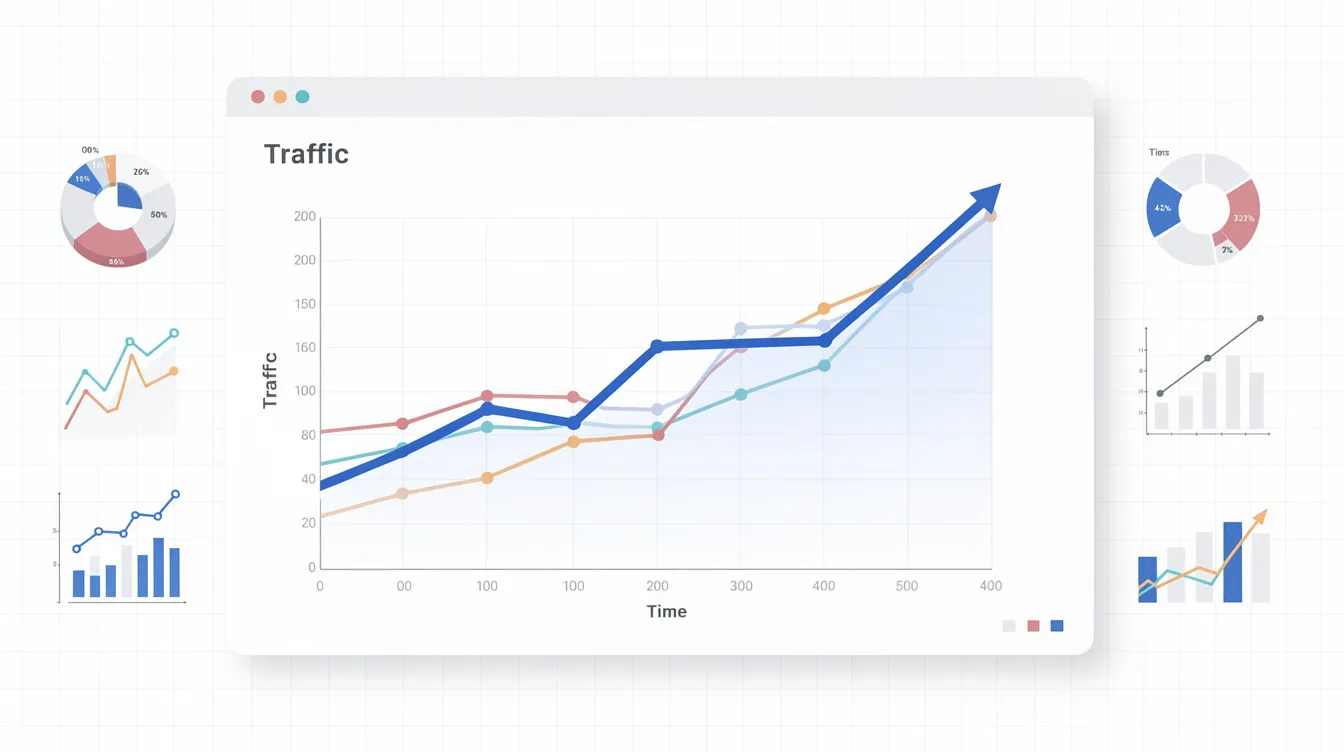
Engagement rate proves more comparable across accounts and time periods than raw engagement counts, making it your primary KPI. TweetFull surfaces engagement rate per tweet, thread, and campaign, automatically tagging best performing posts for later repurposing.
Profile Visits and Follower Growth
Definition (Profile Visits): Profile visits indicate how many times users have viewed your profile, reflecting interest in your account.
Definition (Follower Growth): Follower Growth indicates if a social media strategy attracts new, relevant followers over time.
Profile visits measure how many times users click through to your profile after seeing a tweet or mention. This metric indicates deeper interest beyond a casual scroll and signals that your content sparked curiosity about who you are.
Spikes in profile visits often align with:
- Strong opening hooks
- Controversial or highly useful threads
- Mentions by larger accounts
- Viral content that prompts the question “who is this person?”
Net new followers over a period (e.g., +230 followers in the last 28 days) serves as a better growth indicator than follower count alone. Tracking how many followers you gain versus lose reveals true audience growth.
Here’s how these metrics connect: a thread driving 300 profile visits and 45 new followers effectively converts curiosity into community, even with modest impressions. TweetFull tracks follower changes in context with campaigns, showing which content types or automated engagements drive actual growth.
Clicks, Conversions, and Off-Platform Actions
Definition: Link Clicks demonstrate intent and success in driving traffic off the platform.
Link clicks count how many times users tap URLs in your tweets, including landing pages, newsletters, product pages, or content hubs. For many businesses, these important metrics matter far more than likes.
To track link clicks through to conversions:
- Add UTM parameters to all X links
- Monitor traffic in Google Analytics or similar platforms
- Attribute signups or purchases back to specific tweets
When engagement rate is high but link clicks are low, your content entertains but lacks a strong call-to-action. The audience responds well but doesn’t take the next step toward your broader business goals.
TweetFull helps track which tweets and sequences drive the highest click-through, recommending you repeat or iterate those formats. This data driven approach connects your social media strategy directly to revenue.
Transition: With a clear understanding of the core metrics, you’re ready to use analytics to shape your content strategy for real growth.
Using Analytics to Shape Your Content Strategy
Analytics are only useful if they change what you do next. The goal is transforming analytics data into actionable insights about topics, formats, hooks, and posting rhythm.
Defining Your Goals
Before diving into fine-grained metrics, define 1–2 primary goals. Do you want more qualified followers? More newsletter signups? More demo requests? Your goals determine which metrics deserve the most engagement.
Analyzing Content Performance
A simple three-step loop drives improvement:
- Review performance over the past 1–2 weeks
- Identify patterns in your best performing tweets
- Test small, controlled changes over a 2–4 week window
Common strategy levers that analytics illuminate include which topics resonate, which media types work best, and which tweet structures draw the most engagement.
Finding Your Top-Performing Content Pillars
Content pillars are 3–5 recurring themes that consistently earn strong engagement. For a SaaS founder, these might include product updates, founder stories, tactical tutorials, and industry commentary.
To identify your pillars using analytics:
- Export or filter tweets by engagement rate over 30–90 days
- Group winners by topic manually
- Look for patterns like “behind-the-scenes” outperforming polished promos
- Note whether threads outperform individual tweets
Create a simple tracking table:
Date | Topic | Format | Engagement Rate | Goal Outcome |
|---|---|---|---|---|
3/15 | Build in public | Thread | 3.2% | +45 followers |
3/18 | Product tip | Single tweet | 1.1% | 12 link clicks |
TweetFull can tag tweets based on keywords or hashtags, automating identification of high-performing themes. This helps you create content around what your audience’s preferences actually reveal, not assumptions.
Implementing Changes
Optimizing Hooks, Formats, and Posting Times
Small structural tweaks can dramatically change performance even when the topic stays the same. Stronger hooks, improved spacing, and added media transform mediocre posts into engaging content.
Before/After Hook Example:
- Generic: “5 tips for growing on X”
- Specific: “I grew from 1k to 10k followers in 90 days. Here’s exactly what worked:”
The second hook promises specific value and creates curiosity. This approach consistently drives higher engagement.
To optimize your posting schedule:
- Scan analytics for clusters of high-performing posts at certain hours
- Note which days consistently outperform others
- Test similar content at different times over 2–3 weeks
- Compare engagement rate and link clicks across time slots
TweetFull automatically recommends best times to post based on past performance and schedules tweets accordingly. This eliminates manual guesswork from your social media strategy.
Turning Data into a Weekly Review Ritual
A concrete weekly review ritual takes 30–45 minutes and transforms raw data into actionable insights. Schedule this for Monday morning or Friday afternoon—whenever you plan your future content.
Weekly Review Checkpoints:
- Top 5 tweets by engagement rate
- Top 3 by link clicks
- Follower change over the week
- Notable spikes or dips in impressions
Document 2–3 hypotheses based on each week’s data. For example: “Short videos at lunchtime outperform static images in CTR” or “Questions in the first line boost replies by 40%.”
Plan the next week’s content calendar around these hypotheses while leaving room for reactive content tied to news or trends. TweetFull consolidates these analytics into a single twitter dashboard and generates AI suggestions for what to test next based on your history.
Transition: Once you’re using analytics to guide your content, you can unlock even more growth by leveraging TweetFull’s advanced features.
Beyond Native Analytics: How TweetFull Supercharges Twitter Growth
Native X analytics often feel limiting. Without Premium, you lack granular follower insights. Data scatters across individual posts. And there’s no automation to act on what you learn.
TweetFull positions itself as an all-in-one growth platform that uses analytics not just for reporting, but to drive automated actions so you can grow your Twitter audience and boost engagement organically. The platform stays within X’s evolving automation policies by throttling actions and focusing on genuine, targeted engagement.
TweetFull Feature Categories:
- Audience targeting (keywords, competitors, hashtags)
- Automated engagements (auto-likes, replies, follows)
- AI content creation and scheduling
- Integrated analytics and reporting

Audience Targeting and Smart Automation
TweetFull lets you define your target audience by keywords, hashtags, competitor followers, or engagement with specific topics. Instead of randomly following accounts, you build connections with people already discussing your niche, applying principles from comprehensive guides on finding Twitter followers and growing your audience.
Analytics on these segments refine your approach over time:
- Track follow-back rates by targeting criteria
- Measure engagement rate of targeted users with your content
- Adjust keywords based on conversion data
Typical automated workflows include auto-liking tweets from high-intent users, auto-following relevant accounts, and auto-unfollowing inactive profiles, similar to best practices for Twitter bots that automate likes, retweets, and follows. The goal is authentic connections at scale—not spam.
A SaaS founder targeting people engaging with “bootstrapped SaaS” discussions uses TweetFull to nurture those users. Over time, analytics reveal which keywords produce the highest-quality followers and which segments to prioritize when you export and analyze Twitter follower lists efficiently, allowing continuous refinement.
AI Content, Scheduling, and Analytics Feedback Loops
TweetFull’s AI drafts tweets, threads, and replies based on your best performing posts, making it easier to generate tweets effortlessly with AI. The system learns from past analytics to generate content that matches your winning angles.
A typical workflow:
- Select top posts from the last 90 days in analytics
- Ask TweetFull to generate spin-offs or updates
- Review and edit the AI suggestions
- Schedule at historically best-performing times
The feedback loop continues: TweetFull publishes content, tracks performance, and uses results to suggest further optimizations. This allows small teams to maintain consistent, data-informed twitter presence without daily manual tweaking.
Reporting for Creators, Agencies, and Small Teams
Clear reporting matters when working with clients, stakeholders, or sponsors who expect to measure performance from time spent on X.
TweetFull reports show month-over-month changes in:
- Total impressions
- Engagement rate trends
- Track follower growth patterns
- Link clicks and conversions
Include narrative context: what was tested, what worked, and what changes based on analytics. For agencies managing multiple accounts, TweetFull centralizes data and eliminates hours of manual screenshotting and spreadsheet work.
Set at least one monthly “executive summary” report that can quickly share progress with collaborators or leadership. If you manage multiple brands or need to scale efforts, reviewing TweetFull’s growth plans and pricing can help match reporting needs to the right feature set. This transforms analytics from overwhelming data into valuable insights that directly connect to campaign objectives.
Transition: To see how these strategies work in practice, let’s look at real-world examples of analytics-driven growth on Twitter using TweetFull.
Practical Examples of Using Analytics on Twitter with TweetFull
Theory only goes so far. These mini-case studies show how specific user types apply analytics-focused approaches on X with realistic timelines and outcomes.
Example: Indie SaaS Founder Growing from 1k to 3k Followers
An indie founder starts early 2026 with around 1,000 followers, posting sporadically about product updates and generic tech news. Engagement hovers below 1%, and most engagement comes from existing connections.
Using analytics, the founder identifies that tactical “build-in-public” threads and revenue breakdowns get 3–4x higher engagement than other content. This becomes the primary content pillar.
TweetFull is configured to auto-engage with people discussing “bootstrapped SaaS” and “ARR growth.” These targeted engagements attract the right followers who actually care about the founder’s journey.
Results over 90 days:
- Average impressions per tweet: doubled
- Engagement rate: from under 1% to around 2–3%
- Follower count: grew past 3,000
The founder spends less than an hour a day on X, relying on TweetFull’s automation and scheduling to maintain consistent activity. Analytics drive every content decision.
Example: Creator Driving Newsletter Signups from X
A creator’s primary goal is growing an email list, not just accumulating followers. UTM-tagged links track newsletter signups from X, connecting twitter campaign performance to real business outcomes.
Analytics reveal that threads with clear “save this” value and a strong CTA outperform one-off tweets in link clicks by 5x. Single tweets generate likes; threads generate subscribers.
Using TweetFull’s AI tools, the creator repurposes top-performing threads into shorter formats and scheduled reminder tweets pointing back to the newsletter. The video activity dashboard confirms that video teasers also drive high click-through.
X traffic to the newsletter landing page grows steadily. Inside TweetFull reports, the creator sees exactly which tweets generated the most signups—guiding them to repeat and refine those formats.

Transition: Still have questions about analytics on Twitter? The following FAQ addresses the most common concerns for creators and brands.
FAQ: Common Questions About Analytics on Twitter (X)
Can I get useful Twitter analytics without paying for X Premium?
All users can see per-tweet stats like views, likes, replies, reposts, and link clicks. This provides enough data to guide basic content testing and identify your best performing posts.
Non-Premium accounts lack full historical dashboards and certain audience insights, making deep trend analysis harder purely inside X. You won’t see sentiment analysis or detailed demographic breakdowns.
Tools like TweetFull help fill this gap by aggregating and visualizing performance data over longer periods. Start by tracking simple metrics—engagement rate and follower changes—weekly. Premium tiers benefit larger brands needing advanced real-time analytics, but aren’t essential for growth.
How often should I check my Twitter analytics?
A practical cadence includes:
- Quick checks: After key posts or launches (same day)
- Weekly review: 30–45 minutes for pattern spotting
- Monthly deep dive: Strategic decisions and reporting
Avoid obsessing over hour-to-hour fluctuations. Normal algorithm noise creates short-term variations that don’t reflect meaningful patterns. Human behavior on the platform varies daily—focus on weekly and monthly trends instead.
Tie reviews to specific decisions: what to post more of, what to post less of, and which experiments to run next. TweetFull automates much of this by surfacing weekly summaries and highlighting anomalies worth investigating.
What’s a “good” engagement rate on Twitter in 2026?
“Good” is relative to niche, follower count, and content type. Directional guidance:
Rate | Assessment |
|---|---|
Under 0.5% | Weak—content or audience alignment issues |
0.5%–1.5% | Average for most brands |
2%–5% | Strong for well-targeted creator content |
Small accounts with highly targeted content often see higher engagement rates than huge accounts with broad audiences. Benchmark primarily against your own past performance rather than arbitrary industry averages.
Track engagement rate by content pillar and format to identify where you consistently beat your baseline. TweetFull groups posts by tags or campaigns, making comparison easier using account analytics.
Can I analyze other people’s Twitter accounts with analytics tools?
Private, first-party dashboards are only available to the account owner. You cannot access another user’s internal x twitter analytics through X itself.
Some external tools and manual methods provide reasonable estimates of competitor performance:
- Track public likes and repost counts
- Monitor follower growth over time
- Note which posts generate visible engagement
Follow 3–5 similar accounts, log their standout posts and visible metrics, and infer what resonates in your shared niche. TweetFull focuses primarily on growing your own account, but competitor observations guide which topics and formats to test.
Use competitor insights as inspiration, not a script to copy. Keep your voice and offers distinct while learning from conversations surrounding your industry.
How do I connect my Twitter analytics to real business results?
Start by defining 1–2 clear business outcomes: email signups, demo bookings, or product sales. Everything else supports these goals.
Use UTM tags and landing page analytics to attribute traffic and conversions back to specific X posts. Search bar queries in Google Analytics reveal which campaigns drive actual revenue.
The funnel narrative:
- Impressions create visibility
- Engagements signal interest
- Profile visits and link clicks indicate intent
- Conversions on owned properties generate revenue
TweetFull reporting focuses on metrics mapping closest to outcomes. Review monthly how many conversions come from X, then work backward to understand which content and audience strategies drive them. This transforms your twitter performance from activity metrics into measurable business impact.