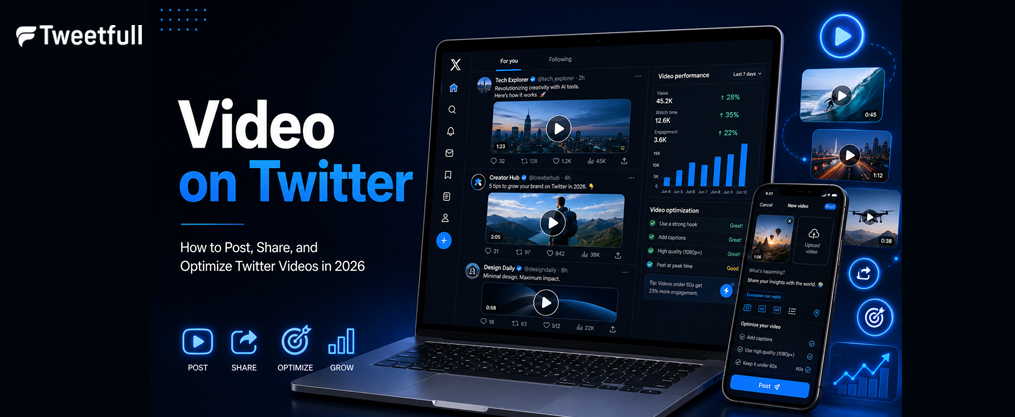
Video on Twitter: How to Post, Share, and Optimize Twitter Videos in 2026
Key Takeaways
- X (formerly Twitter) is now a video-first platform where tweets with video get 10X more engagement than text-only tweets, and videos are 3X more likely to be retweeted than GIFs.
- Standard twitter account holders can post twitter video clips up to 2 minutes and 20 seconds long with a maximum file size of 512MB. Premium tiers support much longer uploads (up to 2 hours on web), and only MP4 and MOV formats are accepted.
- You can upload videos directly from mobile or desktop, share someone else’s video through Quote Tweets or URL tricks, and embed a tweet’s video on any website using HTML code.
- Downloading twitter videos requires third-party tools since X has no native download button. Always respect copyright and the platform’s terms when saving or reposting content.
- 93% of Twitter videos are viewed on mobile devices, so vertical or square formats, burned-in captions, and sound-off optimization are non-negotiable best practices.
Introduction: Why Twitter Video Matters in 2026
X, still widely called Twitter by most users, has shifted decisively toward video since 2023. Video posts routinely drive more replies, reposts, and profile visits than text-only tweets or even image posts. By mid-2026, the platform reports that the majority of watch time comes from short twitter videos under 60 seconds, usually consumed on a mobile device during quick scrolling sessions.
Throughout this guide, we use “twitter video,” “twitter videos,” and “video posts” interchangeably. X is the current brand name, but users still search for “video on twitter,” and the workflows remain the same regardless of what you call the platform. Here is what this article covers:
- Posting videos from desktop and mobile devices
- Technical limits on length, size, and formats
- Sharing someone else’s video correctly
- Downloading videos safely and legally
- Optimizing video content for engagement and brand safety
Twitter Video Basics: Length, Size, and Formats
The baseline for any twitter video in 2026 is straightforward: standard users can upload videos up to 2 minutes and 20 seconds long with a maximum file size of 512MB. Premium and Premium+ subscribers get expanded limits, up to roughly 2 hours and 8GB on web, making it possible to upload a 90-minute webinar at 1080p without issues.
- Duration: 2 minutes, 20 seconds for free accounts. Videos longer than 2 minutes and 20 seconds cannot be uploaded to Twitter on a standard account. Premium tiers extend this significantly on web and iOS.
- Android cap: Videos uploaded from Android are capped at 10 minutes even for some paid tiers, so use desktop for longer uploads.
- File size: 512MB maximum for free accounts; up to 8GB via Media Studio.
- Formats: Twitter supports MP4 and MOV video formats only. Export videos in MP4 format with H.264 compression and AAC audio codec. AVI, WMV, and MKV will fail. Most modern phones already record in a compatible format.
- Aspect ratios: Aspect ratios for mobile videos on X should be 16:9, 1:1, or 9:16. Recommended resolutions are 1080×1920 vertical, 1080×1080 square, and 1920×1080 landscape.
- Autoplay and looping: Videos on Twitter start playing automatically without sound. Videos under 60 seconds will loop automatically on Twitter, making very short clips particularly powerful as looping video posts.
- Frame rate: 30 fps recommended, with support up to 60 fps for high-motion content.

How to Post a Video on Twitter From Desktop
Desktop remains the most reliable way to upload higher-resolution or longer twitter videos, especially for marketers editing video on a computer. Compression is also less aggressive when posting videos from your computer through x.com compared to the mobile app.
- Log into your twitter account at x.com and click the “Post” composer (the “What’s happening?” box).
- Click the media icon (the small image/photo icon in the composer toolbar) and select your MP4 or MOV video file from your computer.
- Add tweet text, hashtags, and a call-to-action, then hit “Post.”
- If your upload exceeds the 2:20 character limit for free accounts, X will prompt you to trim. For longer clips, pre-edit the video file with a tool like CapCut for desktop, DaVinci Resolve, or Adobe Premiere before uploading.
- Example scenario: You are uploading a 90-second product demo in July 2026. Your tweet copy reads: “Our new dashboard in action – watch the 60-second walkthrough and tell us what feature you’d ship first.” This keeps the message short and invites comments.
Native uploads to X have higher visibility and engagement than external links, so always upload the video file directly rather than pasting a youtube or facebook link if you want to avoid relying on outdated Twitter marketing tactics that the algorithm now largely ignores.
How to Post a Video on Twitter From a Mobile Device
93% of Twitter videos are viewed on mobile devices, and most casual creators upload straight from their iPhone or android phone. This workflow is essential to learn.
Recording directly in the twitter app:
- Open the X app and tap the compose icon (the “+” or feather button).
- Tap the camera icon, switch to video mode, and press record.
- Trim, add filters or text overlays, then post.
Uploading from your phone’s gallery: If you already understand the basics of creating engaging Twitter post content, this is where you’ll spend most of your time.
- Tap the image/video icon in the composer.
- Select a video from your camera roll, photos app, or gallery. Grant media permissions the first time.
- Confirm and post.
iPhone vs. Android differences: Icon locations vary slightly. On android, the media icon may sit in a different position, and non-Premium accounts face a stricter duration cap. Both platforms support the same video formats.
You can also share directly from another app like Google Photos or a mobile editor using the system Share menu and choosing X, effectively creating a video post without opening the app first. This is a useful hack when you want to skip extra steps on your device.

Sharing Someone Else’s Video Correctly (Without a Standard Retweet)
Sometimes you want to repost someone else’s video, whether it is a meme, a news clip, or brand user-generated content, while keeping your own commentary as the main focus of the tweet so you can get more likes and retweets on your Twitter posts. A standard retweet does not let you do that.
- Quote Tweet method: Tap the “Repost” icon on the original post, choose “Quote,” add your text, and post. This keeps the original creator clearly visible and is the most straightforward approach.
- “Post video” share on mobile: Long-press the video in the X app until a menu appears. Choose an option like “Post video” to compose a new post where the clip appears as if embedded on its own.
- Desktop URL trick: Copy the tweet URL from the share menu. Simply paste the link into a new post and append “/video/1” to share the video without the full tweet box and preview. Note that X occasionally tweaks this behavior, so test first.
- Etiquette and rights: Always leave attribution intact. Avoid misleading edits. Be extra careful when sharing someone else’s video from news events, live stream recordings, or copyrighted sources. Getting blocked or reported for misuse is a real risk.
Embedding Twitter Videos on Websites and Blogs
There is an important difference between sharing a video inside X and placing a technical embed on an external site like WordPress, Wix, or a custom blog page.
- Open the tweet on desktop, click the three-dot menu or “Share” icon, and select “Embed post.”
- Copy the HTML snippet from publish.x.com. Twitter videos can be embedded using HTML code, and embedded videos on Twitter can be up to 2 minutes and 20 seconds long, or you can pipe them into a Twitter RSS feed if you prefer to surface posts in a reader or on another site.
- Paste that HTML into your site’s HTML block (for example, a WordPress Gutenberg “Custom HTML” block) and save. Visitors can then watch the video without leaving your page.
- To embed a video directly, you can also use the post’s URL with “/video/1” appended, which isolates the video from the full tweet context.
- Auto-embed CMSs: Some platforms like WordPress or Notion only require you to simply paste the full tweet url on its own line, and they generate the embed automatically via oEmbed.
- Common pitfalls: Embedded videos from private or blocked accounts show as unavailable. Deleted tweets break embeds entirely. Very high-bitrate video may stutter on slower connections. Always have a backup plan for critical video content.
Downloading Twitter Videos Safely and Legally
X does not offer a native “download videos” button for most users, so people rely on third-party tools or browser extensions to save clips for offline viewing or editing. This is not complicated, but it does require caution, and it’s only worth the effort if you are also mastering the art of making perfect videos for Twitter in the first place.
- Copy the tweet url from the Share menu on the post.
- Paste it into a reputable twitter video downloader site or mobile app.
- Choose a resolution (720p or 1080p are typical options) and save the video file to your device.
- Tool categories: Web-based converters and dedicated android or iPhone apps are the two main options. Check recent reviews and articles online before choosing, because these tools change often.
- Copyright and terms of service: Only use downloaded files when you own the rights, have written permission from the creator, or are clearly within fair-use guidelines. Do not re-upload someone else’s video as your own original content. Violations can result in your account being penalized or your video getting muted.
- For brand workflows and UGC campaigns, request the original source file from the creator rather than relying on downloaders. This avoids compression loss and policy issues.
Best Practices to Make Your Twitter Videos Perform
X’s algorithm in 2026 favors content that starts conversations and gets quick interactions like watch time, replies, and reposts in the first hour, which is also the window that most directly affects how much money you can make on Twitter through creator tools and brand deals. Small creative tweaks can greatly impact whether your video posts go viral or miss their audience entirely.
- Sound-off optimization: Videos on Twitter start playing automatically without sound. Always add burned-in captions or SRT subtitles. Using captions increases video engagement on Twitter significantly. Design so the main idea is understandable without audio.
- Hook viewers immediately: Videos should hook viewers in the first 3 seconds to grab attention. The first few seconds of videos should be captivating to enhance viewer retention. Open with movement, bold text, or a visual hook. Videos on X should be visually intriguing and avoid long intros.
- Ideal lengths: Users create engaging videos on X by keeping them under 15 seconds for memes and quick promos. The ideal video length for maximum engagement on X is between 20 to 45 seconds for product explainers. Longer clips (2–10 minutes) work for Premium accounts doing interviews or tutorials.
- Tweet copy: Keep the message short, one or two sentences within the character limit. Place one or two relevant hashtags. Clear CTAs and connections between text and video improve engagement. Something like “Watch to the end” or “Reply with your experience” works well.
- Native over links: Native uploads to X have higher visibility and engagement than pasting a youtube or instagram link. Always upload the video file directly.
Videos for X should be designed for fast-moving mobile feeds and short attention spans. If you can stream your message in under 45 seconds with captions, you are already ahead of most creators on the platform.
Analytics, Accessibility, and Compliance for Twitter Videos
Posting twitter videos is only half the job. Serious creators and brands must also track performance, ensure accessibility, and avoid copyright or policy violations that can derail a campaign.
- Basic analytics: All users can see view counts, likes, reposts, and comments on their posts. For deeper data like average watch time, completion rate, and retention graphs, use X Analytics or third-party tools. Track early metrics in the first hour, because the algorithm uses that initial engagement signal to decide further distribution.
- Accessibility: Enable closed captions for people who are deaf or hard of hearing and for the majority who watch with sound off. Avoid flashing content that could trigger photosensitive reactions. Use sufficient color contrast for on-screen text, following WCAG-style guidelines. Edit your overlays so text is readable on any device, and keep an eye on broader Twitter marketing trends in 2025 so your video strategy aligns with how brands now use X.
- Copyright compliance: Unlicensed popular music is a common cause of video muting or takedown. Use royalty-free libraries or platform-approved catalogues. DMCA takedowns can mute or remove your video post entirely, and repeated violations risk your account.
- Brand and personal safety: Avoid sharing sensitive personal data in videos. Respect others’ privacy when you record in public. Be aware that a viral twitter video is often screenshotted, clipped as a gif, or re-shared across multiple platforms like facebook or instagram well beyond your control.
Happening more often in 2026: creators who skip captions or use copyrighted music find their video content quietly suppressed by the algorithm before it ever has a chance to reach a wider audience.
FAQ
These frequently asked questions cover practical details not fully addressed above.
Can I see exactly who watched my Twitter videos?
X shows total view counts and basic engagement metrics but does not reveal a list of individual viewers or handles. Even business or Premium accounts cannot see a person-by-person breakdown. You get aggregated analytics like impressions, average watch time, and completion rate if your account has access to advanced analytics, but specific viewer identities remain private in line with how X Twitter has evolved as a modern communication platform.
What should I do if my twitter video keeps getting upload errors?
First, check the basics: your video file must be MP4 or MOV, the duration and size must be under the limit for your account type and device, and your internet connection should be stable. If the error persists, try re-encoding the video using a standard H.264/AAC profile at 1080p or 720p. Shorten the clip if necessary. If the twitter app on your phone still fails, upload from desktop via x.com, which tends to be more forgiving with larger or higher-bitrate files. Also search for any ongoing platform outages on Google before assuming the issue is on your end.
Is vertical or horizontal better for twitter videos?
Because 93% of viewers in 2026 watch on a mobile device in portrait orientation, vertical (9:16) or square (1:1) formats generally drive better engagement. Landscape (16:9) is still appropriate for screen recordings, trailers, and clips originally shot for youtube. Test different aspect ratios and use your analytics to see what resonates with your specific audience. There is no one-size-fits-all answer, but vertical is the safe default for most video content.
Can I schedule video posts on Twitter instead of posting manually?
Yes. X’s native scheduler, available on web for many accounts, lets you schedule twitter videos at specific dates and times directly from the composer. Third-party social media management tools also support scheduling twitter videos across multiple platforms and profiles, which is especially helpful for brands coordinating campaigns across time zones. This feature removes the need to be online at peak hours.
What happens to embedded videos if a tweet is deleted or an account goes private?
If the original tweet is deleted or the twitter account becomes private or blocked, embedded videos on websites will stop working and display an “unavailable” message. New users who just signed up for a Twitter account or are returning after a break should also be aware that embeds are tightly tied to the original post, especially given all the changes Twitter rolled out in 2023. There is no workaround. If your site relies on critical video content, either host key videos on your own account or keep backup versions on a dedicated video platform to avoid broken embeds. Do not miss this step if video is central to your content strategy.