Twitter Video Size Specs: The 2026 Guide to X (Twitter) Video Dimensions, Length & File Limits
Key Takeaways
X (Twitter) enforces strict technical specifications for video dimensions, aspect ratio, video length, frame rate, and file size in 2026. Getting even one of these wrong can mean a failed upload, blurry playback, or awkward cropping that kills engagement.
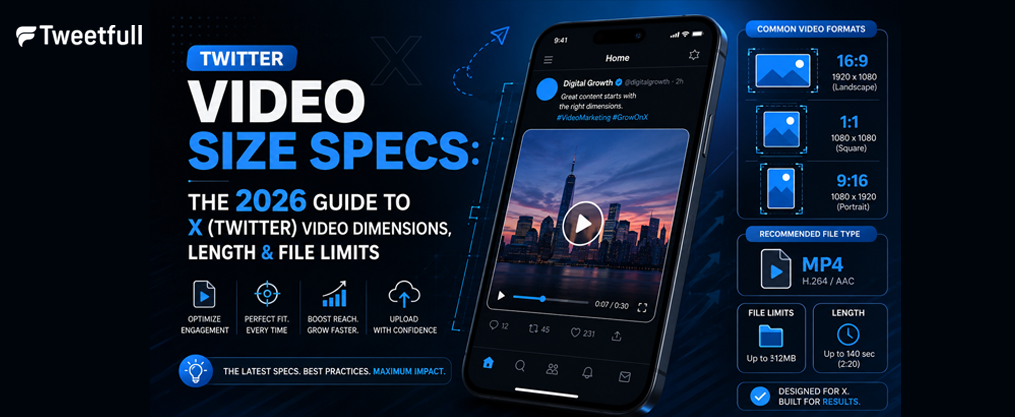
- Non premium users are limited to 140 seconds and a 512 MB max file size, while Premium Plus subscribers can post up to 4 hours and 16 GB on web and iOS.
- The three main supported video dimensions are 1920×1080 (16:9 landscape), 1080×1920 (9:16 vertical), and 1080×1080 (1:1 square).
- MP4 or MOV with H.264 video and AAC audio at up to 60 fps is the recommended twitter video format in 2026.
- Mobile-first vertical clips (9:16) and shorter videos (15–60 seconds) typically deliver better engagement and are easiest to reuse on Instagram Reels and other platforms.
Introduction: Why Twitter Video Size Specs Matter in 2026
X twitter is now heavily video-driven. Between 2023 and 2026, the platform rolled out new subscription tier limits, an Immersive Media Viewer for full screen vertical content, and tighter re-encoding pipelines that punish poorly exported files.
Correct twitter video size specs-meaning the right video dimensions, video length, aspect ratio, and encoding-prevent blurry playback, failed uploads, and the kind of awkward cropping that makes your content creation look amateur. This guide focuses specifically on x twitter video requirements, accurate as of mid-2026, covering both organic posts and most video ads formats unless otherwise stated.
Expect tables and concise bullet lists below, not long theory blocks. Bookmark this page and come back to it every time you export videos for X.
Core Twitter Video Specifications (2026 Overview)
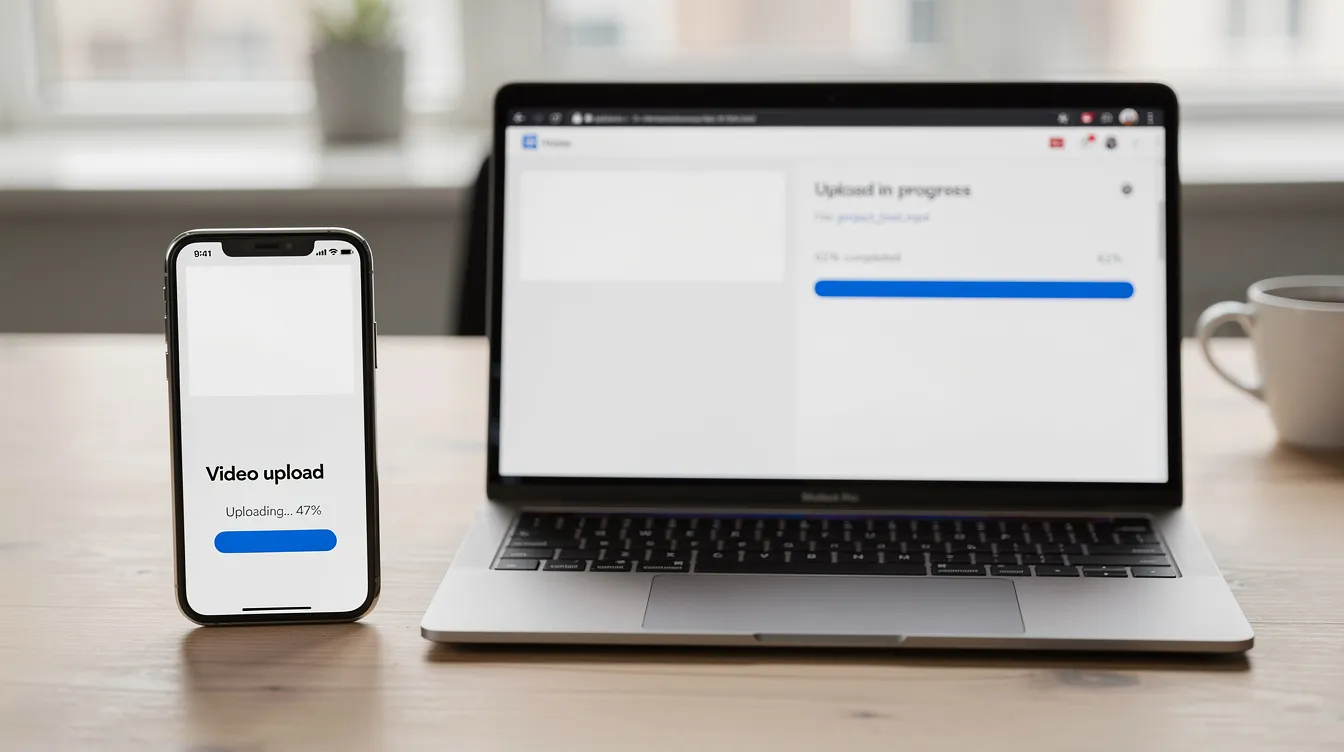
Here are the non-negotiable technical requirements you need to meet before you upload videos on X in 2026.
- Container formats: Twitter supports MP4 and MOV video formats. MP4 is strongly recommended for best compatibility across various devices and browsers; mov formats are accepted but less universally reliable.
- Codecs: Videos must be encoded with H.264 codec and AAC audio. HEVC/H.265 and ProRes are not supported at upload time and will trigger conversion errors or heavy recompression.
- Resolution range: The minimum sits around 32×32 pixels. The maximum video resolution is 1920×1080 pixels for landscape and up to 1080×1920 for portrait videos, with some legacy ratios allowing up to 1920×1200 or 1200×1900.
- Aspect ratio window: Twitter supports aspect ratios from 1:2.39 to 2.39:1. Anything outside that range gets automatically letterboxed or cropped. The three practical choices-16:9, 1:1, and 9:16-cover virtually all use cases.
- Re-encoding: X compresses and re-encodes every upload. Even if your file is technically compliant, video quality degrades during transcoding. Starting with a clean, well-encoded master that respects these video specs is crucial.
File Size Limit, Video Length & Frame Rate by Account Type
The file size limit, video length, and upload quality now depend on your subscription tier and whether you upload from web, iOS, or Android.
Spec | Free (Non Premium) | Premium | Premium Plus |
|---|---|---|---|
Max duration | 140 seconds (2 min 20 sec) | Up to 2 hours (web/iOS) | Up to 4 hours (web/iOS) |
Max file size | 512 MB | ~8 GB | 16 GB |
Max resolution | 1080p | 1080p (up to 2 hrs) | 1080p under 2 hrs; 720p for 2–4 hrs |
Android limit | 140 seconds | ~10 minutes | ~10 minutes |
Standard users are limited to videos of 2 minutes and 20 seconds in length. The recommended video length is 0.5 seconds to 140 seconds for non premium users. Premium users can upload videos up to 2 hours on web/iOS, while Premium Plus users can upload videos up to 4 hours long. Android users are limited to 10 minutes for premium videos regardless of subscription. |
Videos between 2 and 4 hours must be 720p for Premium Plus accounts to stay within the maximum file size ceiling.
Frame rates of 30 fps or 60 fps are recommended for videos on X. For most talking-head and educational video content, 24–30 fps keeps file size manageable. Reserve 50–60 fps for gameplay, sports highlights, or motion-heavy content where the maximum frame rate matters.
Recommended Twitter Video Dimensions & Aspect Ratios
While twitter supports a wide range of video dimensions, three aspect ratios dominate in 2026: 16:9, 1 aspect ratio (1:1 square), and 9:16 vertical.
Aspect Ratio | Pixel Size | Best Use Case |
|---|---|---|
16:9 (Landscape) | 1920×1080 or 1280×720 | Demos, webinars, desktop viewing, landscape videos |
1:1 (Square) | 1080×1080 or 720×720 | In feed posts, cross-platform campaigns |
9:16 (Vertical) | 1080×1920 or 720×1280 | Mobile full screen, Instagram Reels, TikTok |
Twitter supports landscape videos at 1920×1080 resolution (full hd) for the highest clarity. Vertical videos on Twitter should be 1080×1920 pixels, and square videos on Twitter are recommended at 1080×1080 pixels for optimal presentation. |
The recommended resolution for Twitter videos is 1280×720 pixels when you need smaller files. Videos should be uploaded in landscape 1280×720 pixels, portrait 720×1280 pixels, or square 720×720 pixels if full HD is unnecessary.
X still uses 1.91:1 for most image link previews and image formats in cards, but for twitter videos the 16:9, 1:1, and 9:16 twitter video aspect ratio options are the most practical choices.

Landscape, Square & Vertical: When to Use Each Format
Choosing the right aspect ratio affects watch time, better engagement, and how much screen real estate your tweet occupies in feed.
- Landscape 16:9 (1920×1080 or 1280×720) works best for demos, live video highlights, screen recordings, webinars, and videos watched on desktop or embedded on websites via external links.
- Square 1:1 (1080×1080) balances mobile and desktop performance. Square (1:1) videos are highly recommended for optimal presentation on X because they take up more vertical space than landscape while still looking natural across other platforms.
- Vertical 9:16 (1080×1920) is the default for mobile-first strategies, especially if the same creatives will run as Instagram Reels, TikTok posts, and YouTube Shorts. Vertical video fills the entire phone screen in X’s Immersive Media Viewer.
- For video ads units, X’s own documentation recommends 1:1 and 16:9 for conversation and website-click ads, with 9:16 gaining traction for immersive placements.
Keep text overlays and logos away from the extreme edges of your frame. UI overlays from the tweet composer and playback controls can obscure content in those zones, particularly on small screens.
Organic Tweets vs. Twitter Video Ads: Spec Differences
Most organic content and paid placements share the same technical requirements, but some x video ad formats impose stricter caps on video length and file size, which matters if your older Twitter marketing tactics stopped working and you’re leaning more on video ads.
- Organic posts: All three ratios (16:9, 1:1, 9:16) work. Free accounts stay at 140 seconds; premium subscribers get much longer limits. Click the media icon in the tweet composer, navigate to the video tab, and select your file.
- Video ads performance window: Twitter typically recommends 6–60 second creatives for best performance in ads, even though the hard limit can be higher. Shorter videos consistently drive more completions.
- Ad format specs: Common video ads dimensions include 1:1 at 1200×1200, 16:9 at 1920×1080, and 9:16 vertical. Some ad objectives cap the file size limit at 1 GB.
- Quick-engagement ads: Conversation button or poll video ads often use 800×450 (16:9) or 800×800 (1:1), with lengths from 6 to 60 seconds.
If you run both organic posts and paid campaigns, keep a specs checklist so you never confuse the twitter video size limits between the two, and align them with broader Twitter marketing trends shaping the platform.
Encoding Settings: Bitrate, Frame Rate & Audio for Smooth Playback
Even if your video dimensions and mov video length are correct, poor encoding triggers failed uploads or heavy compression on X.
- Codec: Use H.264 High Profile. Target a bitrate that keeps files well under the relevant file size limit-8–12 Mbps for 1080p at up to 60 fps, lower for 720p.
- Max frame rate: 60 fps is allowed, but around 30 fps is a safe mov frame rate target for most content. The max frame rate only matters for fast-motion footage.
- Audio: AAC audio at 44.1 kHz or 48 kHz, with 128–320 kbps bitrate, ensures clear speech and music.
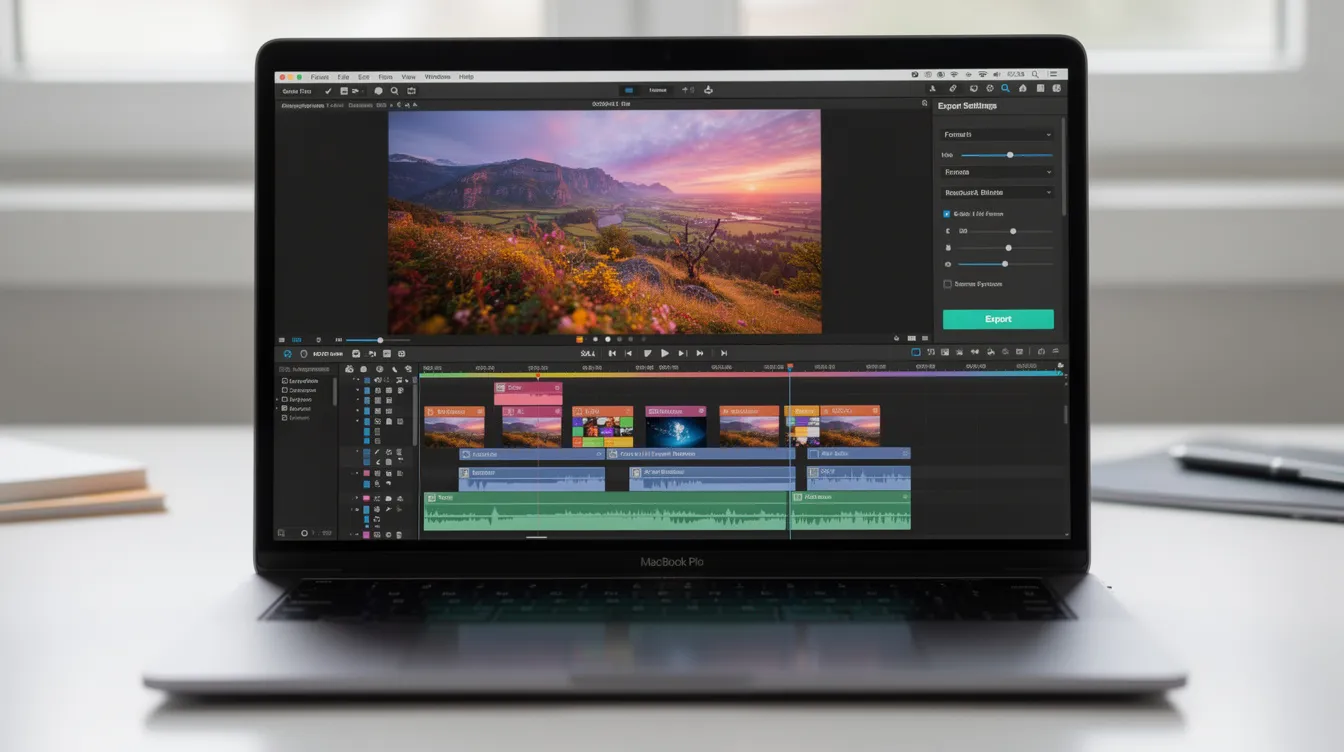
- Export presets: In Premiere Pro, Final Cut, or CapCut, set output to mp4 mov container, H.264, AAC, 1920×1080, and keep bitrate at 20–30 Mbps maximum. These align with the key elements of X’s technical specifications.
- Diminishing returns: Overly high bitrates won’t survive Twitter’s transcoding. Focus on clean source video quality and moderate bitrate rather than pushing extremes.
Optimizing Content for Mobile & Cross-Platform Use
Most X usage in 2026 is mobile-first, so planning engaging twitter videos with phones, touch interaction, and small screens in mind is essential. Consider mobile-first design for better viewer experience across various devices and to support overall best practices for creating engaging X posts.
- When footage is captured on phones, design for vertical 9:16 if you plan to cross-post to Instagram Reels, TikTok, and YouTube Shorts. Vertical video formats should be reformatted before uploading to X for better appearance-don’t just upload raw phone recordings without trimming safe zones.
- Keep critical text, CTAs, and faces within a central safe area so they remain visible in the Immersive Media Viewer and different feed crops.
- Use bold, high-contrast on-screen text with large captions and simple fonts that stay legible on small screens.
- Edit multiple aspect-ratio outputs from one master timeline (16:9, 1:1, 9:16) to export videos efficiently across social media platforms.
- Even long-form horizontal x video can benefit from short vertical cut-downs (15–30 seconds) as teasers and video ad variations that reuse proven tweet formats to turn ideas into posts.
Accessibility & Captions: Making Twitter Videos Watchable on Silent
A large share of twitter videos are watched muted, especially on mobile. Adding captions is crucial for engagement on videos uploaded to X.
- Add captions (SRT subtitles or burned-in text) to every recommended video you post. Include captions for accessibility and sound-off viewing-this single step can meaningfully lift completion rates.
- Captions help deaf and hard-of-hearing viewers while also driving engagement when unlimited users scroll feeds with sound off, especially if you pair them with an optimized best time to tweet for higher engagement schedule.
- Use high-contrast caption styling. Avoid placing subtitles at the extreme bottom where UI elements or link cards overlap.
- Write descriptive alt text for thumbnails and include context in your tweet copy (e.g., “video shows a step-by-step on…”) to improve accessibility and discoverability. Pay attention to image size and image quality on your thumbnail as well.
- Build a reusable captions workflow: write once, then reuse the same SRT file on Instagram Reels, TikTok, and YouTube Shorts to save time.
Best Practices for High-Performing Twitter Videos in 2026
Once technical specifications are correct, performance depends on creative choices like hook, pacing, and clarity. Here are the key details that separate high-performing videos from forgettable ones.
- Aim for clear, concise messaging in the first few seconds. Grab attention in the first 1–3 seconds using motion, bold text, or a strong question to reduce early drop-off.
- Keep most twitter videos under 60 seconds for discovery and engagement. Shorter videos consistently outperform longer ones in viewer retention, even when the platform allows much longer uploads, especially when you follow best practices for making engaging Twitter videos.
- Use strong visuals to enhance engagement and message clarity. One core idea per video, with a specific call to action in the tweet text or on screen.
- Create valuable, entertaining content to captivate your audience, drawing on engaging tweet examples that boost interaction for inspiration. Strong thumbnails with visible faces and contrast increase tap-through rates, especially for long-form uploads.
- Test multiple versions of the same x video (square vs vertical, varying hooks, different captions) and track watch time and completion metrics as part of broader strategies for getting traction on X. File types and aspect ratios can shift performance more than you expect.
Common Mistakes with Twitter Video Size Specs (and How to Avoid Them)
Here’s a quick checklist of the most frequent reasons twitter videos underperform or fail during upload.
- Exceeding the file size limit: Uploading video beyond the account’s maximum file size (e.g., >512 MB on free accounts) leads to failed processing or aggressive recompression. Non premium users can upload videos up to 512 MB-always check before hitting post.
- Unsupported aspect ratios: Exporting with ratios outside the 1:2.39 to 2.39:1 range causes automatic cropping or letterboxing that hides key content. Stick to 16:9, 1:1, or 9:16.
- Exotic codecs or variable frame rates: Using HEVC/H.265 or ProRes triggers compatibility issues and increased conversion artifacts. Always use H.264 and AAC in an mp4 or mov container.
- Ignoring mobile safe zones: Cut-off captions, logos, or CTAs behind UI overlays are common in vertical and square formats. Preview your video on an actual phone before publishing.
- No hook or structure in long videos: Posting long video content with no clear opening or chapters tanks retention even when technical specs are perfect. Trim ruthlessly, or split into a series of organic content clips that support your broader strategies to skyrocket Twitter followers.
FAQ
What is the best overall Twitter video size to use in 2026?
1920×1080 pixels at a 16:9 twitter video aspect ratio is the safest all-round choice for most X content in 2026. This video resolution balances quality and video size, works well for both free and premium users, and is compatible with most editing tools. If your strategy is strongly mobile-first, 1080×1920 (9:16) vertical may be a better default because it repurposes cleanly for Instagram Reels and TikTok.
Can I upload 4K videos to Twitter?
You can technically upload files larger than 1080p, but X’s processing pipeline downscales and recompresses everything, so viewers rarely see true 4K. Export to 1080p (1920×1080) to control video quality and avoid oversized files hitting the file size limit. Starting with a 4K master in your editor is still useful for cropping flexibility, but the delivery file to X should be 1080p.
Do Twitter videos loop automatically, and does that affect length choices?
Videos under 60 seconds auto-loop in the timeline, increasing total watch time if the content is seamless. Plan loops intentionally by matching the first and last frames or structuring the narrative so viewers can drop in at any point. For longer formats (over 60–90 seconds), looping matters less than maintaining strong engagement throughout.
Why does my Twitter video look blurry after upload?
X recompresses every upload, often reducing bitrate to optimize streaming, which causes blur if the source file is low quality or already heavily compressed. Export at a higher bitrate than the platform will ultimately use-around 20–30 Mbps for 1080p-and avoid multiple generations of compression (don’t download from another platform and re-upload without re-encoding). Matching the recommended specs (1080p, H.264, aac audio, moderate bitrate) and avoiding tiny text or thin lines keeps visuals sharper post-compression.
Can I reuse the same video file for Instagram Reels, TikTok, and Twitter?
Yes, as long as the video is created in a compatible aspect ratio like 9:16 (1080×1920) and meets each platform’s file size and video length rules. Edit a master vertical version for Reels and TikTok, then optionally crop or pad to 1:1 or 16:9 for X if campaign goals differ. Think cross-platform from the storyboard phase so that safe zones and captions work across x twitter, Instagram Reels, and other short-form channels. This is one of the best practices for efficient content creation in 2026 and fits into how Twitter has evolved since the changes predicted for 2023.