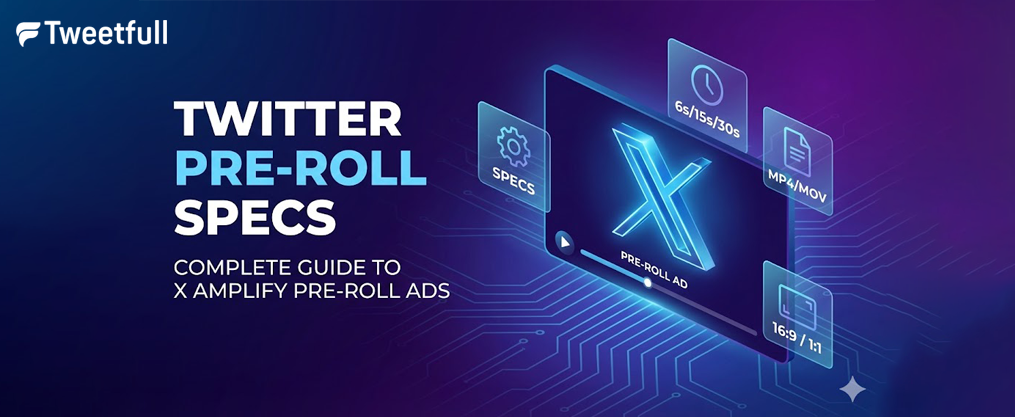
Twitter Pre-Roll Specs: Complete Guide to X Amplify Pre-Roll Ads
Running video ads on X (formerly Twitter) requires more than just a good creative concept. If your video files don’t meet the platform’s technical requirements, you’ll face rejections, playback issues, or underwhelming performance. This guide breaks down everything you need to know about twitter pre roll specs, from file formats and aspect ratios to branding best practices and compliance rules.
Whether you’re preparing your first amplify pre roll campaign or optimizing existing ad formats, these specifications will help you avoid common pitfalls and maximize your video advertisements’ impact on the platform.
Key Takeaways
- X Amplify Pre-Roll videos should ideally run 6–15 seconds for optimal performance, though the platform supports up to 2 minutes 20 seconds maximum with a 1GB file size limit in MP4 or MOV format.
- Pre roll ads run before premium publisher video content from curated categories (sports, news, entertainment) through the X Amplify program, not as standard promoted ads in the timeline.
- Mobile-first formats like 9:16 (vertical) and 1:1 (square) deliver higher completion rates than traditional 16:9 horizontal video clips on smartphone screens.
- Technical requirements include H.264 video codec with AAC LC audio codec, recommended bitrates around 6,000 kbps for 1080p, and proper URL formatting with https:// for all external links.
- Always verify current x ad specs in the Ads Manager before uploading, as platform requirements and policy restrictions can change without notice.
What Are Twitter (X) Pre-Roll Ads?
X Amplify Pre-Roll ads are skippable video advertisements that auto-play before premium in-feed videos from curated publisher partners on the X platform. Unlike standard twitter ads that appear directly in the timeline, these video ads play in a “lean-back” viewing environment where users have actively chosen to watch premium video content.
This ad format is part of the X Amplify program, which connects advertisers with over 200 publisher partners across 15 industry-standard categories. Access to amplify pre roll is typically managed through X Ads or dedicated managed advertisers accounts, making it distinct from self-serve promoted ads.
Publisher content spans multiple categories including:
- Sports leagues and highlights
- Global newsrooms and breaking coverage
- Entertainment shows and celebrity content
- Gaming creators and esports coverage
- Lifestyle and culture programming
Availability, category options, and placement rules are controlled by X and subject to change. Before launching any ad campaigns, always confirm current options within the ads manager interface.
Brands choose pre-roll for several strategic reasons. The format offers enhanced brand safety through publisher allowlists and blocklists where advertisers can exclude specific @handles or categories. The placement before premium video content creates higher viewability compared to in-feed scrolling, making it particularly effective for brand lift and top-of-funnel awareness objectives.
Core Twitter Pre-Roll Video Specs (2025–2026)
These specifications align with X’s latest public guidelines as of 2025–2026. However, platform requirements can update at any time, so always double-check the X help center before finalizing your creative assets.
While this section focuses on video specs, optimal image size is also crucial for image-based ad formats to ensure effective performance and visual appeal.
Duration Requirements
Specification | Requirement |
|---|---|
Recommended length | 6–15 seconds |
Maximum length | 2 minutes 20 seconds (2:20) |
Non-skippable format | Fixed at 6 seconds |
Skippable format | Minimum 15 seconds (users can skip after 6 seconds) |
Auto-loop threshold | Videos under 60 seconds will loop automatically |
File Size and Format
Specification | Requirement |
|---|---|
Maximum file size | 1GB per video file |
Supported containers | MP4 or MOV |
Recommended format | MP4 (best compatibility and compression) |
Smaller files upload faster and render more efficiently across devices. While 1GB is the ceiling, most well-optimized pre-roll creatives fall between 50MB and 200MB. Video size refers to both the file size (up to 1GB) and the dimensions of the video, and aligning video size with Twitter’s platform requirements ensures proper rendering and optimal performance. |
Aspect Ratios and Dimensions
Aspect Ratio | Dimensions | Best Use Case |
|---|---|---|
1:1 (square) | 1200×1200 or higher | Flexible, displays well on desktop and mobile |
9:16 (vertical) | 1080×1920 | Mobile-first campaigns, maximizes screen real estate |
16:9 (horizontal) | 1280×720 or 1920×1080 | Repurposed TV spots, widescreen content |
Note that if your video height exceeds width in non-standard ratios, X may apply 1:1 cropping in feeds. The fallback minimum resolution for non-1:1 ratios is 640×360. |
Video carousels, another engaging ad format on X, also benefit from using these recommended aspect ratios and dimensions for optimal display and engagement.
Frame Rate Guidelines
X supports common frame rates including 23.98, 24, 25, 29.97, and 30 fps. While the platform technically supports up to 60 fps, this is not advised for optimal performance. Match your native footage frame rate and avoid variable frame rate exports, which can cause encoding failures.
Safe Area Considerations
Design for mobile-first viewing by keeping logos and crucial messaging away from the top and bottom 10% of the frame. X applies overlays for publisher video previews in the top-left, ad countdowns in the bottom-right, and publisher branding on the left side. Placing your brand mark in the upper left hand corner requires careful attention to these overlay zones.
Technical Requirements (Codec, Bitrate, Audio)
Meeting technical specifications is critical to passing X’s automated checks and avoiding creative rejections. Even minor encoding issues can cause playback problems or outright ad disapprovals that delay your ad campaigns.
Video Codec Requirements
Specification | Requirement |
|---|---|
Codec | H.264 (Baseline, Main, or High Profile) |
Scan type | Progressive (not interlaced) |
Color space | 4:2:0 (RGB, not CMYK) |
Pixel aspect ratio | Square pixels only |
Avoid older or exotic codecs like MPEG-2 or VP9, which may fail encoding on X. High Profile H.264 delivers the best quality-to-size ratio for pre-roll creatives. |
Video Bitrate Guidelines
Resolution | Recommended Bitrate |
|---|---|
1080p (1920×1080) | ~6,000 kbps |
720p (1280×720) | 3,000–5,000 kbps |
Use constant bitrate (CBR) or high-quality variable bitrate (VBR) encoding for smooth playback. Extremely low bitrates create visible compression artifacts, while unnecessarily high bitrates waste file size without visible quality improvement. |
Audio Codec and Specifications
Specification | Requirement |
|---|---|
Audio codec | AAC LC (Low Complexity) |
Channels | Stereo |
Sample rate | 44.1 kHz or 48 kHz |
AA LC audio bitrate | 128–192 kbps recommended |
Keep audio within broadcast-safe loudness norms (around -14 to -16 LUFS) and avoid sudden volume spikes. Your video advertisements shouldn’t feel jarringly louder than the organic content users selected to watch. |
Common Technical Pitfalls to Avoid
- Do not bake in black bars or letterboxing—X handles scaling and cropping automatically
- Avoid CMYK color space exports (use RGB)
- Variable frame rate exports from screen recordings often fail encoding
- Unusual pixel aspect ratios cause distortion during transcoding
Recommended Creative Dimensions & Aspect Ratios
This section provides practical guidance for designers and editors selecting layouts for X pre-roll video content.
Square Format (1:1)
Minimum dimensions: 1200×1200 pixels
Square format offers the most flexibility across placements. It displays well on both desktop feeds and mobile screens without requiring platform-specific crops. This similar aspect ratio works effectively when repurposing content for carousel ads on other platforms.
Vertical Format (9:16)
Recommended dimensions: 1080×1920 or higher
Vertical is the optimal choice for mobile-first campaigns. With most X users accessing the platform via smartphones, 9:16 video clips maximize screen real estate and typically achieve higher completion rates than horizontal alternatives.
Horizontal Format (16:9)
Recommended dimensions: 1280×720 (720p) or 1920×1080 (1080p)
Traditional widescreen works well for repurposed TV spots, YouTube assets, or live video content, especially when combined with best practices for making effective Twitter videos. However, 16:9 takes up less vertical real estate on mobile feeds, potentially reducing attention and engagement compared to taller aspect ratios.
Export Best Practices
- Export with square pixels and without visible pillarboxing
- Allow X to handle responsive placement and scaling
- Maintain consistent safe margins across aspect ratios for multi-platform campaigns
- Keep logos and CTAs in positions that work across 1:1, 9:16, and 16:9 crops

Branding, Copy & Call-to-Action Guidelines
Meeting technical ad specs is only half the equation. Clear branding and compelling calls-to-action drive actual performance for pre roll ads.
Logo Placement and Visibility
Place your logo or brand mark within the first 1–2 seconds of the video. Keep it visible for at least half the ad duration to maximize recall. Given X’s overlay positions, consider the upper left hand corner carefully—ensure your branding doesn’t compete with platform UI elements.
On-Screen Messaging
Position primary messaging (offer, value prop, or tagline) in the central safe area of the frame. Use large, high-contrast text optimized for small mobile screens. Avoid:
- Dense paragraphs that require reading time
- Multiple text elements competing for attention
- Low-contrast color combinations that wash out on mobile
- Fonts smaller than 24pt equivalent on a 1080p frame
Tweet Copy and URLs
Ad copy supports up to 280 characters, with external links counting as 23 characters each (leaving 257 characters for actual copy). Research suggests optimal tweet text runs 50–100 characters for peak performance, focusing on a singular message.
Any URLs used in companion copy, cards, or end slates must start with http:// or https:// to be clickable and properly recognized by X. Invalid URL formatting is a common cause of ad rejections.
Call-to-Action Recommendations
Include a clear call-to-action in the final 3–5 seconds of your video:
- “Shop now” with a web button for e-commerce
- “Learn more” for brand awareness and consideration
- “Download the app” with an app button for app destination campaigns
Reinforce CTAs with both visual elements and voiceover when appropriate. Consistent brand guidelines (colors, fonts, tone) across channels help viewers immediately recognize your brand even with sound off.
Mobile-First Best Practices for X Pre-Roll
The majority of X users access the platform via mobile devices, making smartphone screens the primary canvas for your pre roll ads. Design decisions should prioritize small, vertical viewing environments.
Sound-Off Viewing Strategy
Design for muted viewing first. Many users watch images or videos without audio by default. Include:
- Burned-in subtitles or captions
- Bold typography that tells the story visually
- Clear visual sequences that communicate without narration
- Text overlays highlighting key benefits or offers
Hook Viewers in the First 3 Seconds
Grab attention immediately. The 6-second skip window means you have roughly 2–3 seconds to convince users to keep watching. Effective hooks include:
- Movement and motion from frame one
- Product close-ups with immediate visual interest
- Bold colors or unexpected visuals
- A compelling question or statement in text
Avoid slow logo animations, static intro frames, or gradual fade-ins that waste precious attention-grabbing time.
Format Selection for Mobile
Favor 9:16 or 1:1 formats over 16:9 to maximize screen real estate. Vertical and square video clips improve view-through rates on smartphones and create more immersive viewing experiences.
Testing Multiple Lengths
Test multiple cuts of the same creative concept:
- 6-second bumper for maximum completion
- 10-second mid-length for balanced messaging
- 15-second version for deeper storytelling
Use X ads manager reporting to compare completion rates, cost-per-view, and engagement metrics across video length variations, and consider layering in AI-driven X content systems for scalable testing.
Visual Elements to Avoid
- Over-detailed backgrounds that become muddy on small screens
- Text smaller than 5% of frame height
- Low-contrast color combinations
- Click bait phrases that reduce credibility
- Mixed media elements that clutter the frame

Targeting Options for X Amplify Pre-Roll
X Amplify Pre-Roll ads provide advertisers with a robust suite of targeting options designed to maximize the impact of their video ads and image ads. By leveraging these advanced targeting tools, brands can ensure their pre roll ads are seen by the most relevant audiences, driving higher engagement and more efficient ad spend. Whether your campaign objectives focus on brand lift, new customer acquisition, or driving traffic to your app destination, X offers flexible solutions to help you reach your goals.
Audience Segmentation
With audience segmentation, advertisers can fine-tune their amplify pre roll campaigns to reach users based on detailed demographics, interests, and online behaviors. This means you can target users who have interacted with similar video content, engaged with related ad formats, or shown purchase intent for products like yours, while also applying proven tactics to grow your Twitter follower base. Custom audiences allow you to retarget existing customers, while lookalike audiences help you expand your reach to users who share characteristics with your best-performing segments, similar to how Copy Followers Campaigns can mirror competitor audiences. This level of precision ensures your video ads and image ads are delivered to those most likely to convert, optimizing your ads spend and improving overall campaign performance.
Contextual Targeting
Contextual targeting enables your amplify pre roll ads to appear alongside premium video content that aligns with your brand message. For example, if your ad group is focused on sports fans, you can target users watching live video clips or publisher video previews from major sports leagues. Similarly, brands in entertainment or lifestyle can align their video advertisements with trending topics or specific publisher partners, complementing this with strategic Twitter List management to organize key accounts. This approach ensures your pre roll ads are contextually relevant, increasing the likelihood of user engagement and brand recall.
Interest and Follower Targeting
Interest and follower targeting allows you to connect with users who have demonstrated a passion for specific topics or who follow influential accounts in your industry. By targeting users who engage with content related to your niche—whether it’s gaming, fashion, technology, or beyond—you can ensure your video ads image or carousel ads reach highly engaged audiences. This method is especially effective for building brand awareness, driving participation in watch parties, or promoting dynamic product ads to users who are already primed to take action.
Brand Safety Controls
Brand safety is a top priority for advertisers running amplify pre roll campaigns. X provides comprehensive brand safety controls, allowing you to exclude placements next to sensitive or inappropriate content. You can set up allowlists and blocklists to avoid publisher content that doesn’t align with your brand values, and use advanced filters to steer clear of topics like violence, profanity, or controversial trends. These controls help protect your brand reputation while ensuring your video advertisements appear in a premium, brand-safe environment.
By combining these targeting options with the platform’s diverse ad formats—such as standalone image ads, video carousel ads, and mixed media campaigns—advertisers can showcase multiple products, tell compelling stories, and drive measurable results while applying keyword and hashtag strategies for Twitter marketing to enhance discovery. Use X’s ads manager to monitor user clicks, page views, and conversions, and leverage branded notifications or branded hashtags to amplify your reach while experimenting with engaging tweet formats to boost interaction.
Remember, optimal performance comes from aligning your targeting strategy with your creative assets and campaign objectives. Whether you’re running a timeline takeover, trend takeover, or exploring new ad formats listed in X ad specs, these targeting tools empower you to connect with the right audience at the right moment—maximizing the impact of every ad dollar spent.
Compliance, Policy & Category Restrictions
X enforces strict advertising policies and IAB category restrictions that directly affect which brands can run pre-roll ad campaigns and where their ads appear.
Policy Review Requirements
Before producing creatives, advertisers must review X’s current advertising policies for restricted and prohibited content. Non-compliant ads face rejection, reduced delivery, or account penalties.
IAB Category Restrictions
Certain IAB content categories are banned or limited for ad campaigns, including pre-roll placements:
Restricted Categories | IAB Codes |
|---|---|
Various sensitive categories | IAB1-6 |
Illegal drugs | IAB7-39 |
Cosmetic procedures | IAB11-5 |
Sexual content variations | IAB14-1, IAB14-2, IAB14-4, IAB14-7 |
Illegal content | IAB26 |
These restrictions limit targeting options, available publisher inventory, and placements. Your ad group may show reduced reach if targeting overlaps with restricted categories. |
Regulated Industry Requirements
Brands in regulated industries should expect additional approval steps:
Industry | Additional Requirements |
|---|---|
Finance | Disclosure compliance, licensing verification |
Healthcare | Claim substantiation, regulatory disclaimers |
Alcohol | Age-gating, geographic restrictions |
Gambling | Licensing documentation, jurisdiction limits |
Political | Identity verification, paid-for disclaimers |
Amplify sponsorships and pre-roll in these categories often require managed advertisers status and direct X representative involvement. |
How to Prepare & Upload Pre-Roll Creatives in X Ads
The workflow for launching pre-roll involves exporting approved video files, uploading to X Ads, assigning them to Amplify Pre-Roll line items, and submitting for review. To optimize ad targeting and measure campaign performance, it’s important to track required events such as page views, content views, add to cart actions, and purchases. Monitoring campaign performance regularly and adjusting targeting options or creatives as needed is crucial for optimization. Here’s the step-by-step process.
Account Setup and Access
Before uploading creatives:
- Create or access an X Ads account
- Confirm billing and payment methods
- Verify access to Amplify placements (self-serve versus managed options vary by region)
- Review campaign objectives available for pre-roll (typically Pre-roll Views)
Asset Preparation and Upload
Follow this workflow for clean creative uploads:
Step | Action |
|---|---|
1 | Name assets clearly with campaign, date, and version info |
2 | Upload MP4 or MOV files meeting all ad specs |
3 | Select or upload custom thumbnail images |
4 | Enter companion tweet copy (up to 280 characters) |
5 | Add URLs with proper https:// formatting |
6 | Select publisher content categories or apply exclusions |
Transcoding and Quality
X will transcode your creatives into multiple renditions for different devices. Upload the highest quality master file within the 1GB maximum file size limit to preserve fidelity across all playback scenarios. Lower quality uploads result in visible degradation after platform compression.
Review and Approval Timeline
Allow time for creative review and approval. Standard review typically completes within one business day, but expect longer timelines during:
- Major advertising periods (holidays, elections)
- Sensitive category campaigns requiring additional review
- Branded content integrations with specific publisher partners
Performance Tracking
Use X Ads Manager reporting to monitor:
- Pre-roll view rate (50% view for 2+ seconds or user clicks to expand/unmute)
- Video completion rates (3-second/100% views, 6-second/50% views)
- Cost-per-view and total ads spend
- Result rate by ad group and creative
Refine creative, targeting, and bidding based on results. Automatic bid strategies work well for scale, while maximum bidding offers precise twitter ads cost control and can help you adapt when legacy Twitter marketing tactics stop performing.
Bidding Options
Bid Type | Use Case |
|---|---|
Automatic bid | Quick launches, learning phase |
Maximum bid | Precise cost control, experienced advertisers |
Note that maximum bidding is unavailable for 15-second view optimization objectives. |
FAQ: Twitter (X) Pre-Roll Specs & Best Practices
How long should my Twitter pre-roll ad be for best performance?
While X allows up to 2 minutes 20 seconds, most brands achieve the strongest results with focused videos between 6 and 15 seconds. Shorter ads typically see higher completion rates, particularly on mobile devices where attention spans are limited.
Advertisers often test multiple lengths—a 6-second bumper for maximum completion alongside a 15-second version for deeper messaging. Longer formats can work for complex storytelling but require exceptionally engaging visuals and strong hooks within the first 3 seconds to maintain attention past the 6-second skip window.
For campaign objectives focused on awareness and reach, 6-second non-skippable formats deliver guaranteed message exposure. For consideration and engagement goals, 15-second skippable formats offer more room to communicate value propositions.
Do Twitter pre-roll ads require audio, or can they be silent?
Audio is fully supported and recommended for pre-roll, but your ads must remain understandable with sound off. Many X users browse with muted devices, especially in public spaces.
Include captions, on-screen text, and clear visual storytelling so the core message lands even without the soundtrack. When you do use audio, follow the AAC LC codec requirement and maintain comfortable loudness levels around -14 to -16 LUFS to avoid jarring volume differences with organic content.
Silent videos are technically permitted but typically underperform compared to creatives designed with intentional sound-off optimization through visual elements.
Are subtitles or captions mandatory for X Amplify Pre-Roll?
X does not always require captions as a technical mandate for approval. However, accessibility best practices and performance data strongly support including them.
Burn captions directly into your video or use platform-supported caption files when available. This improves comprehension for international audiences, viewers in noisy environments, and users browsing with sound disabled.
Campaigns with accurate subtitles consistently see better engagement and completion rates compared to silent, text-free videos. Beyond performance benefits, captions demonstrate brand commitment to accessibility and inclusivity.
Can I reuse my YouTube or TV commercial as a Twitter pre-roll ad?
Existing 16:9 assets can technically be reused if they meet the technical specifications—H.264 codec, AAC audio, file type and duration limits. However, simply uploading a TV spot rarely delivers optimal results on X.
Consider creating platform-specific cuts with:
- Faster openings that hook within 2–3 seconds
- Larger, mobile-optimized text
- Vertical (9:16) or square (1:1) crops
- Adjusted messaging for social context
Test both your adapted versions and original assets to compare cost-per-view and engagement metrics. Native X edits typically outperform repurposed broadcast content, but your specific audience and creative may vary.
How do I know if my brand is eligible to run pre-roll ads on X?
Eligibility depends on several factors including geographic region, account status, policy compliance, and whether your account operates as managed advertisers or self-serve within X Ads.
Dynamic Product Ads (DPA) can be used to prospect for new customers by targeting audiences who haven’t visited your website before, showcasing relevant products to attract and acquire fresh customers. Additionally, Dynamic Product Ads on Twitter personalize ad content to show the most relevant products to customers at the right time, especially when combined with broader Twitter promotion strategies using Amplify and paid placements.
To verify eligibility:
- Check within X Ads Manager for Amplify placement options
- Contact an X representative or partner agency if options aren’t visible
- Review all advertising policies before attempting campaign creation
Some sensitive or restricted categories cannot access certain premium inventories like pre-roll regardless of ad specs compliance. Brands in regulated industries (finance, healthcare, alcohol, gambling, political) may require additional documentation and approval steps before timeline takeover or explore tab placements become available.
If you’re seeing limited inventory or campaign setup errors, reach out to X support with your specific account details and campaign objectives for further context on your eligibility status.