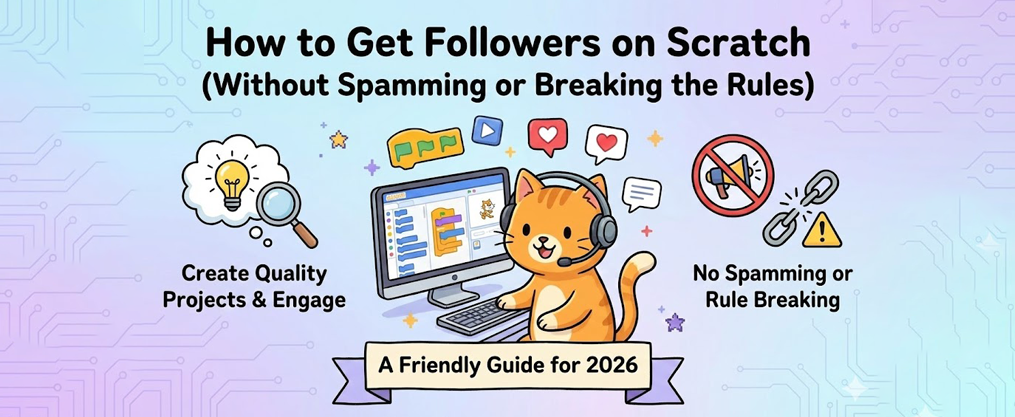
How to Get Followers on Scratch (Without Spamming or Breaking the Rules)
Key Takeaways
- The fastest way to get more followers is to post simple, polished projects regularly (like weekly platformers or animations) and share them in relevant studios.
- Being active every day—commenting, favoriting, following others, and joining studios—matters more than how long ago you joined Scratch.
- Respecting Scratch’s Community Guidelines, giving credit, and avoiding spam comments is essential to avoid bans and keep the followers you earn.
- Collaborating with others, participating in contests, and joining forums can greatly increase your chance of being noticed and followed by the community.
- There is no instant method: consistent quality projects and friendliness over months are what help you achieve popularity milestones like 100, 500, or even 1K followers.
If you’ve been wondering how to get followers on Scratch, you’re not alone. Thousands of Scratchers ask this question every week in the forums, in studios, and in project comments. The good news? Growing your audience on Scratch is absolutely possible without breaking the rules or annoying people with spam.
The not-so-good news? It takes time, effort, and a focus on actually creating stuff that other people want to see.
In this guide, you’ll learn exactly how the Scratch follower system works, what types of projects attract attention, and how to be the kind of community member that people genuinely want to follow. Whether you’re a new Scratcher with zero followers or someone trying to break through to 500, these strategies will give you the best chance to achieve real popularity on Scratch.
Understanding How Follows Work on Scratch
Before diving into tactics, let’s get clear on what “followers” actually mean on Scratch.
When someone clicks the Follow button on your profile, they’ll see your new shared projects appear in their “What the people I’m following are doing” feed. This is the primary way followers discover your latest work without having to manually visit your profile.
Here’s what you need to understand about follower dynamics:
What Followers Do | What Followers Don’t Do |
|---|---|
See your new projects in their feed | Guarantee your project goes viral |
Provide social proof on your profile | Give you special algorithm boosts |
Often favorite, remix, and comment | Make you “verified” or official |
Follower counts don’t directly affect how Scratch’s explore or trending features work. However, more followers typically means more views, favorites, remixes, and comments on each project you share—which can indirectly help you appear in trending sections. Building popularity through active participation, such as joining studios, engaging in forums, and entering contests, increases your visibility and reputation, making it easier to gain followers.
If you see someone who joined yesterday with 500 followers, don’t assume they cheated. They likely:
- Are a YouTuber or content creator bringing an existing audience
- Got promoted by a large studio with front-page visibility
- Have friends who already use Scratch and followed them immediately
- Are an alt account of an already-popular Scratcher
There’s no official “verified” or “influencer” status on Scratch. Every user—from brand-new children learning to code to griffpatch with hundreds of thousands of followers—uses the same features and follows the same rules.
Scratch follower growth typically comes from three main sources:
- Discover and Trending pages – where people find projects organically
- Studios – curated collections that showcase your work
- Social interactions – comments, forums, collaborations, and community engagement
Understanding these channels is the first step to using them effectively.
Step 1: Create Projects People Actually Want to Click
Here’s the fact that many new Scratchers overlook: a clickable, simple, polished project will beat a huge but unfinished project every single time when it comes to getting followers.
If you have under 100 followers, your goal isn’t to build the most complex game ever made. Your goal is to create something fun that people actually want to play, watch, or interact with.
Project Types That Historically Get Lots of Views
Based on what performs well on Scratch’s explore pages and historically gets a lot of views and engagement, consider these formats:
- Short animations with jokes or surprises – especially if they tap into popular memes or trends
- Simple platformers – one of the most searched-for project types
- Clicker games – easy to build, highly engaging for players
- Remixes of popular trends – “Add Your OC” chains, “Pass the Animation” projects
- Dress-up or character creator games – surprisingly popular with younger audiences
Make Your Projects Clickable
Your title and thumbnail are everything. Compare these:
Weak Title | Strong Title |
|---|---|
“my game” | “Insanely Hard 1-Level Platformer” |
“animation test” | “Smooth 60 FPS Bouncing Ball Animation” |
“platformer v2” | “Can You Beat This Impossible Maze? #3” |
Bright, readable cover art with clear visuals will dramatically increase your click-through rate. A pretty, unique thumbnail can make your project stand out and attract more attention. You don’t need to be a professional artist—just make it easy to understand what the project is about at a glance.
Reusing a format that already works helps too. If your “Impossible Maze #1” got decent views, making #2 and #3 gives Scratchers a clear expectation and makes them more likely to follow for future installments.
Finish What You Start
One of the biggest mistakes? Sharing projects with broken levels, missing features, or “part 2 coming soon” promises that never materialize.
Keep your early projects short and fully finished. When viewers feel you respect their time, they’re far more likely to click Follow and come back for more.
Step 2: Post Consistently (and Actually Finish Your Projects)
Quality matters, but so does quantity over time.
Concrete recommendation: New or growing Scratchers should aim to share 1–3 completed projects per week for at least 2–3 months. For example, if you update a project in Feb and continue posting regularly, you can track your progress and see how consistent sharing over several months impacts your follower growth.
There’s an important difference between “coding every day” and “sharing finished projects regularly.” You can spend hours tinkering with code, but only shared, polished projects bring in followers. The work behind the scenes only pays off when people can actually see it.
A Sample Weekly Routine
Here’s an example schedule that balances learning and output:
Day | Activity |
|---|---|
Monday | Choose idea, sketch concept |
Tuesday–Wednesday | Code the core gameplay or animation |
Thursday | Polish: fix bugs, improve art, add sounds |
Friday | Share and promote in studios/forums |
Weekend | Engage with community, explore other projects |
This routine keeps you on track without burning out. Adjust it based on your school schedule, other hobbies, and how much time you can realistically spend.
Improve Existing Popular Projects
Instead of constantly abandoning projects for new ideas, consider:
- Fixing bugs in your most-viewed projects
- Adding extra levels or features
- Updating the art or sounds
- Responding to player feedback in comments
This keeps your existing audience engaged and shows new visitors that you’re an active, dedicated creator.
The exact time of day you share matters less on Scratch than it does on social media. What matters is consistency over months. Building from 0 to 100 followers between March and June 2025 through steady posting is completely achievable with this approach.
Step 3: Be Active and Friendly in the Community
Follower growth on Scratch is highly social. Your projects matter, but how you interact with other people matters just as much—sometimes more. The advice in this section is based on effective community engagement practices that have helped many users grow their follower base.
The community rewards kindness. Popular Scratchers are often found everywhere: commenting on projects, participating in forums, curating studios, and helping newer users. This visibility translates into profile visits and, eventually, followers. Many readers have also shared their own tips for building a positive reputation and engaging with others on Scratch.
Leave Meaningful Comments
There’s a world of difference between:
- ❌ “pls follow me”
- ❌ “nice”
- ✅ “I liked how you used clones for the enemies! How did you make them move in that pattern?”
Thoughtful comments show you actually engaged with the project. The creator will likely check out your profile, and if they like what they see, they might follow you.
Follow and Favorite Genuinely
When you favorite a project you enjoy, the creator gets a notification. Many Scratchers check who favorited their work and will visit your profile out of curiosity. If your projects look interesting, they may follow back.
This isn’t the same as “follow for follow” spam. It’s genuine engagement that happens to have reciprocal benefits.
Daily Activity Guideline
Try spending 15–30 minutes each day:
- Browsing “Explore” for new projects
- Commenting on 3–5 projects from smaller creators
- Trying and favoriting projects you genuinely enjoy
- Checking your own project comments and responding
Being polite, family-friendly, and inclusive (per Scratch Guidelines) actually improves your long-term reputation. Scratchers remember who was kind to them when they had few followers, and they often become your most loyal supporters.

Step 4: Use Studios and Forums to Get Seen
Studios are one of Scratch’s most powerful but underutilized discovery tools.
A studio is essentially a collection of projects curated around a theme. Studios are a great place to showcase your work and connect with others, serving as a welcoming place within the Scratch community to share and discover projects. When you add projects to popular studios—or when curators add your projects—you get exposure to that studio’s entire follower base.
Finding and Joining Studios
Look for studios with names like:
- “Add Everything”
- “Underrated Projects”
- “Advertise Here”
- “New Scratchers Welcome”
- Genre-specific studios like “Best Platformers” or “Animation Club”
Important: Don’t spam curator requests. Read each studio’s rules, follow their guidelines, and add only projects that actually fit the theme.
Create Your Own Studio
Curating your own studio around a specific theme can attract followers to your profile. For example:
- “Best Platformers of 2025”
- “Smooth Animations Club”
- “Games Under 100 Blocks”
Invite other Scratchers to contribute, and they’ll likely check out your profile in return.
The Discussion Forums
The Scratch Discussion Forums (accessible through the “Discuss” link) are still active even though they’re less prominently featured in the navigation.
Key sections for gaining visibility:
Forum Section | What to Do There |
|---|---|
Show and Tell | Share your projects and get feedback |
Help with Scripts | Answer questions to build reputation |
Collaboration | Find partners for joint projects |
Requests | Offer your skills to help others |
Helpful answers in these forums can earn you followers who respect your skills and expertise.
Warning: Copy-pasting the same advertisement comment across random projects or studios will get you reported. It doesn’t lead to more followers—it leads to lower trust and potential account issues.
Step 5: Collaborate, Remix, and Give Proper Credit
Collaborations are one of the fastest legitimate ways to grow on Scratch.
When you collaborate with another creator, both of you share the same project and both can gain followers from each other’s audience. It’s a win-win that the Scratch community actively encourages. When remixing a project, make sure to change or edit the original code in a meaningful way, and always credit the original creator to maintain community standards.
Collaboration Formats That Work
- Art + Code: One person creates the visuals, another handles the programming
- Multi-animator projects: Each animator creates a scene in a larger animation
- Game jams: Multiple creators build around the same theme
- Add-your-part projects: Ongoing chains where each contributor adds something
One example from the community involved two Scratchers collaborating on a Fruit Ninja-style game. Both creators gained followers from each other’s audiences, and the project performed better than either could have achieved alone.
Understanding Remixes
Remixing is built into Scratch’s DNA. Successful remix chains like “Add Your OC,” “Add a Level,” or “Pass the Animation” can bring many viewers and potential followers to everyone involved.
When you remix:
- Always credit the original creator clearly in the project notes and credits section
- Example: “Original project by @username, remixed with permission”
- Add something meaningful—don’t just copy with minor changes
The Consequences of Not Crediting
Failing to credit or copying too closely can lead to:
- Reports from the original creator or other users
- Project removal by the Scratch Team
- Account warnings or bans
- Loss of followers and reputation
The community values originality and honesty. Build on others’ work respectfully, and you’ll earn respect in return.
Step 6: Avoid Common Mistakes That Hurt Your Follower Growth
Even with good projects, certain behaviors can slow or reverse your follower growth. Before posting or commenting, make sure you are ready to participate positively in the Scratch community—being prepared helps you engage more effectively and attract followers.
The Mistakes to Avoid
Mistake | Why It Hurts You |
|---|---|
“Follow for Follow” spam | Annoying to most Scratchers; attracts disengaged followers |
Rude or demanding comments | Damages your reputation |
Low-effort trend chasing | Groups you with generic accounts |
Sharing personal information | Violates guidelines; safety risk |
Inappropriate content | Leads to mutes, bans, and lost audience |
The Follow-for-Follow Debate
F4F is one of the most controversial topics in Scratch forums. Some users admit it’s effective for quickly inflating numbers. But here’s what they also say: those followers rarely engage with your projects. They don’t favorite, comment, or remix—they just exist as a number.
Many experienced Scratchers recommend “feedback for feedback” instead. Exchanging constructive criticism improves your projects and is more likely to build real, engaged followers.
When Things Go Wrong
If you do get muted or banned:
- Contact Scratch Support through the official email with a calm, clear explanation
- Do not create ban-evading accounts—this makes things worse
- Learn from the experience and be patient
The Scratch Team can take days or weeks to respond, so patience is essential.
What If Others Have 500 Followers After 1 Day?
It’s easy to feel discouraged when you see accounts that seem to explode overnight. But comparing your growth to these outliers is misleading. Every big Scratcher had to work hard to achieve their current follower count, often through consistent effort and dedication.
Reasons for Sudden Large Follower Counts
- YouTubers or content creators bringing an existing audience from other platforms
- Promotion by a major studio with front-page visibility
- Being featured by the Scratch Team on the home page
- Alt accounts of already-popular Scratchers
- Friends or classmates who all followed at once
Normal, Healthy Growth
Here’s a realistic picture based on community discussions—if you’re interested in practical steps to get more real Twitter followers, check out detailed tips here:
Timeframe | Follower Count | Notes |
|---|---|---|
1 month | 10–30 | If active and posting regularly |
3 months | 50–100 | With consistent quality work |
6 months | 100–200+ | If engaging in studios/forums |
1 year | 200–500+ | Building genuine reputation |
One forum user mentioned it took 7 months to reach 72 followers—and that’s completely normal. Another gained about 25 followers just from posting their first well-made project.
Track More Than Just Followers
To stay motivated, pay attention to:
- Favorites on your projects
- Comments and their quality
- Remixes of your work
- Profile views over time
These metrics often grow before your follower count does. They’re a sign that you’re on the right track.
Every big Scratcher started with zero followers. Griffpatch, one of the most followed users on the platform, built his audience through years of creating high-quality game recreations. There’s no shortcut—just persistence, creativity, and community kindness.

Staying Safe, Respectful, and Within Scratch’s Rules
Scratch is designed for children and learners of all ages. The safety and respect guidelines aren’t just rules to follow—they’re what make the community worth being part of. Remember to say thanks to those who support or help you, as expressing gratitude helps build a positive and loyal community.
Guidelines to Remember
- Never share private contact information (emails, Discord tags, addresses) when collaborating or talking to followers
- Keep language family-friendly at all times
- Avoid content or jokes that target groups by religion, race, gender, or age
- Review the Community Guidelines at least once when you’re serious about growing
Building a Loyal Community
Respectful behavior compounds over time. When you:
- Thank followers for their support
- Offer constructive criticism instead of hate
- Stay patient in disagreements
- Help newer users find their way
…you build a loyal community that stays with you long term. These are the followers who will still be there a year from now, not the ones who followed you once and forgot you existed.
Getting Help
If you have questions or run into issues:
- Use the “Contact Us” link to reach the Scratch Team
- Expect responses to take days or weeks
- Be patient and provide clear details about your issue
The Scratch Team reads reports and messages, but they manage a massive global community—so quick turnarounds aren’t always possible.
FAQ
How long does it usually take to reach 100 followers on Scratch if I’m starting from zero?
For most active, consistent users, 100 followers can realistically take anywhere from 1–6 months. The timeline depends heavily on project quality, how often you share completed work, and how engaged you are in studios and forums. Some users report reaching 72 followers in 7 months with moderate activity, while others who go viral through a featured project or popular studio can hit 100 much faster.
Can I get more followers by advertising my Scratch account on YouTube or other social media?
Yes, many popular Scratchers share links to their Scratch profiles in YouTube descriptions or on other platforms. This can lead to a burst of followers, especially if you already have an audience elsewhere. Just make sure you follow Scratch’s linking and safety rules—don’t share personal information, and keep external links appropriate for all ages.
Does getting a project featured or front-paged guarantee lots of new followers?
Being featured or appearing on the front page typically brings a significant wave of views and favorites. However, the number of new followers you gain depends on whether visitors like the rest of your profile’s projects too. A one-hit wonder might get thousands of views but fewer followers than someone with a consistent library of quality work.
Is it better to focus on one type of project (like only platformers) or experiment with many?
New Scratchers benefit from experimenting with a few different project types to see what resonates with both them and their audience. Once you find what performs best—and what you enjoy creating—lean into that format. But occasionally trying new things helps avoid burnout and keeps your creativity alive.
If I was muted or banned before, will that stop me from ever growing on Scratch?
No. Once you’ve served your mute or ban and returned to following the rules carefully, you can absolutely rebuild a positive reputation over time. The key is avoiding ban evasion (creating new accounts to get around restrictions) and genuinely learning from past issues. The community values growth and gives users a chance to start over and earn a second chance.