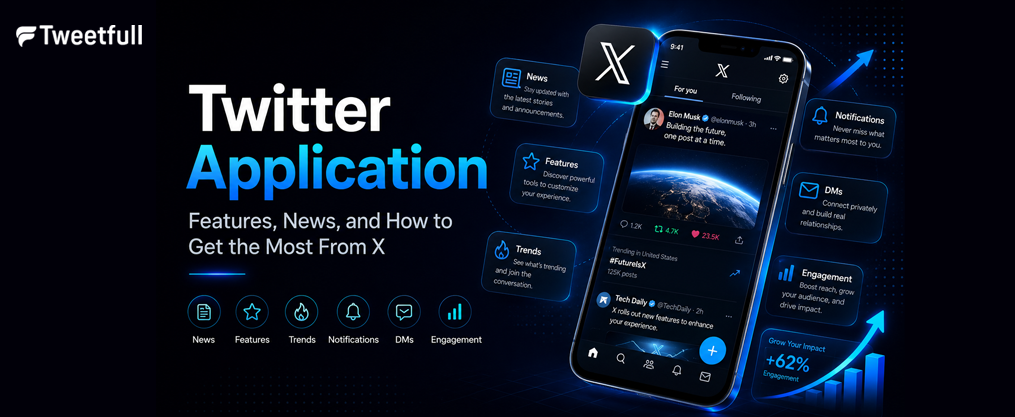
Twitter Application: Features, News, and How to Get the Most From X
Key Takeaways
- The twitter application, now officially called X, is a real-time social media app and live breaking news platform available on iOS, Android, and web, serving roughly 611 million monthly active users worldwide as of 2026.
- Users rely on X to follow trending topics, search results, and public conversations, with personalized feeds and an ai assistant powered by Grok that can summarize trending news and explain videos.
- The app offers optional paid tiers through X Premium, creator revenue sharing, and advanced tools, but the core experience remains free for all users.
- Privacy, data tracking, and content ratings (16+ on iOS, Mature/17+ on Android) are important considerations for parents, educators, and anyone new to the platform.
- This article covers core features, news discovery, monetization, safety tips, and more resources for using the twitter application effectively and responsibly.
Introduction to the Twitter Application (X)
Twitter is a social media platform designed for microblogging that launched in 2006 and has since grown into one of the most influential spaces where the world connects. Rebranded as X in 2023, the platform evolved from 140-character tweets into a broader ecosystem supporting longer posts, live video, audio feature rooms, and integrated AI tools. In 2026, X remains the ultimate destination for public conversation, breaking news, and real-time updates, with approximately 611 million monthly active users and 259 million daily active users globally. Twitter enables real-time communication and sharing of information at a scale no other platform matches.
The twitter application is available on iOS, Android, and desktop web, with synchronized experiences across all devices. Every day, millions of users shape public dialogue on X by sharing ideas, following live events, and discovering communities around shared interests. Whether you want a front row seat to viral conversations, need to stay ahead of trending memes, or want to explore diverse perspectives on a hot topic, X puts it all in one powerful social experience, and tools like the best Twitter meme generator for instant laughs and creativity can amplify how you participate in those cultural moments.
The rest of this article covers core features, news discovery, monetization options, safety and privacy, and practical tips to help you get the most from X.

Core Features of the Twitter Application
At its foundation, the twitter application is built around posts, replies, reposts, and direct messages. Your home timeline presents two views: “For You,” which uses algorithmic recommendations to surface content you’re likely to care about, and “Following,” which shows posts chronologically from accounts you follow. This dual-feed approach helps conversations unfold naturally while giving you control over what you see.
Users can interact with posts by liking, replying, or reposting. Beyond these basics, the app supports:
- Quote posts that let you add commentary when sharing someone else’s content
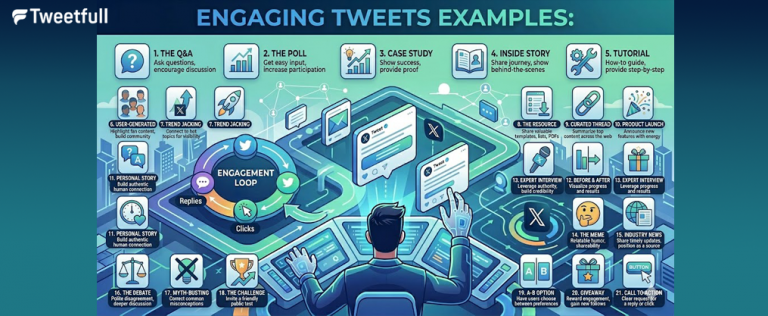
- Polls that can be created to boost engagement and collect feedback from your audience
- Bookmarks for saving posts you want to revisit later
- Reposts (formerly retweets) to amplify content to your own followers
Posts can include text, photos, videos, and links, making the platform flexible for everything from sports clips to political conversations. X allows users to post thoughts, photos, and videos with minimal friction, and the interface keeps multimedia front and center, so understanding how to create engaging Twitter post content is essential if you want your updates to stand out.
X features live audio discussions through Spaces, which let anyone host discussions, hold interviews, or run a live podcast for followers. X supports live video streaming and audio discussions via Spaces, giving creators and organizations a way to keep their audience engaged during live events. X also allows users to join communities based on interests, though the older “Communities” tab has been replaced by Grok-powered custom timelines that let you build communities tailored to specific topics.
Users can connect privately via Direct Messages on X, making it easy to chat privately with friends, colleagues, or collaborators without leaving the app. Users can also connect privately through Direct Messages on X for sensitive or personal conversations that don’t belong in the public feed. Twitter allows users to connect with people and engage in conversations that range from casual banter to serious professional exchanges.
Twitter and Breaking News
X has earned its reputation as the real time source for breaking live news coverage worldwide. When elections are called, natural disasters strike, or a live game changes momentum, X is often where conversations unfold before traditional outlets have time to publish. X delivers real-time updates on trending topics, making it the go-to platform when speed matters most.
Journalists, newsrooms, and eyewitnesses use threads, live video, and Spaces to report live breaking news as events happen. Push notifications for accounts you follow, combined with relevant trending topics in the Explore tab, mean breaking news is delivered instantly to your device. During major events, the platform has experienced outages from surging traffic, which underscores just how central it has become to live news consumption.
The benefits are clear: speed and diversity of perspectives. But the risks are real. Misinformation and unverified reports can spread before corrections arrive. Unverified accounts sometimes post false eyewitness claims that gain traction through reposts. The best practice is to cross-check sources and follow verified, reputable journalists and organizations. More resources on verifying news are provided later in this article.

Search, Trends, and Discovering Content
The Search tab and Explore area are your primary tools for finding conversations, accounts, and live coverage on X. Enter any keyword or hashtag into the search bar to see real-time search results filtered by Top, Latest, People, Media, or Lists. Hashtags categorize content, making it easier to find discussions around a specific event, sports news topic, or trending memes.
The Trends section surfaces the most-discussed stories at any given moment, broken down by country or city. Trending topics often reflect what’s dominating public dialogue right now, whether that’s a gaming sessions highlight, a political scandal, or the next live podcast everyone is talking about, and many of these reflect broader Twitter marketing trends shaping the platform. Users can now select from over 75 Grok-powered custom timelines to pin to their Home tab for focused tracking of specific interests.
Grok, X’s ai assistant, adds another layer. Grok summarizes trending news and explains videos directly inside the app, pulling together more context and more resources from x’s real time data. If a complex thread is gaining traction, Grok can break it down into key takeaways so you can stay ahead without reading every reply.
X Premium, Subscriptions, and Monetization
X now offers optional paid tiers for power users and creators who want to unlock exclusive features beyond the free experience. Here’s how the pricing breaks down in 2026:
- X Premium Basic costs $4.00 monthly (X Premium Basic annual subscription is $42.00), offering post editing, longer post lengths, longer video uploads, and bookmark folders.
- X Premium costs $11.00 monthly (X Premium annual subscription is $114.99), adding the blue checkmark, ID verification, fewer ads, prioritized replies, creator revenue sharing, and Media Studio tools.
- X Premium Plus costs $50.00 monthly, providing a nearly ad-free experience, the highest reply priority, advanced Radar Search, long-form Articles, and maximum Grok usage.
- Promote Post costs $25.00 for boosted visibility on individual posts.
X Premium offers features like post editing and fewer ads, making it appealing for anyone who wants a cleaner, more polished experience. As of March 2026, X has approximately 6.3 million total paid subscribers across X Premium and Grok plans.
For creators, X provides monetization through creator revenue sharing on eligible posts, creator subscriptions that let favorite creators offer exclusive content to paying followers, and exclusive threads that lock specific posts behind a paywall. In 2025, the platform paid out over $400 million to creators, though earnings skew heavily toward the top 1%. If you’re focused on income, you can follow proven strategies to make money on Twitter today while building an audience over time. The twitter application remains free to download and use for everyone. These premium and creator tools are entirely optional.

Privacy, Data, and Safety on the Twitter Application
X collects data for security, personalization, and advertising purposes. Understanding the data types involved helps you make informed decisions. According to the updated privacy policy (effective January 2026), X gathers three broad categories:
- Data you provide: name, username, phone number, display language, profile details
- Data inferred or from partners: interests, behavioral signals, affiliate data
- Performance and usage data: aggregated analytics, device information, interaction patterns
Key in-app controls include muting and blocking accounts, reporting abusive content, controlling who can reply to your posts, and adjusting content filters and ad preferences. You can also manage location sharing and contact book sync from your settings.
As of 2026, the Apple App Store rates X as 16+ with content flags for mature themes, violence, and profanity. On Google Play, the rating varies by region. In South Korea, for example, the app was reclassified as “Not Suitable for Teenagers” (19+) due to concerns about violent content. Parents, guardians, and educators should factor these ratings into their decisions.
Talk with teens about harassment, misinformation, and healthy use. Periodic check-ins about who they follow and how they interact on the platform go a long way.
Tips for Using the Twitter Application Effectively
Here are practical steps to get more value from X, whether you’re new or looking to refine your experience:
Curate your feed intentionally. Lists enable users to group specific accounts to curate feeds around topics like local news, technology, or top podcasts. Create separate lists for professional interests, sports news, and personal follows. This prevents your main timeline from becoming overwhelming during constant change, and you can go further by exporting and analyzing your Twitter follower list efficiently to build targeted outreach and community campaigns.
Build a profile that represents you. Use a clear bio, recognizable photo, and a pinned post explaining who you are or what you share. Twitter can be used for building professional connections and networking, and a polished profile makes a strong first impression on the world’s leading voices in your field, especially when combined with proven strategies to get traction on Twitter that emphasize consistency and authentic engagement.
Engage meaningfully. Join millions of users in shaping public dialogue by replying thoughtfully, sharing original perspectives, and participating in Spaces. You can host discussions, run a live podcast, or simply listen to live streams from experts. Use polls to collect feedback and keep your audience engaged, and consider using AI-generated tweets to streamline content creation if you’re posting at scale.
Practice time management. The pace of live feeds and breaking news can be overwhelming. Limit notifications to accounts and topics that matter most. Schedule breaks. X is a powerful social experience, but balance matters, especially when you’re running AI-driven content systems for X marketing that can otherwise tempt you to be online constantly.
Stay safe. Regularly review your privacy settings, block or mute accounts that harass you, and report content that violates platform rules. If you spot misinformation about a hot topic, flag it and avoid amplifying it by reposting.
More Resources and Further Reading
For those looking for more resources on digital safety and media literacy, start with the official X Help Center for detailed guides on privacy controls, account security, and feature tutorials. Trustworthy third-party organizations offer guides on verifying breaking news and spotting misinformation, similar in spirit to proposals on how Twitter can improve overall engagement and safety through better tools and clearer policies.
If data protection matters to you, familiarize yourself with laws like GDPR (EU) or CCPA (California) and how they interact with app-based tracking. These frameworks give you rights over how your data is collected, stored, and shared.
Parents and educators will find value in classroom resources and conversation starters about responsible social media use. Organizations focused on digital literacy offer age-appropriate materials that help teens navigate platforms like X with confidence and awareness, especially as they learn about the broader impact of X Twitter on modern communication. The global community benefits when users at every level understand how to engage responsibly.
FAQ
Is the Twitter application still called Twitter or X?
The service was officially rebranded from Twitter to X starting in 2023. However, many users, app stores, and websites still reference both names interchangeably in 2026. The same application icon and account continue to work. The main terminology shift is from “tweets” to “posts,” but the core experience remains identical. Searching for “twitter” in any app store will still surface the X app.
How reliable is X for breaking news?
X is extremely fast for live news, often surfacing eyewitness accounts and journalist updates before traditional outlets publish. However, reliability depends entirely on the accounts you follow. Unverified reports can spread quickly during a live event or emergency. Always verify information through reputable sources and look for multiple independent reports before drawing conclusions. The trusted digital town square works best when users apply critical thinking.
Can I use the Twitter application without paying for X Premium?
Yes. The core social media app and its main features, including posting, following, reading timelines, basic search, and direct messages, are completely free. X Premium adds extra perks such as longer videos, fewer ads, post editing, and monetization tools, but these are optional. Most users never need to pay to get a full experience on the platform.
What age is appropriate for using the Twitter app?
As of 2026, the Apple App Store rates X as 16+ and Google Play lists it as Mature/17+ in most regions (19+ in some countries like South Korea). These ratings reflect potential exposure to adult themes, political conversations, and intense discussions. Parents and guardians should consider each teen’s maturity level, discuss safety settings together, and periodically review how the app is being used.
How do I improve my search results and discover better content?
Use precise keywords, event names, and relevant hashtags, then filter results by “Latest” or “Top” depending on whether you want recency or relevance. Follow curated lists, engage with high-quality accounts, and use Grok summaries to surface deeper, more relevant resources on any topic of interest. Custom timelines also let you pin specific subjects directly to your Home tab, so you never miss what matters most.