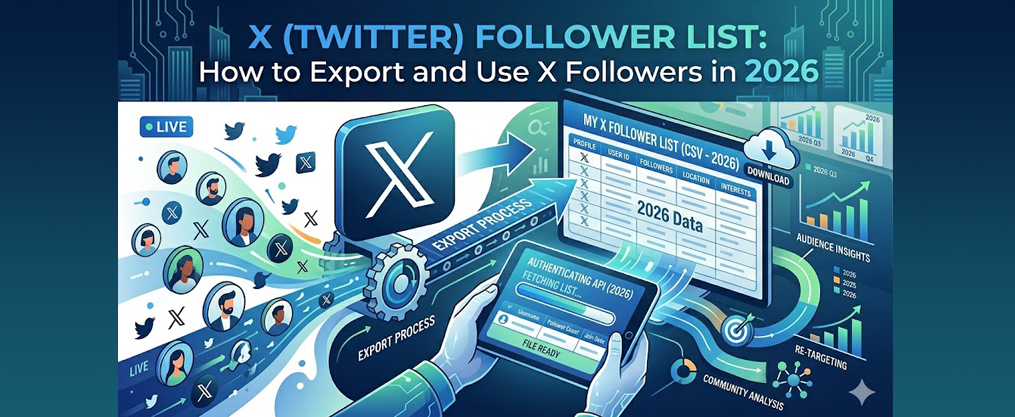
Twitter Get Follower List: How to Export and Use X Followers in 2026
If you’re searching for how to twitter get follower list, this guide covers all the current methods. Marketers, researchers, and business users often need more than just a casual glance at their Twitter/X followers—they require structured, actionable data to drive audience research, sales prospecting, competitive analysis, and content strategy. However, as of 2026, X (formerly Twitter) still does not provide a native structured export option for follower lists. Twitter’s native interface is not built for business users who want to do more than just scroll through followers, and there is no button to download a clean spreadsheet of followers. Retrieving a Twitter follower list typically requires third-party scraping tools or browser extensions, as X does not offer a native structured export option.
This comprehensive guide will show you exactly how to export your Twitter followers, segment them for real business outcomes, and stay compliant with X’s evolving policies. Whether you want to audit your own audience or research a competitor’s following, you’ll find step-by-step workflows, tool recommendations, and practical tips for 2026.
Key Takeaways
- Twitter/X still has no native export option for downloading followers as of March 2026—third party tools or custom workflows are required for any structured list
- Two main use cases exist: exporting your own followers for audience research versus analyzing someone’s twitter followers for competitive intelligence and lead generation
- Reliable tools must respect X’s 2025–2026 API restrictions and automation rules to keep your account safe from flags or bans
- A structured follower list containing handle, bio, location, and activity level can directly fuel sales prospecting, partnerships, and content strategy
- You’ll get step-by-step workflows, concrete examples, and a FAQ covering edge cases most guides miss
Main Tools and Methods for Exporting Twitter Follower Lists
Retrieving a Twitter follower list typically requires third-party scraping tools or browser extensions, as X does not offer a native structured export option. Users typically need to use third-party tools to export a structured list of their Twitter followers, and exporting a list of Twitter followers can be done in formats like CSV or Excel using these tools. Below is a summary of the most popular options in 2026:
Tool/Method | How It Works | Output Format | Key Features |
|---|---|---|---|
TweetFull | Connect your profile via OAuth, export follower data to a structured format | CSV, Google Sheets | Automates export, supports filtering, safe OAuth login |
PhantomBuster | Twitter Follower Collector automates scraping follower data into spreadsheets | CSV, Excel | Automates browser, customizable workflows |
Panda Extract | Scrapes followers and exports to CSV/Excel | CSV, Excel | Simple interface, supports bulk exports |
Circleboom | Enter any public handle, filter results, receive follower data in CSV format via email | CSV | Filtering options, email delivery, supports competitor analysis |
Thunderbit | AI-powered scraper that captures follower data like usernames, bios, and follower counts | CSV, Excel | Fast, AI enrichment, supports large accounts |
Tools like TweetFull and Circleboom can automate the process of exporting Twitter followers, making it easier for users. Tools like TweetFull and Thunderbit help users extract and analyze Twitter followers efficiently.
What “Twitter Get Follower List” Means in 2026
When people search for how to twitter get follower list, they’re looking for more than just scrolling through a Followers tab. They want structured data they can actually work with—rows and columns in a spreadsheet, not endless scrolling through profile thumbnails.
What is a Structured Follower List?
A structured follower list refers to a downloadable, organized spreadsheet (such as CSV or Excel) containing detailed information about each follower. This typically includes columns like username, display name, bio, location, follower count, following count, account creation date, last tweet date, and profile URL. Twitter’s native interface does not provide a button to download a clean spreadsheet of followers, and is not built for business users who want to do more than just scroll through followers. Therefore, retrieving a Twitter follower list typically requires third-party scraping tools or browser extensions, as X does not offer a native structured export option.
As of 29 March 2026, there is no official export button anywhere on X’s web or mobile interfaces. The platform lets you view someone’s followers one screen at a time, but extracting that data directly into a csv, excel file, or google sheets requires external tools.
A typical followers list export includes columns like:
Field | Description |
|---|---|
username | The @handle |
display_name | Profile name |
bio | Up to 160 characters of self-description |
location | User-entered (often imprecise) |
followers_count | Total followers |
following_count | Accounts they follow |
created_at | Account join date |
last_tweet_date | Recent activity indicator |
profile_url | Direct link to profile |
After Elon Musk’s ownership and the 2023–2025 API overhaul, many older free tools stopped working entirely. The free tier now caps at 1,500 tweets/month with no follower access, while basic API access starts at $100/month. This shift pushed users toward browser-based solutions and chrome extension tools that work via authenticated sessions.
Transitioning from understanding what a structured follower list is, let’s look at why getting this data matters for marketers, researchers, and business users.
Why Getting a Twitter Follower List Matters for Growth and Research
A follower list isn’t vanity data—it’s raw audience research material for marketers, creators, journalists, and founders hunting for potential customers.
Practical use cases include:
- Outbound sales teams building prospect lists from niche accounts
- Newsletter creators identifying subscribers among their x followers
- Recruiters finding candidates who follow industry leaders
- Partnership teams scouting collaborators in specific verticals
- Journalists tracking sources in emerging communities
Consider a concrete 2026 scenario: a B2B SaaS team exports followers from accounts run by “RevOps” experts. They filter by bio keywords like “founder,” “VP Sales,” or “revenue operations” and location hints like “Austin” or “London.” The result? A targeted list of 300–500 high-intent prospects instead of a generic 15,000-person dump.
Structured lists allow you to segment followers by job-related keywords, geography, niche interests (“DeFi,” “K-pop,” “climate tech”), or follower count to identify influencers versus casual users while pairing this with live follower count and growth analysis to see how segments impact your overall audience trends.
A clean twitter followers list can feed CRMs like HubSpot, ad platforms for custom audiences, email tools for newsletter campaigns, and engagement workflows—turning passive followers into trackable contacts.
Now that you know why a structured follower list is valuable, let’s examine the limitations of getting this data directly from Twitter/X.
Limits of Getting Follower Lists Directly on Twitter/X
Native X is built for consumption, not data export. Trying to collect data directly from the platform creates several pain points.
The endless scrolling problem: The Followers tab uses infinite scroll with lazy loading. To see more followers, you manually scroll down, loading roughly 50–100 profiles per screen. For large accounts with 10k+ followers, this becomes impractical—you’d spend hours just scrolling.
Loss of context: Copying usernames by hand or via basic browser tricks loses critical data like follower bios, locations, and activity level metrics. You’d need to click each profile individually to see these details.
Analytics limitations: X’s built-in analytics (as of 2026) only show aggregates—follower growth curves, top interests, profile visits—without a downloadable row-by-row list of twitter followers.
API barriers: After X’s 2023–2024 policy updates, high-volume follower access sits behind expensive enterprise tiers exceeding $42,000 annually. This pushes non-enterprise users toward scraping tools or third-party dashboards that work around these restrictions.
No native export option: Retrieving a Twitter follower list typically requires third-party scraping tools or browser extensions, as X does not offer a native structured export option. Twitter’s native interface does not provide a button to download a clean spreadsheet of followers, and is not built for business users who want to do more than just scroll through followers.

Given these limitations, let’s explore how you can actually export your follower list using third-party tools.
How to Get and Export Your Own Twitter Follower List
For your own twitter account, exporting followers typically involves connecting a dedicated tool via OAuth—the same secure authorization you use when signing into apps with your Twitter login.
Step-by-Step Workflow
- Sign up for a reputable Twitter/X data tool
- Connect your account via OAuth (no password sharing required)
- Navigate to “Followers” or “Audience” section
- Select your preferred export option: fields, row limits, format
- Run the export and download your csv or connect to google sheets
OAuth connection means you approve access via X.com without sharing your password, which works seamlessly with 2FA setups most users have enabled in 2026.
Step-by-Step Example: Export 10,000 Followers From Your Account
Let’s walk through a concrete example using a hypothetical handle @saas_marketer_2026 on 29 March 2026.
Steps:
- Log into your chosen export tool
- Connect @saas_marketer_2026 via OAuth authentication
- Navigate to “Followers” in the dashboard
- Click “Export followers” or equivalent
- Select fields: username, bio, location, followers_count, following_count, created_at, last_tweet_date, language
Export Output Format
Expected runtime for 10,000 followers: 15–40 minutes depending on the tool’s throttling settings. Most tools configure delays of 1–5 seconds per request to mimic organic browser behavior.
Output arrives as a downloadable csv plus optional google sheets link—columns with clear headers, one row per follower, ready for filters and pivot tables.
Filtering Options
Pre-filtering reduces noise and file size, especially for older accounts with accumulated spam or inactive followers.
Useful filters to apply:
- Minimum last-tweet date (e.g., active in last 60 days)
- Minimum follower count (filters out obvious bots)
- Exclude accounts with no profile picture
- Exclude empty bio accounts
A creator with 30,000 total followers might narrow their export to 4,000 active, real accounts by filtering out no-bio, no-profile-pic spam—which often constitutes 20–40% of follower lists.
Cleaned lists export faster and perform better in engagement campaigns since they exclude inactive accounts that dilute metrics like reply rates and click-throughs.
With your own follower list exported and cleaned, the next step is learning how to safely analyze someone else’s followers for research or competitive intelligence.
How to Get Someone Else’s Twitter Follower List Safely
Analyzing someone’s followers—whether competitors, industry leaders, or accounts in your niche—is a common use case for audience research.
Public follower data is visible by design on any public account. However, automated collection must still respect X’s Terms of Service and anti-spam rules in 2026, which is why many teams rely on efficient follower list export workflows that are built to remain compliant with current platform limits.
Step-by-Step Workflow
- Enter a public handle (e.g., @openai, @Revolut, @web3founders)
- Select “Followers of this account” as the target
- Choose your export limits and fields
- Run the collection
Realistic limits: For large accounts with millions of followers, tools typically allow sampling—first 50,000, most recent followers, or a random subset per 24-hour window. Exporting @elonmusk’s 200+ million followers in full isn’t practical or permitted.
Ethical and Policy Considerations in 2026
X’s automation rules, anti-scraping protections, and privacy guidelines have tightened significantly between 2023–2026.
Key guidelines:
- Read and follow X’s latest Automation Rules and Developer Terms
- Aggressive scraping (defined as >1,000 actions/day without breaks) can trigger CAPTCHAs, rate limits, or account suspensions
- Limit daily export volumes, especially when starting
- Rotate tasks over several days for large collections
- Never use follower data for data resale or unsolicited bulk marketing
Warning: An account that tries to auto-DM 1,500 scraped followers in 24 hours risks read-only mode or suspension. Slower, targeted outreach of 50–100 curated messages per day stays far safer and achieves 10–20% reply rates.
Concrete Example: Competitor Follower Research
A fintech startup wants to identify potential customers following @Revolut in Q1 2026, combining competitor follower exports with targeted methods to find new followers who match their ideal customer profile across the wider platform.
Their process:
- Export a sample of 8,000 recent followers from @Revolut’s public account
- Filter for follower bios containing “founder,” “CFO,” or “controller”
- Further narrow by location hints: “Europe,” “London,” “Toronto”
- Result: 400 high-relevance profiles
Next steps:
- Import this segment into Pipedrive tagged “Twitter – Revolut followers – March 2026”
- Engage via thoughtful replies and quote tweets to their posts
- Invite interested parties to an opt-in newsletter or demo
This approach converts follower data into warm leads without spammy cold DMs that violate platform norms.

Once you’ve exported and filtered your follower lists, the next step is advanced segmentation and enrichment to maximize business value.
Advanced Segmentation and Enrichment of Twitter Follower Lists
The real value comes after export: segmenting, tagging, and enriching your follower data for specific campaigns, and combining it with strategic Twitter List management to keep priority segments visible in your daily feed.
Segmentation dimensions:
- Bio keywords (role, industry, interests)
- Geographic hints (city, country, region)
- Language
- Account size (nano-influencers vs. large accounts)
- Activity level (recent tweets within 30/60/90 days)
Modern AI-assisted tools in 2026 can auto-classify followers into groups like “founder,” “investor,” “developer,” or “media” based on bio analysis with roughly 85% accuracy on sample tests, especially when combined with growth-focused Twitter List strategies that keep each segment organized for ongoing engagement.
Enrichment possibilities:
- Append company domain from bio URLs
- Match to LinkedIn profiles via third-party APIs
- Estimate seniority based on role keywords
A creator might narrow 12,000 raw followers into a 500-person “ideal customer” segment ready for a focused webinar invite or product beta.
Practical Segmentation Examples by Goal
Segment | Filters Applied | Use Case |
|---|---|---|
SaaS founders | Bio: “SaaS” OR “founder”, followers>500, active 30 days | Beta invites, partnership outreach |
Web3 traders | Bio: “DeFi” OR “NFT”, language: English | Crypto product launches |
London customers | Location: “London” OR “Manchester” OR “Bristol” | UK-focused Q2 campaign |
Media journalists | Verified followers, bio: “journalist” OR “reporter” | PR and press outreach |
Smaller lists of 200–800 followers consistently outperform giant generic dumps in response rates and conversion outcomes. Quality beats quantity.
With your enriched and segmented lists, you’re ready to drive real business outcomes from your Twitter/X audience.
Using Twitter Follower Lists to Drive Real Outcomes
Follower lists are pipelines for conversations, not just vanity metrics on your twitter profile, and they work best alongside structured strategies to increase your Twitter followers so every new person fits a clear audience goal.
How different teams use structured lists:
- Marketers plan engaging Twitter post content, threads, Spaces, and polls aimed at high-value segments
- Sales teams gain targeted Twitter followers for business growth, prioritize outreach, track touchpoints, and measure meeting conversions
- Community managers build private groups (Discord, Slack) by inviting curated follower subsets
- Creators identify collaborators and superfans for more posts and engagement
The goal: turn follower count into actual conversations that drive follower growth and business results.
30–60 Day Example Plan Using a Follower List
Weeks 1–2: Export + Clean
- Download followers using your preferred export option
- Remove spam/inactive accounts (no-PFP filter, no recent tweets)
- Tag people by role, interest, or geography
Weeks 3–4: Segment + Engage
- Identify top 100 high-follower matches for direct engagement
- Send personalized welcome messages to new verified followers
- Create content addressing common bio keywords in your segment
Weeks 5–8: Optimize + Expand
- Review metrics: follower growth, reply rate, click-throughs
- Update segments based on what’s working
- Re-export to see how audience composition evolved
This playbook transforms a static full list into an iterative growth engine.
Next, let’s review best practices and safety tips to ensure your export process is compliant and secure.
Best Practices and Safety When Getting Twitter Follower Lists
Safety Guidelines
Mishandling automation or scraping can result in rate-limits, read-only mode, or permanent suspension on X in 2026.
- Keep daily export volumes modest when starting (500/day initially)
- Schedule bulk tasks during off-peak hours
- Use tools advertising explicit compliance with X’s automation guidelines
- Treat exported lists as sensitive data—store securely, limit team access
- Comply with privacy regulations like GDPR where relevant
- Focus on genuine interactions: replies, quote tweets, thoughtful DMs while using follow for follow Twitter strategies carefully and ethically so growth tactics don’t trigger spam filters or harm account reputation
Prioritize follower health over volume. Fifty curated, personalized outreach messages outperform 500 templated blasts every time.
Common Mistakes to Avoid
Pitfalls that risk your account:
- Million-row single runs: Attempting to extract followers from massive accounts in one session triggers detection mechanisms
- Ignoring daily limits: Tools that send >1,000 requests/hour get flagged
- Aggressive auto-DM campaigns: 1,500 templated messages in 24 hours = temporary restriction
- Daily full re-exports: Unnecessary and resource-intensive; monthly refreshes work for most accounts
- Buying scraped lists: Purchased lists from vendors often contain bots and violate ToS
Tool Compliance Logs
Any tool you use should provide logs showing request volumes so you can stay under safety thresholds. When in doubt, throttle harder.

With these best practices in mind, let’s address some frequently asked questions about exporting Twitter follower lists.
FAQ
Can I download my full Twitter/X follower list in one click?
As of March 2026, X does not offer any built-in “Download followers” button on web or mobile. Exporting a full list requires a specialized tool that either uses API access or automates browser scrolling to collect followers in batches. For very large accounts (hundreds of thousands of followers), even third party tools divide exports into multiple sessions over hours or days, then merge results into a single csv or excel file.
Is it allowed to export someone else’s followers from Twitter/X?
Followers of any public account are publicly visible—that’s by design. However, automated collection must follow X’s Terms, automation policies, and rate limits. Using exported lists for audience research, competitor analysis, and targeted (but respectful) outreach is generally acceptable. Avoid using data for spammy practices, provide opt-out options, and honor requests from people who prefer not to be contacted off-platform; if you’re considering buying Twitter followers in 2026, weigh the risks to account health and data quality against sustainable, organic growth approaches.
What data points can I realistically get from a Twitter follower list?
Common fields include: username/handle, display name, bio, profile URL, follower and following counts, account creation date, location, and sometimes language. Real-time tweet data is more restricted—often capped at the last 3,200 tweets per account. Extra enrichment like company, role, or LinkedIn profile comes from third-party data sources, not X itself. Note that quality of user-entered bios and locations varies widely.
How often should I refresh or re-export my follower lists?
Active accounts should refresh exports every 1–3 months to capture new followers, unfollows, and evolving audience composition. Fast-growing accounts adding thousands monthly may benefit from monthly updates; slower accounts need only quarterly refreshes. Some tools allow scheduled exports pushed automatically into google sheets. Archive older snapshots to compare how your audience changes over time.
Can I work with Twitter follower lists if I’m not technical?
Absolutely. Most 2026 follower-export tools are designed for non-technical marketers and founders with point-and-click interfaces. Exports arrive as csv or excel files openable in Google Sheets or Excel without coding. Start with simple tasks: search by bio keywords, sort by follower count, or manually collect insights by location. Only escalate to Python or advanced automations if you need statistical analysis beyond basic filtering.