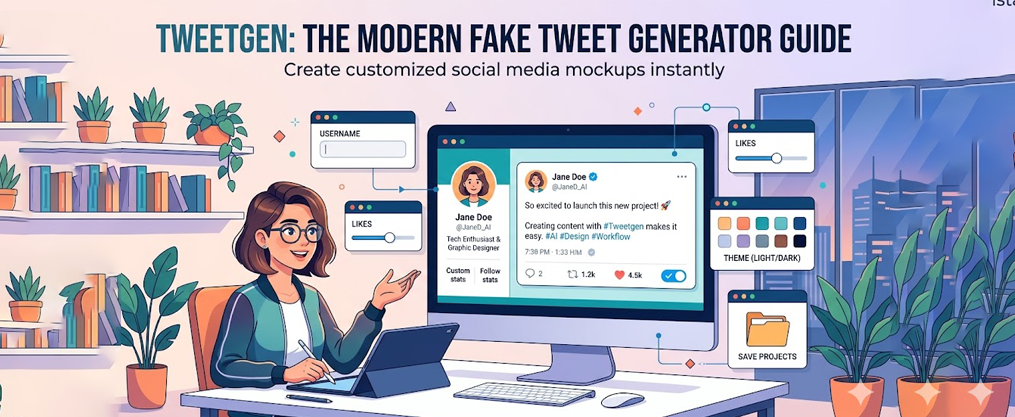
Tweetgen: The Modern Fake Tweet Generator Guide
Introduction
Tweetgen is a free, browser-based fake tweet generator for realistic Twitter (X) screenshots and mockups. This comprehensive guide is crafted for meme creators, marketers, educators, designers, and anyone interested in producing authentic-looking Twitter content for fun, presentations, or educational purposes. In this guide, you’ll discover everything you need to know about Tweetgen: its unique features, how to use it, popular use cases, and essential safety and ethical considerations. Whether you’re aiming to create viral memes, simulate marketing campaigns, or teach about social media dynamics, Tweetgen stands out for its ease of use, realistic results, and ongoing relevance in the ever-evolving world of online communication. By the end, you’ll understand why Tweetgen matters and how it can empower your creative or professional projects.
Now, let’s define exactly what Tweetgen is and how it fits into the landscape of fake tweet generators.
What Is Tweetgen?
TweetGen is a popular online fake tweet generator and Twitter screenshot simulator. It is designed to mimic Twitter’s current look and offers various functionalities such as generating images of reply chains and fake profiles. TweetGen mimics the visual aesthetic of X (formerly Twitter), including font styles and verification badges, and is regularly updated with Twitter’s current design features. Users can customize their fake tweets with any profile picture, handle, text, and media, and manually set the number of likes, retweets, quote tweets, and views. TweetGen allows for full customization of the user interface by toggling between light, dim, and dark themes. It is not an AI writing tool and does not write content for users.
The term “Tweetgen-style” now describes the broader category of fake tweet generators, but TweetGen itself remains a leading choice due to its accuracy and flexibility. Unlike some tools that generate content automatically, TweetGen puts full creative control in your hands, making it ideal for those who want to visualize potential tweets, create memes, or simulate social media scenarios.
Now that you understand what TweetGen is and how it compares to other fake tweet generators, let’s review the key takeaways and features that make it stand out.
Key Takeaways
- Tweetgen is a free, browser-based fake tweet generator for realistic Twitter (X) screenshots and mockups
- The original Tweetgen.com has experienced uptime issues since 2023–2024, but users can access archived versions
- Core features include custom images, fake profiles, verified badges, engagement stats, and reply chains
- Use cases span meme creation, marketing mockups, education, and UI demos
- Always add disclaimers when sharing fake tweets publicly to avoid platform penalties
With these essentials in mind, let’s take a closer look at what makes TweetGen unique and its current status.
TweetGen’s Unique Features and Current Status
TweetGen is a popular online fake tweet generator and Twitter screenshot simulator. It is designed to mimic Twitter’s current look and offers various functionalities such as generating images of reply chains and fake profiles. TweetGen mimics the visual aesthetic of X (formerly Twitter), including font styles and verification badges, and is regularly updated with Twitter’s current design features. Users can customize their fake tweets with any profile picture, handle, text, and media, and manually set the number of likes, retweets, quote tweets, and views. TweetGen allows for full customization of the user interface by toggling between light, dim, and dark themes. It is not an AI writing tool and does not write content for users.
With a clear understanding of TweetGen’s capabilities and its place among fake tweet generators, let’s explore the cultural context that makes these tools so popular.
Understanding Online Memes
Online memes are at the heart of today’s social media culture, serving as a universal language for humor, commentary, and connection. Platforms like Twitter have become hotspots for meme creation, where users can quickly share witty observations or relatable moments with a global audience. To create quality twitter memes that stand out, it’s essential to blend clever text with eye-catching visuals, and the right Twitter meme generator can streamline that process.
An online fake tweet generator is a powerful tool for this purpose. It allows users to create realistic tweet images without needing advanced Photoshop skills or graphic design experience. With just a few clicks, anyone can use a fake tweet generator to craft content that looks authentic and is ready to share. This democratizes meme creation, making it accessible to everyone who wants to participate in online trends or start their own. Whether you’re aiming for viral fame or just want to make your friends laugh, a tweet generator can help you bring your creative ideas to life.
Now that we’ve explored the role of memes, let’s look at Tweetgen’s current status and availability.
Tweetgen Status: Uptime, Mirrors, and Archives
Tweetgen.com experienced domain expirations and downtime around 2023–2024. Many users now rely on Internet Archive snapshots to access the tool.
- Client-side apps continue to work when loaded from the Wayback Machine
- Availability may differ by region—some US users could intermittently access the live site
- Always verify HTTPS status and current date of domain registration before use
- The tool typically requires no account, minimizing data risks
With an understanding of Tweetgen’s availability, let’s dive into the core features that make it a favorite among creators.
Core Features of a Tweetgen-Style Fake Tweet Generator
Modern tweet generators mirror the updated Twitter/X interface with accurate fonts and icons. Here are the main features you can expect:
Profile Customization
- Display name, @handle (letters, numbers, underscores)
- Profile photo upload
- Verification badges, including legacy blue or organizational variants
- If you’re starting from scratch, a dedicated Twitter username generator can help you find a consistent, memorable handle
Tweet Content
- Add text with emojis, hashtags, and @mentions
- Some tools let you change character limits
Engagement Controls
- Set custom likes, reposts, bookmarks, and view counts
- Option to hide metrics entirely
Media Options
- Include single images, multi-image grids, or video thumbnails
Reply Chains
- Create threaded conversations with nested replies for storytelling
TweetGen is a popular online fake tweet generator and Twitter screenshot simulator. It mimics the visual aesthetic of X (formerly Twitter), including font styles and verification badges, and is regularly updated with Twitter’s current design features. Users can customize their fake tweets with any profile picture, handle, text, and media, and manually set the number of likes, retweets, quote tweets, and views. TweetGen allows for full customization of the user interface by toggling between light, dim, and dark themes. It is not an AI writing tool and does not write content for users.
With these features in mind, you’re ready to start creating your own realistic fake tweets. Next, let’s walk through the process step by step.
How to Create a Realistic Fake Tweet with Tweetgen
From blank screen to finished image in seconds—here’s the workflow:
Step 1: Edit Profile Details
- Click to edit the display name and @handle
- Upload a profile picture (square format preferred)
- Select verification style
Step 2: Compose Your Tweet
- Add your tweet text, including emojis, hashtags, and mentions
Step 3: Set Engagement and Appearance
- Set realistic engagement numbers—avoid broken logic like 1B likes on unknown accounts
- Choose light or dark mode and mobile or desktop view
Step 4: Export Your Image
- Export as PNG for best quality; prefer 1080×1920 pixels for social sharing
Once you’ve mastered the basics, you can move on to creating more engaging and shareable Twitter memes. Let’s see how to craft memes that truly stand out.
Creating Quality Twitter Memes
Crafting quality twitter memes is both an art and a science, and studying engaging tweet examples can give you a clear sense of what resonates with audiences. The right online fake tweet generator gives users the flexibility to add custom images, build fake profiles, and even simulate reply chains for added depth and realism. These features make it possible to create tweets that look as though they were genuinely posted on Twitter, complete with customizable engagement metrics like likes, retweets, and views.
By using a fake tweet generator, users can tailor every aspect of their meme—from the profile picture and display name to the number of likes and the content of each reply, while separate tools like a Twitter likes generator can automate engagement on real posts. Adding custom images or verified badges can make your meme even more convincing and shareable. The ability to create fake profiles and reply chains also opens up creative storytelling possibilities, allowing you to build entire conversations or scenarios. With these tools, producing quality twitter memes that capture attention and spark engagement becomes easier than ever.
Ready to see how Tweetgen is used in real-world scenarios? Let’s explore its most popular use cases.
Popular Use Cases for Tweetgen in 2024–2026
Tweetgen helps users create quality twitter memes and much more, especially when you pair visual mockups with proven tweet formats that transform your ideas into posts.
- Fandom content: Communities like r/PokeMedia simulate character dialogues and alternate timelines
- Marketing: Teams mock up campaign tweets before posting to find the right approach
- Education: Instructors demonstrate virality and misinformation without real accounts
- UX demos: Designers embed tweet mockups in product presentations
- Personal: Friends share “dream tweets” or future-self simulations for motivation
To take your creations to the next level, consider advanced techniques for maximizing engagement.
Advanced Techniques for Online Engagement
For those looking to elevate their meme game, advanced techniques can make a significant difference in online engagement, particularly when you borrow tactics from the best engaging tweets examples used by top creators and brands. A fake tweet generator isn’t just for single tweets—it can be used to create intricate reply chains, complete with custom images and unique profiles, to tell a story or deliver a punchline in a more dynamic way. Editing custom images to fit the context of your meme adds another layer of authenticity and appeal.
Users can also experiment with the features of their chosen tweet generator, such as adjusting the number of likes, retweets, or replies to make the content more believable, or combine it with an automatic tweet generator to keep their real account active with minimal effort. Staying updated with the latest features and trends in online fake tweet generators ensures your memes remain fresh and relevant, and pairing them with an AI-generated tweets platform can round out a broader Twitter growth strategy. By mastering these advanced techniques, users can create content that not only entertains but also drives higher engagement and shares across social media platforms.
Before you start sharing your creations, it’s important to understand the ethical and legal considerations involved. Let’s review those next.
Ethics, Safety, and Legal Considerations
Tweetgen tools are meant for harmless fun and education—not fraud. Agree to use them responsibly, just as you would when experimenting with Twitter bots and automation tools that can influence your account activity.
- Never impersonate real people to cause harm or spread misinformation
- Add disclaimers like “parody” or “mockup” when you posted content publicly
- Avoid using private images or personal data without consent
- Platforms may remove misleading content and suspend accounts
By following these guidelines, you can enjoy Tweetgen’s creative possibilities while staying safe and ethical.
Now that you know how to use Tweetgen responsibly, let’s wrap up with some final thoughts and next steps.
Conclusion and Next Steps
In summary, the ability to create and share quality twitter memes has never been more accessible, thanks to the rise of online fake tweet generators. These tools empower users to craft realistic, engaging content with custom images, fake profiles, and a host of other features—all without the need for complex software or technical expertise. By exploring the full range of options available, staying updated with new features, and continuing to experiment with creative ideas, anyone can boost their online presence and connect with friends and followers in meaningful ways.
If you’re ready to continue your journey into the world of online memes and social media engagement, consider trying out a tweet generator or similar tool. With just a click, you can unlock new possibilities for creativity, expression, and connection. Whether your goal is to make people laugh, share your perspective, or simply have fun with friends, the ever-evolving landscape of online memes offers endless opportunities—so dive in and start creating today!
FAQ
Is Tweetgen safe to use from an Internet Archive snapshot?
Archived versions are static, client-side pages requiring no login. Verify you’re on web.archive.org and not a phishing look-alike. Thanks to its simple design, the tool remains low-risk.
Do I need a real Twitter/X account to generate fake tweets?
No. You manually type names and content—no account connection required. This keeps your real profile separate from experiments.
Can I use fake tweets in commercial projects?
Many designers use mockups in proposals and internal documents. Avoid real names or trademarks suggesting false endorsements. Consult legal teams for public campaigns.
How accurate are mockups compared to current Twitter/X?
Accuracy depends on how recently the generator was updated. Compare your output to a live screenshot to feel confident about consistency.
What image format should I export?
Export PNG for crisp text. Use dimensions around 1080×1920 pixels for natural appearance on Twitter/X, Reddit, or Discord.