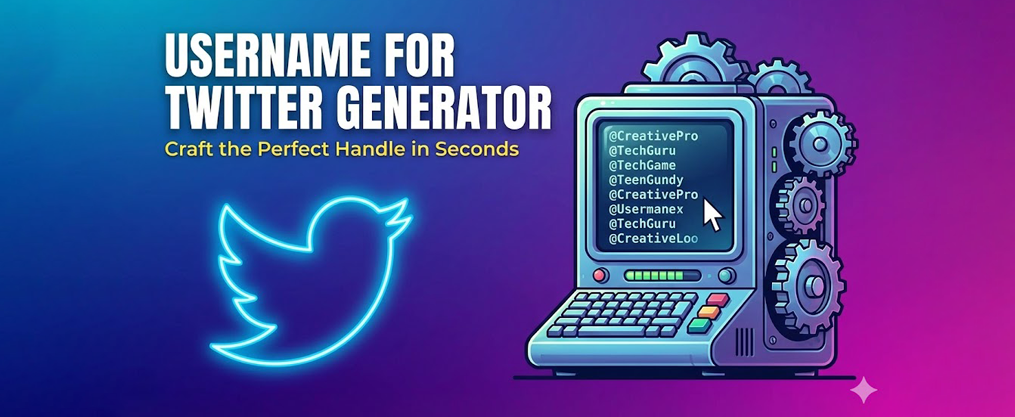
Username for Twitter Generator: Craft the Perfect Handle in Seconds
Finding the right Twitter handle shouldn’t take hours of frustration. With over 500 million active users competing for unique handles on the platform, manually brainstorming available usernames has become nearly impossible. Our free username for twitter generator solves this problem by creating catchy, brand-safe handles tailored to your niche in seconds. This name generator is a free tool that helps you create unique and personalized Twitter usernames, making it easy to stand out. No sign-up or registration is required, so you can generate usernames instantly and conveniently.
If you struggle to come up with ideas, using random usernames generated by our tool can enhance your online security and privacy by making your accounts harder to predict. The generator can also be used to create usernames for other sites, such as forums, gaming platforms, and more—not just Twitter.
A good username helps your message spread easily across social media and other platforms, and it works best when paired with an understanding of how the Twitter algorithm surfaces and promotes content. Creating unique usernames is a smart first step for online security, but remember it’s only one part of staying safe online. Using a unique username for every account helps protect your privacy and makes it harder for attackers to target you. Reusing the same username across multiple accounts makes it easier for hackers to connect your identities online. Common username pitfalls include reusing usernames and including personal information that could be easily guessed. Choosing a username is important because it could stick with you for years.
Introduction to Username Generation
In today’s digital world, your username is often the first impression you make on social media platforms like Twitter, Instagram, and YouTube. A username generator is a smart tool designed to help you create unique and memorable usernames that stand out online. Whether you’re building a personal brand, launching a business, or just looking for a fun new identity, a username generator can instantly provide you with a variety of username ideas tailored to your interests and style.
Unlike manually brainstorming, a random username generator or free username generator uses AI to combine words, characters, and sometimes even special symbols to generate creative options. For example, a twitter username generator can help you find the perfect twitter username that fits within character limits and reflects your brand or personality. These tools are especially helpful if you’re struggling to find a good username that isn’t already taken, or if you want to create unique handles across different social media platforms.
With just a few inputs—like your interests, a keyword, or a short description—a generator can suggest usernames that are catchy, relevant, and available. Whether you’re starting a new YouTube channel, updating your Instagram, or creating a new Twitter account, using a username generator is a quick and easy way to get inspired and secure your online identity.
Key Takeaways
- Our free twitter username generator is AI-powered and specifically tuned to Twitter’s 15-character handle limit and current X branding conventions as of 2026.
- Generate unlimited username ideas by entering keywords, a short description, and your preferred tone (professional, playful, aesthetic, or edgy).
- The tool produces handles that work for personal accounts, businesses, creators, and community pages while avoiding trademark and impersonation issues.
- A strong Twitter handle should be short, pronounceable, and consistent with your broader online identity across social media platforms.
- Once you find available options, claim your handle immediately and secure matching usernames on Instagram, TikTok, and LinkedIn the same day.
Try Our Free Username for Twitter Generator
Before diving into the details, go ahead and use our free name generator to generate username ideas for your Twitter account right now. This tool can also create random usernames, which can help improve your online security and privacy.
This username generator is optimized specifically for Twitter (X) usernames: 4–15 characters, no spaces, only letters, numbers, and underscores allowed. The AI filters out suggestions that could trigger impersonation flags or trademark concerns, so you can focus on finding handles that actually work.
Here’s how to get started:
- Enter a keyword related to your niche or brand
- Add a short profile description (e.g., “NYC fintech founder sharing growth hacks”)
- Select your preferred tone—funny, professional, edgy, or aesthetic
- Select your account type and category (industry or niche) to tailor your username suggestions
- Click generate and review your tailored suggestions
You can create unlimited username ideas without sign-up, credit card, or downloading any software. For example, if you’re launching a crypto news account in March 2026, you might enter “crypto news” as your keyword, describe your focus as “daily Bitcoin and altcoin market updates,” select a professional tone, and choose the finance category to receive handles that signal credibility to your target audience.
Tip: For the best results from the username generator, clearly describe your profile and select your account type and category to get the most relevant suggestions.

What Is a Username for Twitter Generator?
A username for twitter generator is a specialized name generator tool that creates ready-to-use Twitter handles from user inputs like niche keywords, brand names, and style preferences. A name generator can also create random usernames for enhanced security and privacy, helping users avoid reuse and improve online protection. Username generators use algorithms to create random usernames by combining characters, numbers, and symbols, resulting in strong and secure usernames. The best username generators are powered by AI and can tailor meaningful suggestions to different platforms, including Twitter. Unlike a random username generator that produces generic combinations, these tools understand Twitter’s specific rules and naming conventions. Circleboom’s Twitter Username Generator filters out taken handles while generating ideas based on your niche, and Birdeye’s Twitter Username Generator leverages powerful AI to instantly create a curated list of catchy and memorable Twitter handles.
What makes a Twitter-focused generator different:
Feature | Generic Generator | Twitter-Specific Generator |
|---|---|---|
Character limit awareness | No | Yes (15 characters max) |
Platform rule compliance | No | Yes |
Trend-aware suggestions | Rarely | Yes |
Availability checking | Sometimes | Often included |
Style customization | Basic | Niche-specific options |
The ai username generator works by combining your descriptive keywords with abbreviations, numbers, and stylistic choices into handles that look natural on the platform. It supports multiple account types: |
- Personal profiles for job seekers, students, and professionals
- Creator accounts for podcasters, streamers, and writers
- Business and startup accounts launching products
- Community pages around topics like AI, gaming, or sports
- Parody and fan accounts (within platform guidelines)
The tool avoids obviously offensive patterns and aims for names that are both memorable and compliant with Twitter’s terms as of 2026.
Benefits of Using a Generator
Using a username generator, especially an AI username generator, comes with a host of benefits for anyone looking to establish a strong presence on social media platforms. First and foremost, it saves you valuable time and effort by instantly generating a list of unique username ideas, so you don’t have to spend hours brainstorming or checking availability manually.
A generator can also help you create secure usernames by mixing in random characters, making it much harder for hackers to guess or compromise your accounts. This is especially important if you’re managing multiple accounts across different platforms and want to keep your online identity safe.
For businesses and individuals alike, a username generator can help you maintain a consistent personal brand by suggesting usernames that align with your niche, industry, or interests. This consistency makes it easier for your audience to find and recognize you online, whether you’re on Twitter, Instagram, or any other social media site.
Additionally, these tools are a great source of inspiration for fun usernames, allowing you to express your creativity and personality in ways you might not have thought of on your own. Whether you’re looking for something professional, playful, or completely unique, a username generator can help you create, refine, and secure the perfect handle for your needs.
What Can You Use This Twitter Username Generator For?
This free tool is useful whenever you’re starting, renaming, or splitting Twitter accounts for different audiences. Whether you need a completely new username or want to rebrand an existing profile, the generator handles both scenarios efficiently, especially when paired with a well-designed Twitter background that visually reinforces your new identity.
Common use cases include:
- New accounts: A SaaS startup launching in Q2 2026 needs a professional handle that matches their domain
- Rebrands: An existing profile shifting focus from personal tweets to industry commentary
- Side projects: Meme pages, niche newsletters, or anonymous commentary accounts
- Cross-platform matching: Finding handles that approximate your existing brand on Instagram, YouTube, TikTok, Discord, and other sites like forums or gaming platforms
If you’re managing multiple accounts—personal, business, alt, or anonymous—the generator can help you create a coherent “family” of related handles that share a recognizable pattern without being identical. It’s also helpful for generating usernames for other sites where you want a consistent online identity.
To establish your Twitter account as a primary source, consider using authority indicators like ‘The’ or ‘Official’ in your handle. Adding action prefixes such as ‘Ask’ or ‘Join’ can also help you create unique and engaging Twitter handles. For best results, aim for handles that are 6–12 characters long to keep them memorable and easy to type.
Social media managers and agencies can also use the tool in brainstorming sessions when developing Twitter strategies for clients, generating dozens of options to present during creative reviews, then manage those accounts efficiently with tools like TweetDeck and growth platforms such as TweetFull.
Personal Twitter Accounts
Individuals can use the generator to find handles based on their real name, nickname, city, or interests. Input elements like “runner,” “photography,” or “web3” to get suggestions that reflect your identity.
Consider these scenarios:
- A student applying for internships in 2026 who needs a professional-looking handle derived from their name and field of study
- A hobbyist photographer wanting to separate creative work from their main account
- Someone entering a new niche who wants a fresh identity that signals their interests
The tool can create both fully branded personal handles using your own name and privacy-conscious, semi-anonymous options. Keep personal handles simple, easy to pronounce, and future-proof so they still work years later if your interests or career evolve.
Business, Brand, and Startup Accounts
Businesses can input their company name, industry (SaaS, e-commerce, fintech), and brand tone to get handles matching their existing identity. This ensures consistency across your website, email signatures, and social platforms.
Common business use cases:
- Securing a handle before a product launch announcement
- Standardizing handles across regional accounts
- Updating to match a 2026 rebrand or acquisition
For example, a café in Austin trying to secure an on-brand handle after changing its name in late 2025 might enter their new business name, “coffee shop,” and “Austin” to receive localized suggestions that connect with their customer base.
Prioritize clarity and direct association with your brand over clever puns that might age poorly or confuse customers searching for you.
Creators, Streamers, and Community Pages
Content creators on YouTube, Twitch, TikTok, and newsletters can use the generator to align their Twitter handle with their main creator brand. Consistency across different platforms makes it easier for audiences to find and follow you everywhere, and longer-form updates can be shared using Twitter threads once your account is set up.
Example niches that benefit from specialized handles:
- True crime podcasts needing mysterious, intriguing names
- F1 commentary accounts wanting racing-related terminology
- Indie game dev logs sharing development updates
- BookTok reviewers connecting their reading community
The generator mixes niche keywords (like “F1,” “solana,” or “productdesign”) with memorable wordplays that resonate with Twitter culture. Aim for handles that are easy to shout out on podcasts, live streams, and conference talks without confusing listeners.
How to Use Our Username for Twitter Generator (Step-by-Step)
The tool is designed to take you from first visit to a shortlist of handles in under two minutes. Follow these four steps, and repeat with different tones or keywords to explore several directions before deciding.
Save a shortlist of 5–10 favorites in a notes app before checking availability on Twitter—this prevents losing good options if you get distracted during the verification process.
Step 1: Define Your Twitter Persona and Goals
Start by deciding what this account is for. Your purpose shapes everything about the username you’ll choose.
Ask yourself:
- Is this for personal branding, lead generation, customer support, memes, or a niche community hub?
- What account type am I creating?
- How public or anonymous do I want to be?
List 3–5 descriptive words that capture how you want to be seen on Twitter. For example: “serious,” “playful,” “tech,” “NYC,” or “daily tips.”
If you’re in a regulated industry like finance, healthcare, or legal in 2026, consider how your handle will appear to colleagues, clients, and compliance teams. Clear goals help the generator avoid mismatched handles—like overly goofy names for a law firm account.
Step 2: Add a Short Description and Keywords
Write a concise 1–2 line description of your planned profile. This input is what the AI uses to generate relevant suggestions.
Good description examples:
- “Berlin-based UX designer sharing daily Figma tips”
- “AI startup posting product updates and funding news”
- “Fitness coach helping busy professionals get stronger”
Include 2–3 specific keywords: location, industry, or topic focus (like “crypto,” “vegan,” “football,” or “edtech”). The generator uses these inputs to propose Twitter-friendly combinations, abbreviations, and word merges that stay under 15 characters.
Step 3: Choose Style and Tone for Your Handle
Select from common style options to match your content and audience:
Style | Best For | Example Pattern |
|---|---|---|
Professional/Clean | Businesses, consultants, industry leaders | @NameHQ, @NameCo |
Playful | Creators, meme accounts | @FunnyName, @NameVibes |
Minimalist | Personal brands, artists | @Name, @InitialsOnly |
Aesthetic | Visual creators, lifestyle accounts | @NameStudio, @Name.art |
Techy | Developers, SaaS, crypto | @NameDev, @NameAI |
Match your tone to your content. Serious or regulated brands should avoid slang-heavy or ambiguous handles that could hurt credibility with potential clients. |
Try at least two different tones to see which feels right when imagined in tweets, replies, and DMs. The generator can remove or reduce digits and underscores on request if you prefer sleek, brandable names.
Step 4: Generate, Refine, and Claim Your Twitter Username
After clicking generate, you’ll receive a list of Twitter-ready handles that respect the platform’s character rules. Here’s what to do next:
- Mark favorites: Star or note the handles that immediately stand out
- Regenerate: Tweak your description and tone to produce narrower, more polished options
- Check availability: Search each handle on twitter.com or the X mobile app
- Verify thoroughly: Check both the @handle and potential display name conflicts
- Register instantly: Claim your chosen username before someone else does
Once you’ve secured your Twitter handle (and followed core best practices for selecting a Twitter handle), grab matching or similar handles on key platforms like Instagram, TikTok, LinkedIn, and YouTube the same day.

Tips for Creating a Strong Twitter Username
A good Twitter handle should be memorable, easy to type on mobile, and consistent with your broader online identity. Your username appears in replies, mentions, and quote tweets, so it needs to be instantly recognizable at a glance.
These practical tips complement what the generator suggests, helping you pick the best option from your shortlist.
Prioritize Clarity Over Clever Wordplay
Avoid handles that require explanation, obscure puns, or heavy inside jokes that may not age well beyond 2026. When someone sees your username in a crowded reply thread, they should immediately understand who you are or what you do.
Clear handles signal your identity or niche at a glance:
- A marketing consultant using their real name or “MarketingPro”
- A food blogger using “ChefName” or “FoodieCity”
Confusing handles require context to understand:
- Random character combinations with no meaning
- Inside jokes that only friends would recognize
- Misspellings intended to be clever but appearing as typos
Clarity matters especially for journalists, founders, and subject-matter experts whose tweets may be embedded in articles or cited by industry leaders.
Keep It Short, Pronounceable, and Easy to Type
Aim for 8–14 characters where possible. This keeps your handle quick to type on phone keyboards and easy to remember after seeing it once.
Avoid these patterns:
- Long runs of random numbers (e.g., @name123456789)
- Alternating characters like “x_q_z_9” that are hard to type accurately
- Random characters that don’t form recognizable words
- Multiple underscores that look spammy
Test your handle by saying it out loud. If you can clearly pronounce it during a podcast, webinar, or in-person event, it will spread more easily through word of mouth.
Imagine your handle printed on a slide, business card, or email signature. If it looks awkward or confusing in those contexts, consider alternatives.
Balance Anonymity and Professionalism
Some users in 2026 prefer partial anonymity, especially when discussing sensitive topics like politics, workplace issues, or industry criticism. A good handle can protect your identity while still appearing credible.
If you need full anonymity:
- Avoid real last names, company names, or specific locations
- Choose fun usernames that don’t connect to your offline identity
- Skip any references to your employer or job title
If you want secure usernames that still look professional:
- Use initials combined with industry keywords
- Create a pseudonym that sounds like a real name
- Avoid extreme or inflammatory words that could damage future reputation
Consider whether the handle will look appropriate if tweets go viral or are quoted by journalists or employers. What seems edgy today might appear unprofessional in a different context.
Align With Your Brand Name and Domain (If You Have One)
Businesses and creators with existing domains should keep the Twitter handle as close as possible to their primary brand or URL. This creates instant recognition across channels.
If your exact brand name is already taken, try these fallback patterns:
Pattern | Example |
|---|---|
Add “hq” | @BrandNameHQ |
Add “app” | @BrandNameApp |
Add “team” | @BrandNameTeam |
Add city code | @BrandNameNYC |
Add “get” or “try” | @GetBrandName |
Check if the chosen handle visually matches existing logos, color schemes, and brand assets used across your website and marketing materials. Consistent naming across social platforms improves recognition, makes customer support easier, and avoids confusion in search results. |
Checking and Securing Your Twitter Username
Generating a great username is only half the job. The other half is making sure it’s available and defensible long-term, then supporting it with smart audience-building tactics like strategic Twitter list management.
Twitter handles are first-come, first-served. Inactive accounts using your preferred handle may block you from claiming it, and there’s no guarantee Twitter will free up dormant usernames on request. Once your username is locked in, you can further grow your reach by learning how to use Twitter hashtags effectively.
Move quickly once you find an available, on-brand handle to avoid losing it to another user.
How to Check If a Twitter Username Is Available
Follow this process to verify availability:
- Search directly: Type the handle (without the @) into Twitter’s search bar on web or mobile
- Check the URL: Visit https://twitter.com/handle directly to see if an account exists
- Look for signup prompts: If Twitter displays a signup page instead of a profile, the handle is likely available
- Check variations: Search for very similar handles (extra underscores or digits) to avoid brand confusion
If you find an account that’s clearly inactive, suspended, or protected, note that this still blocks the handle. Twitter rarely releases these usernames unless there’s a clear trademark violation.
Claiming and Protecting Your New Handle
Once you confirm availability, take these steps immediately (and don’t forget to pair your new handle with a compelling, optimized Twitter bio):
- Create or update your account: Register the handle and update your profile photo, bio, and display name to match your branding
- Enable security features: Turn on two-factor authentication and use a password manager to protect against hackers
- Secure other platforms: Grab matching handles on Instagram, TikTok, YouTube, LinkedIn, Pinterest, and Discord the same day
- Update existing links: If rebranding, change links in bios, websites, email signatures, and link-in-bio tools right away
Don’t wait. Handle squatters and bots actively scan for newly mentioned brand names and can claim your ideal username within hours of you publicly discussing it.
Username for Twitter Generator FAQ
These questions cover practical concerns not fully addressed in the main sections above. Answers are written for non-technical users looking for straightforward, actionable guidance.
Note that platform rules evolve, so always review the latest official guidelines from Twitter for any policy changes affecting usernames.
Can I use the same Twitter username on other platforms?
Twitter’s 15-character limit and rules may differ from Instagram, TikTok, YouTube, Reddit, Facebook, Roblox, Xbox, and LinkedIn. Exact matches aren’t always possible due to different character requirements and availability.
Aim to use the same core pattern across platforms:
- @brandname (ideal)
- @brandname_hq (if exact match is taken)
- @brandnameapp (for product-focused accounts)
Check all major social platforms in one sitting when you pick a handle. This lets you adjust early and maintain consistent branding everywhere. Our generator is tuned to Twitter first, but many suggestions adapt easily to other networks with minor tweaks.
How often can I change my Twitter username?
Twitter currently allows users to change their @username, but frequent changes can confuse followers and break older mentions or links. Every time you change your handle, old @mentions in others’ tweets no longer link to your profile.
Recommendations:
- Limit changes to rare rebrands or major shifts in direction
- For professional accounts, change no more than once every year or two
- Announce significant handle changes in a pinned tweet
- Update all linked profiles, websites, and email signatures immediately
Our generator is most useful when planning a one-time, well-thought-out rebrand rather than constant experimental changes. As you refine your new presence, you can also follow curated Twitter lists in your niche to stay informed and engaged.
What if my ideal Twitter handle is taken by an inactive account?
If a handle is used by a dormant or inactive profile, Twitter usually doesn’t free it up on request unless it clearly violates trademarks. Simply being inactive isn’t enough grounds for Twitter to release the username.
Your options:
- Create close variants: Add numbers, prefixes like “try” or “get,” or suffixes like “hq” or “official”
- Use location codes: Add “nyc,” “uk,” “la” if relevant to your brand
- Trademark review: If you have a registered trademark matching the taken handle, review Twitter’s current impersonation and trademark policies
Choose a practical, available variant now instead of waiting indefinitely for the ideal handle to become free.
Should I include numbers or underscores in my Twitter username?
Short, clean handles without numbers or underscores are generally easier to remember and look more polished. However, sometimes you need them to get an available handle.
Guidelines for using numbers:
- Use numbers sparingly and only when meaningful (birth year, area code, product version)
- Avoid random sequences like “12345” that look spammy
- Consider that numbers can date your account (e.g., “2024” will look outdated by 2030)
Guidelines for underscores:
- Limit to one underscore if needed
- Avoid patterns like “name__official” that are tedious to type
- Remember that underscores are easy to mishear in spoken contexts
Our generator can prioritize minimal-symbol, minimal-number handles if you indicate you prefer a clean visual style.
Can I use my real name in a Twitter username if I also want privacy?
There’s a clear trade-off: using your real name increases trust and discoverability through search, but reduces anonymity if old tweets resurface or go viral.
Hybrid approaches to consider:
Approach | Privacy Level | Discoverability |
|---|---|---|
Full real name | Low | High |
First name + initial | Medium | Medium |
Nickname only | High | Low |
Industry keyword + initial | Medium | Medium |
Users in sensitive jobs—government, healthcare, finance—should think long-term about how public association with tweets may impact their career. |
Our generator can propose both real-name-based and pseudonymous options, letting you choose the level of visibility you’re comfortable with based on your specific situation and preferences.
Conclusion and Next Steps
In summary, a username generator is an invaluable tool for anyone looking to create a unique and memorable username for social media platforms. By leveraging the power of a random username generator, free username generator, or AI username generator, you can quickly generate a variety of username ideas that reflect your personality, interests, or brand.
To get started, simply try out a free username generator and experiment with different keywords and styles until you find a good username that feels right for you. Remember to keep your username simple, easy to remember, and consistent across all your social media accounts to build a strong and recognizable online presence.
With the right tools and a bit of creativity, you can create a username that not only stands out but also supports your personal or professional brand as you connect, share, and grow online.