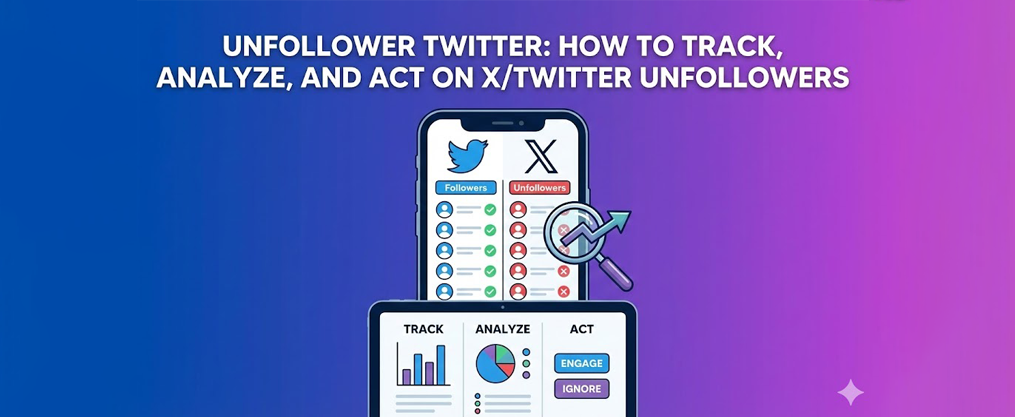
Unfollower Twitter: How to Track, Analyze, and Act on X/Twitter Unfollowers
This guide is for Twitter users, social media managers, and brands who want to track unfollowers, analyze audience changes, and optimize engagement on X. We cover the best tools, step-by-step setup, and strategies for using unfollower data to improve your Twitter presence. Whether you’re an individual creator, a business, or part of a marketing team, you’ll learn how to monitor unfollower stats, interpret audience trends, and take actionable steps to grow and protect your account.
How to Find Unfollowers on X Twitter: Track, Analyze, and Act
- Twitter unfollowers are accounts that used to follow you on X (formerly Twitter) but have since clicked “Unfollow.” The native X app doesn’t notify you or show who unfollowed, making third-party tools essential for tracking.
- Monitoring unfollower stats reveals patterns tied to specific tweets, campaigns, or posting frequency changes, helping you refine your content strategy and protect your account health.
- Tools like Circleboom, Audiense Connect, and Tweet Binder provide real-time unfollower alerts, historical graphs, and audience segmentation features that native analytics simply don’t offer. Circleboom Twitter is widely regarded as the best tool for tracking unfollowers and managing your audience on X.
- To get started with these tools, you need to create a Circleboom account using an active e-mail address. This gives you access to the Circleboom dashboard, where you can start tracking unfollowers in almost no time.
- When using unfollower apps, you must respect X’s automation and spam rules. Aggressive follow/unfollow tactics or mass unfollow actions can lead to account flags or suspensions.
- Weekly or monthly unfollower reviews are sufficient for most users, while social media managers running active campaigns may need daily monitoring during launches.
What Are Twitter Unfollowers and Why They Matter
A Twitter unfollower is simply someone who followed your account at some point but later decided to click “Unfollow” and remove themselves from your audience. Since X (the platform formerly known as Twitter, rebranded in 2023) doesn’t send you a notification when this happens, many users never realize they’ve lost followers until they notice their count dropping.
This matters more than ever in 2024 and 2025. Algorithmic timelines prioritize engagement signals, follower quality directly affects your reach, and your follower/following ratio influences how other accounts perceive your credibility. A steady stream of unfollowers can quietly erode your audience while you’re focused on creating content.
Common reasons people unfollow on X include:
- Overposting or flooding timelines with too many tweets in a short period
- Controversial threads or political commentary that clashes with their views
- Off-topic content that strays from why they originally followed you
- Long periods of inactivity where your profile goes silent for weeks
- Spammy replies, excessive self-promotion, or aggressive engagement tactics
To avoid these pitfalls and increase engagement on Twitter, check out these 10 proven strategies.
By tracking unfollower patterns, you can identify which campaigns, threads, or changes in posting frequency trigger churn. If you notice a spike in unfollows after a December 2024 promotional push, for example, you know to adjust your sales messaging. This feedback loop turns a simple metric into strategic intelligence.

Core Follower Views: Unfollowers, New Followers & Connections
A proper unfollower Twitter tool shouldn’t just show who left. It should help you track unfollowers and keep track of changes in your audience over time. It should give you a complete view of your audience: who unfollowed, who just joined, and how you’re connected to each account, as well as provide options similar to the best free Twitter unfollow tools for cleaning up non-followers.
Unfollowers view: This lists accounts that recently unfollowed you, typically with filters for time periods like the last 7, 30, or 90 days. Good tools display each unfollower’s profile page info, follower count, bio snippet, and last tweet date so you can quickly assess whether losing them matters. With the ability to track unfollowers, you can monitor trends and adjust your engagement strategy accordingly.
New followers view: This shows recent followers sorted by the date they joined your audience (for example, “Joined on 2025-01-08”). From here, you can decide whether to follow back, add them to a Twitter list, or simply acknowledge their presence.
Connections or Relations view: This categorizes your entire social graph into three buckets: accounts that follow you but you don’t follow back, accounts you follow that don’t follow you, and mutual followers where you both follow each other. Understanding these segments helps you keep track of relationships and manage them strategically.
Not Following Me (Followers I Don’t Follow Back)
This list surfaces people who follow you but haven’t received a follow back. These might be fans, customers, peers, or potential collaborators you’ve overlooked.
Use this view to find accounts worth following to strengthen relationships and improve your reply visibility. When you follow someone back, your replies to their tweets appear higher in their notifications, increasing engagement opportunities.
Be selective. Follow back accounts that match your niche, speak your language, or operate in your region. Following everyone indiscriminately clutters your home timeline and makes it harder to stay engaged with content that actually matters to you.
A typical UI for this might include features to help you identify and engage top Twitter influencers:
Handle | Follower Count | Last Active | Action |
|---|---|---|---|
@potential_customer | 2,340 | 2 days ago | Follow |
@industry_peer | 12,500 | 5 hours ago | Follow |
@random_bot_account | 3 | Never | Ignore |
I’m Not Following (People Who May Unfollow If Ignored)
This is the mirror list: accounts you follow that don’t follow you back. Your follower/following ratio depends heavily on this segment.
Some accounts here are perfectly fine to keep following even without a follow back. Journalists, experts, news outlets, and thought leaders provide value even if the relationship is one-sided. Others might be candidates to unfollow if they never engage with your content and don’t offer useful information.
Useful filters for this segment include:
- Accounts with no tweet in the last 6 months
- Accounts with zero engagement with your content in 30 days
- Accounts that appear to be inactive or abandoned
Avoid unfollowing users in repetitive, aggressive patterns within a single day. X monitors for spam behavior, and rapidly cycling through follow/unfollow actions can trigger warnings or limitations on your account, so structured approaches like an Unfollow Them campaign with targeted filters are safer than random mass actions.
We Follow Each Other (Mutual Followers)
Mutual followers represent your core community. These accounts chose to follow you, and you chose to follow them back, creating a two-way relationship that typically produces higher engagement.
Regularly engage with this group through replies, quote tweets, and occasional DMs where appropriate. These are the users most likely to retweet your content, respond to your threads, and defend your reputation when needed.
Some tools show engagement stats within this view, highlighting which mutual followers mention you most, like your posts frequently, or share your content. This helps you identify superfans and brand advocates.
Use cases for tracking mutuals:
- Creators identifying their most loyal supporters for shoutouts
- SaaS brands tracking customers who actively promote their product
- Local businesses nurturing regulars who leave reviews and referrals
Real-Time Unfollower Alerts and Unfollow Tracking Tools
The default X app shows your total follower count but provides no detail on who unfollowed you or when. To get that data, you need third-party tracking tools that sync with your account and compare follower lists over time.
These tools typically offer:
- A recent unfollows list showing exactly which accounts left
- Push or email alerts when follower loss spikes suddenly
- Unfollower graphs covering 7, 30, and 90-day periods
- Multi-account support for agencies managing several profiles
- Learn how to create a copy followers campaign to grow your audience
Note: Most unfollower tracking tools can only track unfollowers from the moment you authorize them; they cannot reconstruct a history of who unfollowed you before you signed up. Historical data typically starts from the day you connect your account.
Setting up alerts for sudden drops (for example, losing 50 or more followers in an hour) helps you catch issues quickly. With the right tool, you can be notified immediately when someone unfollows you, allowing you to respond quickly and adjust your strategy as needed. A sudden spike could signal a PR problem, a policy violation, a controversial tweet going viral for the wrong reasons, or an X platform-wide bot purge.
To make the most of these insights, start tracking your unfollowers as early as possible to build a comprehensive history of follower changes.
Twitter Unfollow Alerts (Instant Notifications)
Unfollow alerts work by having the tool ping the Twitter API at regular intervals (every few minutes to every few hours) and compare your current follower list against the previous snapshot. When changes appear, you get notified.
Alert delivery methods typically include:
- In-app notifications within the tracking dashboard
- Browser push notifications for desktop users
- Email digests summarizing changes (for example, “Daily summary for 2025-01-09: 12 unfollows, 47 new followers”)
A sample alert might read: “12 users unfollowed @yourhandle in the last 24 hours. View list to see details.” You can then click through to review who left and look for patterns.
Keep in mind that frequent API pings and automated actions triggered from alerts must stay within X’s rate limits. Tools promising extreme automation or unlimited actions often violate platform rules.
Unfollower Stats, Graphs, and Historical Tracking
A proper unfollower dashboard displays: Key metrics like Twitter unfollower stats help you analyze trends and understand audience changes over time.
Metric | Last 7 Days | Last 30 Days | Last 90 Days |
|---|---|---|---|
Total Followers | 15,230 | 14,890 | 14,120 |
Followers Gained | 520 | 1,840 | 4,200 |
Followers Lost | 180 | 1,500 | 3,090 |
Net Growth | +340 | +340 | +1,110 |
An evolution graph showing daily unfollow counts helps you spot recurring dips. You might notice unfollows spike every Monday (when you post promotional content) or drop during weekends (when you share personal updates). | |||
Annotate your graphs with markers for big campaigns, viral threads, or account changes like a November 2024 rebrand. This connects follower movements to specific actions. |
One important note: historical tracking begins from the day you connect your account to the tool. Past unfollower history from before that date cannot be retroactively reconstructed by any legitimate service.

How to See Who Unfollowed You on Twitter Step by Step
This section walks you through the process of setting up unfollower tracking from scratch, even if you’ve never used these tools before.
Step 1: Choose a reputable, X-compliant tracking tool. Look for services that explicitly state they use the official Twitter API and don’t require you to enter your password directly into their system.
Step 2: Sign up with an email address and verify via confirmation email. This typically arrives within seconds (for example, “email received on 2025-01-08 at 14:32”).
Step 3: Connect your X account by clicking “Sign in with X” or similar. You will need to authorize Circleboom Twitter to access your account in order to monitor your followers and unfollowers. Authorize read access first. Only grant write access if you want the tool to perform follow/unfollow actions on your behalf.
Step 4: Wait for the initial sync. For profiles with 50,000 or more followers, this process can take a few minutes as of early 2025. Smaller accounts sync almost instantly.
Step 5: Navigate to the “Recent Unfollows” or “Unfollowers” tab. You can view detailed information about each unfollower, including their Twitter profile and recent activity. Filter by the last 7 days, 30 days, or custom date ranges. Most tools let you export data as CSV for further analysis.
Comparing Time Periods to Find Unfollower Patterns
Use period selectors to compare unfollower stats between two time frames. For example, compare December 2024 versus November 2024 to see if your holiday campaign affected retention.
Practical comparison scenarios:
- After a major product launch, did unfollows spike among existing followers?
- When you increased posting frequency from 3 to 6 tweets per day, did churn increase?
- Following a controversial thread, how many unfollows occurred within 48 hours?
Look for anomalies that don’t align with typical seasonal patterns or known X bot cleanup events. If your competitors show similar drops during the same period, the cause might be platform-wide rather than specific to your content.
Filtering and Analyzing Who Unfollowed You (Audience Segmentation)
Common filters available in unfollower tools include:
- Account size: Small accounts (under 1K followers), medium (1K-10K), large (10K+)
- Verification status: Verified versus unverified users
- Geography: Country, language, or time zone
- Account age: Newer accounts versus long-established profiles
- Last activity date: Recently active versus dormant accounts (identifying inactive followers can help you maintain an engaged and authentic audience)
Filtering reveals whether you’re losing new followers who just joined, long-time supporters, high-influence accounts, or obviously inactive and bot-like profiles.
Create segments like “recent unfollowers from the US who followed in the last 30 days” to understand localization issues. If you’re consistently losing US-based followers after posting during European business hours, you might need to adjust your schedule.
Follower Ratio, Follow-Back Strategy, and Account Health
Your follower/following ratio affects both perception and functionality on X. Following 7,000 accounts while only having 2,000 followers looks unbalanced and can limit your ability to follow more users.
X has historically enforced a 5,000 following threshold. Once you hit that number, your ability to follow additional accounts becomes tied to your follower count. Poor ratios also signal to other users that you might be using aggressive growth tactics rather than building genuine relationships.
The “golden ratio” concept: Keep your following count from dramatically exceeding your follower count. An account with 10,000 followers and 12,000 following looks fine. An account with 2,000 followers and 15,000 following looks spammy.
Follow-back strategies range from organic (selectively following engaged users who follow you) to aggressive (mass following accounts hoping for follow-backs, then unfollowing those who don’t reciprocate). Research from experiments like the Social Media Lab study shows aggressive tactics produce low-quality followers who churn quickly and can damage brand reputation.
Periodically audit the accounts you follow. Remove inactive accounts, irrelevant profiles, and spammy users to improve your feed quality and save time scrolling by cleaning up your Twitter followers profile strategically.
Unfollow Those Who Don’t Follow Back (Safely)
Non-follower lists show accounts you follow that don’t follow you back and haven’t engaged with your content for months. These are candidates for unfollowing.
Safe unfollowing practices:
- Unfollow in small, natural batches (20-40 per day) rather than hundreds at once
- Space out unfollow actions over time to avoid triggering spam detection
- Keep high-value non-followers like journalists, officials, or industry experts
- Never use tools that promise mass unfollow of thousands in minutes
Any automation you use should respect X automation rules. Tools promising extreme mass actions are risky and can result in temporary locks or permanent suspensions.
Finding Accounts You’re Not Following Back
Some users expect a follow-back, especially in niche communities, conference lists (like attendees of a January 2025 industry event), or local networks where reciprocity is the norm.
Tools surface “People who follow you that you’re not following back” with quick action buttons. Review these accounts and follow back those who:
- Interact frequently with your content (likes, replies, retweets)
- Operate in your industry or niche
- Appear to be genuine humans rather than obvious spam profiles
Creators and brands may maintain curated follow lists focused on partners, customers, and collaborators rather than following everyone back. This is perfectly acceptable and often preferable to a bloated following list that generates low-quality timeline content.
Optimizing Content Using Unfollower Insights
Unfollower stats serve as direct feedback on your editorial and engagement strategy. They’re not just vanity metrics to worry about but data points that reveal what’s working and what’s pushing people away.
Correlate unfollower spikes with specific tweets, threads, Spaces, or replies posted on those dates. If you see 50 unfollows on January 12, 2025, scroll back to see what you posted that day. Was it a controversial take? A long promotional thread? A reply to a divisive account?
Test which content types align with lower unfollow rates:
- Long threads versus short single-tweet updates
- Links to external content versus native images and videos
- Polls and questions versus declarative statements
- Formal industry analysis versus casual personal updates
Run experiments by adjusting posting time zones, tone, or frequency and watching how unfollow curves react over the following days, pairing these tests with a broader strategy to find and grow targeted Twitter followers.
Mini-case example: A SaaS brand noticed higher unfollows every Tuesday, which happened to be their “promotional tweet day.” By reducing promo posts from 5 per Tuesday to 2, mixing in educational content, and moving some promotions to Thursday (when their audience was more receptive), they reduced Tuesday unfollows by 40% over three months.
Identifying Top Influential Followers and Engaged Users
Most unfollower tools also highlight your top influential followers (accounts with large followings) and most engaged followers (accounts that like, reply, and repost frequently). To ensure your account stays protected while using these tools, check out these tips to keep your Twitter account secure
Monitor if these high-value accounts suddenly unfollow or disengage. Losing an influential follower who amplified your content might have more impact than losing a hundred inactive accounts.
Create private Twitter lists for:
- VIP followers with significant reach
- Superfans who engage with almost every post
- Customers who mention your product publicly
Engage with these lists regularly. Thank key supporters during milestones (like hitting 10K followers in mid-2025) to reinforce loyalty and reduce churn among your most valuable audience members.
Spotting Bot Purges, Fake Accounts, and Platform-Wide Drops
Sometimes large unfollower spikes have nothing to do with your content. X periodically removes bot accounts, spam profiles, and inactive users in platform-wide cleanup operations.
When you see a sudden drop, compare your unfollower graph with competitor or industry accounts. If everyone in your niche shows similar losses during the same period (like a known bot purge announced in late 2024), the drop isn’t about you.
Use audience quality metrics to distinguish real churn from fake-account removals:
- Accounts with default avatars (the egg or blank profile)
- Accounts with no bio or suspicious bios
- Accounts with extremely low activity or zero tweets
- Accounts with random character usernames
Focus your optimization efforts on real-user unfollows. A drop of 500 bot accounts means nothing. A drop of 50 engaged humans requires attention.
Privacy, Security, and Policy Compliance When Using Unfollower Tools
Only use tools that comply with X’s Developer Agreement and clearly state what data they access and store. Check their privacy policy and confirm they use official API access rather than scraping or unofficial methods.
Sign-in best practices:
- Always use “Sign in with X” OAuth rather than entering your password directly
- Review the permissions requested (read access is safer than write access)
- Only grant write access if you specifically need the tool to follow/unfollow on your behalf
Regularly review your connected apps via X’s settings menu. Navigate to Settings > Security and account access > Apps and sessions > Connected apps. Revoke access to any tools you no longer use.
Avoid tools that promise aggressive automation features like auto-DMs to new followers, auto-mentions, or unlimited mass unfollow actions. These violate X’s automation rules and can lead to suspensions, so review any automated Twitter growth and scheduling service FAQs carefully to understand how they stay compliant.
If you’re in the EU or UK, confirm the tool complies with GDPR. Check where their servers are hosted and how long they retain your follower data.
Advanced Twitter Strategies for Managing Unfollowers and Engagement
To stay ahead in the fast-paced world of Twitter, social media managers and creators need more than just basic follower tracking—they need advanced strategies that turn unfollower stats into actionable insights. By leveraging robust tools like Circleboom and Audiense Connect, you can go beyond simply identifying who unfollowed you and start understanding the “why” behind those actions.
Start by regularly reviewing your mutual followers and analyzing your follower ratio using Twitter analytics. A balanced follower ratio not only improves your Twitter profile’s credibility but also ensures you’re connecting with users who genuinely value your content. Tools like Circleboom’s Twitter Follow Check make it easy to spot imbalances and take corrective action, especially when combined with organic Twitter growth tools and services.
Dive deeper into your unfollower stats to identify patterns: Are certain types of tweets causing spikes in unfollows? Are you losing followers after specific campaigns or changes in posting frequency? Use these insights to refine your Twitter strategy, focusing on the content and engagement tactics that retain followers and attract new ones.
Don’t overlook the power of mutual followers—these are your most engaged audience members. Engage with them through replies, retweets, and personalized interactions to strengthen relationships and boost overall engagement. By consistently managing and connecting with your audience, you’ll create a more resilient Twitter presence that weathers the ups and downs of follower changes.
Growing Your Twitter Presence After Unfollows
Experiencing a wave of unfollows can feel discouraging, but it’s also an opportunity to reassess and revitalize your Twitter strategy. The key is to focus on growth-oriented actions that help you connect with new followers and re-engage your existing audience.
Begin by identifying your top influential followers—those users who have the reach and credibility to amplify your content. Engage with them through thoughtful replies, mentions, and direct messages to foster genuine connections. These relationships can help your tweets reach a broader audience and attract new followers who are interested in your niche.
Utilize advanced search features on platforms like Fedica to discover and connect with users who share your interests or are active in your industry, or use platforms that help you grow your Twitter audience and boost engagement organically. By targeting like-minded followers, you can build a more engaged and loyal community.
Content remains king on Twitter. Focus on creating high-quality, engaging content that resonates with your audience. Experiment with interactive formats such as Twitter polls, Q&A sessions, or live discussions to encourage participation and spark conversations. These tactics not only help you recover from unfollows but also position your account as a valuable resource within your community, especially when supported by advanced Twitter growth and automation features.
By consistently connecting with your audience, engaging influential followers, and delivering content that matters, you’ll turn unfollow setbacks into opportunities for growth and increased influence on Twitter, particularly if you leverage tools that boost and track real Twitter followers while maintaining authenticity.
FAQ: Twitter Unfollowers, Tracking, and Best Practices
How far back can I see who unfollowed me on Twitter?
Third-party tools start recording from the day you connect your account. They cannot reconstruct exact unfollower lists from before that date. Some tools can estimate historical trends based on archived follower counts, but specific account-level data only exists from your connection date forward.
Can I see who unfollowed someone else’s Twitter account?
Some analytics platforms let you track follower changes for public accounts you don’t own. However, detailed unfollower lists are typically restricted to accounts you’ve authorized. This limitation exists for privacy reasons and API policy compliance.
Does Twitter itself show a list of my unfollowers?
As of early 2025, X/Twitter does not provide a native unfollowers list. You can see total followers, recent followers, and basic audience analytics through Twitter Analytics, but the platform doesn’t tell you who specifically unfollowed you or when.
Is using a Twitter unfollower app safe?
It can be safe if the app uses official APIs, doesn’t ask for your password directly, and avoids spammy automation features. Always check reviews, review the permissions you’re granting, and revoke access immediately if anything looks suspicious. Avoid tools that promise features violating X’s terms of service.
How often should I check my unfollower stats?
For most creators and small accounts, a weekly or monthly review provides enough insight without becoming obsessive. Social media managers or agencies running active campaigns might check daily during launches, promotions, or crisis situations to catch sudden follower losses quickly and respond appropriately.
Conclusion and Next Steps
Managing Twitter unfollowers and driving engagement is an ongoing process that blends strategic planning, data-driven insights, and creative content. By using advanced tools like Circleboom, Audiense Connect, and Fedica, along with scalable services to grow Twitter followers and boost engagement, you gain valuable insights into your Twitter audience, allowing you to track unfollower stats, identify mutual followers, and refine your Twitter strategy for better results.