Tweeting on Twitter: The Complete Guide to Posting and Engaging on X
Key Takeaways
- Tweets are 280-character posts that can include text, images, videos, GIFs, and links to share updates and engage with others
- Effective tweeting requires balancing original content, sharing relevant posts, and actively engaging with your community
- Post 3-6 times daily using the Rule of Thirds: one-third original content, one-third curated content with commentary, one-third audience engagement
- Media attachments like images and videos don’t count toward character limits, making visual content essential for engagement
- Twitter’s real-time nature means optimal posting times vary by audience, but analytics tools can help identify peak engagement windows
What is Tweeting on Twitter
Twitter’s transformation into X hasn’t diminished the fundamental power of tweeting on twitter as a communication tool. At its core, tweeting represents the act of posting short-form content on the twitter website to share thoughts, news, updates, and media with your audience and the broader Twitter community. Twitter was originally conceived as a micro-blogging platform where users post short text updates.
With 330 million monthly active twitter users, the platform creates a massive real-time conversation network where individual tweets can reach millions of people. This scale makes Twitter unique among social media platforms – your single tweet has the potential to spark global discussions, influence public opinion, or connect you directly with interesting people you might never meet otherwise. Each person on the platform can engage with content, support others, and build their own presence through interactions and posts.
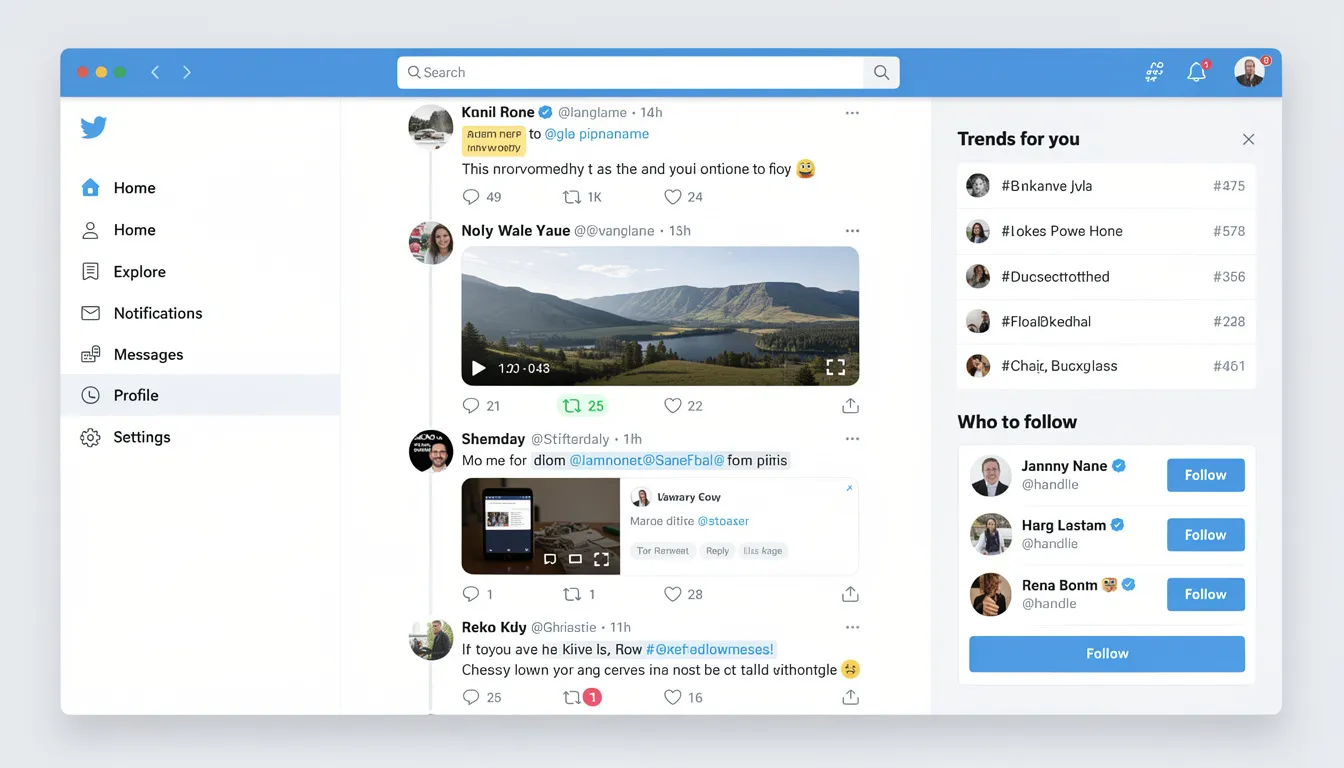
Tweets function as micro-blogs, allowing users to share quick updates, engage in professional networking, and build communities around shared interests. Unlike other social media platforms, Twitter’s public nature enables direct engagement with celebrities, organizations, thought leaders, and other twitter users without traditional barriers.
The beauty of tweeting lies in its simplicity – you can compose a message, add media, and instantly broadcast it to followers and potentially millions more people through retweets, hashtags, and algorithmic distribution. The character limit for tweets was originally 140 characters when the service launched in 2006, and in 2017, Twitter doubled the character limit from 140 to 280 characters to allow users to be more expressive. In 2023, Twitter was rebranded as ‘X’ and the terminology changed from ‘tweet’ to ‘post’, and the term ‘retweet’ was changed to ‘repost’. Twitter has experimented with changing how tweets work over the years to attract more users.
Setting Up Your Twitter Profile
Creating Your Identity
Establishing your identity on Twitter is the first step to making meaningful connections with other twitter users. Your twitter profile acts as your digital calling card on the platform, so it’s important to think carefully about how you want to present yourself. Start by selecting a username that’s memorable, easy to spell, and relevant to your personal brand or interests. Many people opt for their real name or a recognizable variation, while others get creative to stand out in search results. If you’re struggling to find the perfect handle, a hashtag generator can spark ideas that align with your niche or personality.
Next, craft a concise bio that fits within Twitter’s 160-character limit. This is your opportunity to introduce yourself to users who visit your profile—mention your interests, expertise, or what you’ll be tweeting about. Don’t forget to include a link to your website or other social media accounts to help other twitter users find you across platforms. A well-written bio, paired with a strategic username, makes it easier for people to discover and remember you, setting the stage for building a strong presence on Twitter.
Twitter Profile Optimization
Customizing Your Profile
Customizing your twitter profile is essential for making a memorable impression and attracting new followers. Begin by uploading a profile picture that clearly represents you or your brand—this could be a professional headshot, a company logo, or an image that reflects your personality. Since your profile picture appears next to every tweet and comment you make, choose a high-quality image that stands out even at smaller sizes.
Enhance your profile further by adding a header image that complements your profile picture and visually communicates more about who you are or what you do. This could be a branded graphic, a photo of your workspace, or an image that highlights your interests. Tools like Canva make it easy to design a header that looks polished and professional, even if you don’t have graphic design experience.
For best results, keep your visual branding consistent across all your social media platforms, including Facebook and Instagram. This helps reinforce your identity and makes it easier for followers to recognize you, no matter where they find you online. A cohesive twitter profile, complete with engaging media, increases your credibility and encourages more people to follow and interact with you.
How to Compose Your First Tweet
Starting your journey of people tweeting begins with understanding the basic mechanics of creating your first tweet. The process is straightforward, but knowing the technical details will help you maximize your impact from day one.
To start a new tweet, navigate to your twitter account and locate the prominent tweet button, usually displayed as a blue button with “Tweet” text or a feather icon. Clicking this opens the compose box where you’ll write your message.
The compose box provides a 280-character limit for your text, though this wasn’t always the case – Twitter originally limited tweets to 140 characters before expanding the limit in 2017. When you write your message, keep in mind that URLs automatically count as 23 characters regardless of their actual length, thanks to Twitter’s link shortening service.
As you type, watch the character counter that appears near the tweet button. This circular indicator shows how many characters you’ve used and changes color as you approach the limit. If you exceed the character limit, a sign will appear to alert you. Edit and refine your message until you’re satisfied with both content and character count. To save space, consider using abbreviations, symbols, or reorganizing your sentences.
For your first few tweets, consider these approaches:
- Introduce yourself and your interests to attract like-minded followers
- Comment on current events or trending topics to join existing conversations
- Share interesting links to articles, videos, or resources your audience might appreciate
- Discuss entertainment, industry news, or personal experiences that showcase your personality
Here’s an example of a well-composed tweet:
“Excited to share my latest research on renewable energy! 🌱 Check out the full article here: [link] #CleanEnergy #Research”
When adding media, you can upload images, GIFs, or videos. Note that videos uploaded via the Twitter website cannot exceed 2 minutes and 20 seconds in length and must be less than 512MB. When posting videos via the mobile app, users can upload both MOV and MP4 formats.
Once you’re satisfied with your message, press the tweet button to publish your post to your followers and the public timeline. Your tweet immediately becomes discoverable through search, hashtags, and Twitter’s recommendation algorithms.
Finally, setting up your Twitter profile is important as people will scan your profile before deciding to follow you. Choosing a good username helps others find you, updating your profile picture reassures others you are not a bot, and writing a descriptive bio—including a short description of your research area and what people can expect if they follow you—will help attract the right audience.
Types of Content You Can Tweet
Understanding the various content formats available expands your tweeting strategy beyond simple text posts. Each content type serves different purposes and can significantly impact engagement rates with your audience. Sharing a YouTube video link or preview is a popular way to enhance engagement, as it allows you to incorporate rich media directly into your tweets.
Posting more tweets can also increase user engagement and visibility, as a higher volume of content gives your audience more opportunities to interact with your posts.
Text-Only Tweets
Text-only tweets remain the foundation of tweeting on twitter. These quick thoughts, updates, and conversational posts work best for sharing opinions, asking questions, or making announcements. The 280-character limit forces you to be concise while still conveying your complete message.
Effective text tweets often include:
- Personal insights or professional observations
- Questions that encourage replies and engagement
- Quick updates about your projects or daily activities
- Responses to trending topics or current events
Visual Content Options
Media attachments don’t count toward your character limit, making visual content essential for maximizing engagement. Twitter supports multiple image formats including JPG and PNG files up to 5MB each, with optimal dimensions of 506×253 pixels for best display quality.
You can upload 1-4 images per single tweet, creating photo galleries that tell visual stories or showcase multiple products. Many people find that tweets with images receive significantly higher engagement rates compared to text-only posts.
Video content supports files up to 2 minutes 20 seconds in length and 512MB in size, accepting MP4 and MOV formats. This allows for everything from quick clips and tutorials to longer promotional content. Remember that videos autoplay in users’ timelines, making the first few seconds crucial for capturing attention.
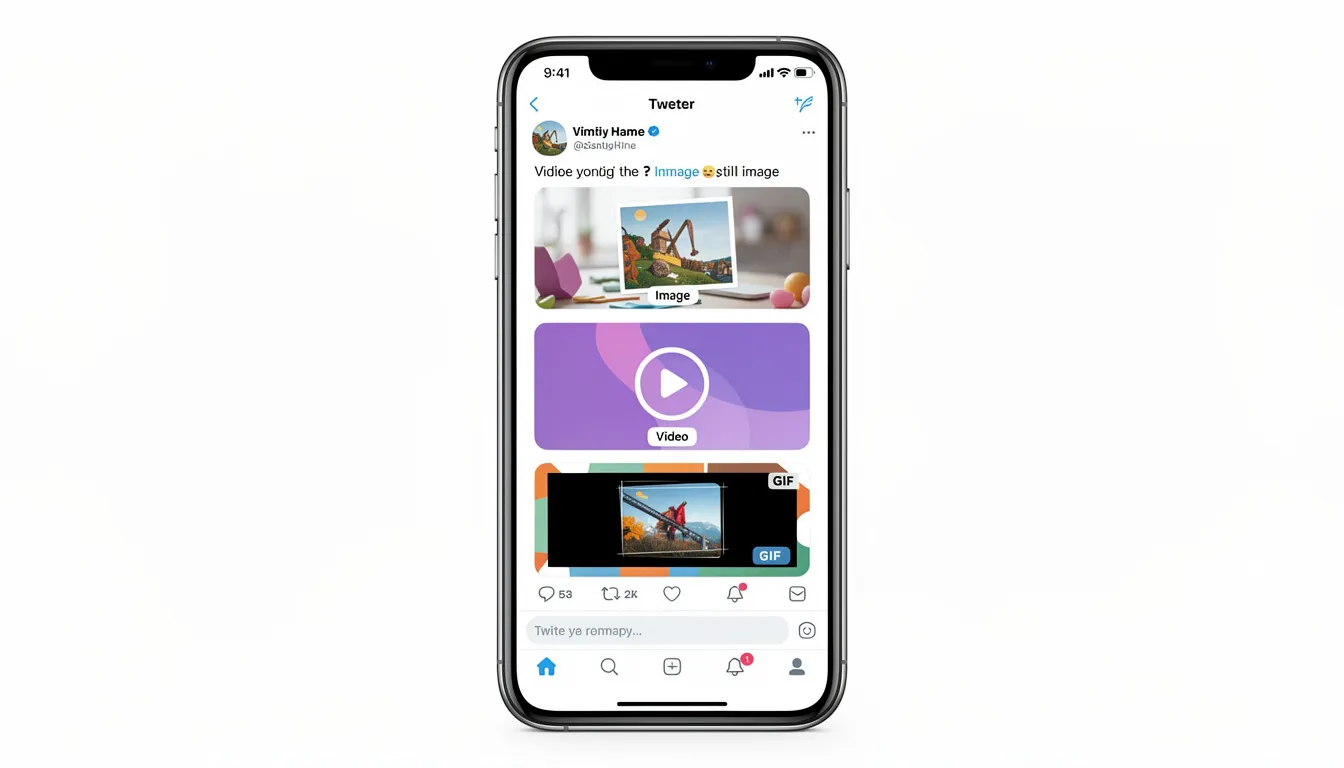
GIF attachments add personality and humor to your tweets, with desktop supporting files up to 15MB and mobile limiting uploads to 5MB. Twitter’s built-in GIF search makes it easy to find relevant animated content through the camera icon in the compose box.
Thread Creation
When 280 characters isn’t sufficient for your message, threads allow you to connect multiple tweets—including your own and other tweets—into longer narratives. Creating threads involves composing your initial tweet, then replying to yourself to continue the story or explanation across several connected posts.
Threads work particularly well for:
- Detailed explanations of complex topics
- Step-by-step tutorials or guides
- Storytelling that requires more space than one tweet
- Breaking down lengthy articles or research into digestible chunks
By connecting your tweet to other tweets, threads help you build a cohesive conversation or narrative that keeps your audience engaged.
To create a thread, compose your first tweet normally, then immediately reply to it with your second point. Continue this process for as many tweets as needed to complete your message.
Best Practices for Effective Tweeting
Successful tweeting on twitter requires balancing authenticity with strategic thinking. Your twitter profile represents both your personal brand and professional reputation, so maintaining consistency in voice and quality is essential for building a loyal audience.
Developing Your Voice
Maintain authenticity while considering how your tweets might be perceived by current and future followers, colleagues, or employers. Many people struggle with finding the right balance between personal expression and professional appropriateness, especially those representing organizations or building their career brand.
For business accounts, use a professional but warm tone that reflects your company’s values and personality. Personal accounts can adopt a more friendly, informal tone while still avoiding content that could damage your reputation or relationships.
Consider your institutional policies if you’re employed by a company or organization. Some employers have specific social media guidelines that affect how you can identify yourself and what topics you can discuss publicly.
Hashtag Strategy
Including relevant hashtags increases your tweets’ discoverability and helps you join broader conversations happening on the platform. However, effective hashtag use requires restraint – too many hashtags can make your tweets appear spammy or desperate for attention.
Use 1-3 carefully selected hashtags that directly relate to your content. Research popular hashtags in your industry or interests, but avoid jumping on unrelated trending topics just for visibility. A hashtag generator can help you find relevant tags, but always verify their meaning and context before using them.
Location tags work well for travel updates, local events, or businesses serving specific geographic areas. These help connect you with other users in your area and can increase local engagement.
Character Optimization Strategies
Making the most of your 280 characters requires editing skills and strategic thinking. Start by writing your complete thought, then refine and compress without losing essential meaning or personality.
Use emoji strategically to add personality while saving character space. A well-placed emoji can replace several words and make your tweet more visually appealing in crowded timelines.
Consider writing a short introduction to your main point, then including additional details in accompanying media, links, or thread continuations. This approach gives you more space while keeping the initial tweet scannable and engaging.
Twitter Interaction Features
Understanding Twitter’s interaction features transforms your experience from passive consumption to active engagement. These tools enable meaningful conversations and help you build relationships within your twitter community.
Basic Engagement Actions
The heart icon allows you to like tweets, showing appreciation for content without necessarily sharing it with your followers. Liking serves as a lightweight way to acknowledge good content and can help the algorithm understand your interests for future recommendations.
Retweeting shares valuable content directly to your followers’ timelines, amplifying the original tweet without adding your commentary. Use the retweet button when you want to share content that speaks for itself or when you want to boost someone else’s message without diluting it with your thoughts.
Replying to tweets creates direct conversations and builds relationships with other twitter users. Thoughtful replies can lead to ongoing discussions, professional connections, and increased visibility as other users see your contributions to conversations.
Quote tweets allow you to share others’ content while adding your own commentary or context. This feature works well when you want to build on someone’s idea, provide additional perspective, or share content with your specific audience’s needs in mind.
Advanced Communication Tools
Direct messages enable private conversations with followers or users who’ve opened their DMs to everyone. While not technically tweeting, DMs often grow from public tweet conversations and provide space for more detailed discussions.
Twitter Spaces offer live audio conversations where you can host or participate in real-time discussions with multiple people. These audio rooms create opportunities for deeper engagement than traditional tweets allow.
Twitter Communities provide focused environments for discussing specific topics with like-minded users. Posting in relevant communities can help you reach more people interested in your niche without relying solely on your follower count.
Professional Features
Pin important tweets to the top of your twitter profile for maximum visibility. This feature works well for highlighting your best content, current promotions, or essential information about your work or interests.
Twitter Blue subscribers can access additional features including longer posts up to 25,000 characters, edit functionality for published tweets, and priority support. These features can be valuable for creators and businesses that rely heavily on the platform.
Scheduling tweets using Twitter’s native scheduler or third-party tools like Buffer or Hootsuite helps maintain consistent posting without requiring constant manual attention. This is particularly useful for businesses or creators who want to maintain regular engagement across time zones.
Timing and Frequency Guidelines
Strategic timing and consistent posting frequency significantly impact your tweets’ reach and engagement. Understanding when your audience is most active and how often to post helps maximize your content’s effectiveness.
Optimal Posting Schedule
Post 3-6 times daily depending on your audience size, content quality, and engagement levels. Smaller accounts often benefit from posting more frequently to increase their chances of being seen, while larger accounts with established audiences can maintain engagement with fewer, higher-quality posts.
Use Twitter Analytics to identify when your specific audience is most active. While general studies suggest peak engagement occurs between 10-11am on weekdays, your audience’s behavior might differ based on their location, profession, or interests.
The Rule of Thirds provides an effective framework for content distribution: one-third original content showcasing your thoughts and expertise, one-third curated content from other sources with your commentary added, and one-third direct engagement with your audience through replies, questions, and conversations.

Increase your posting frequency during peak hours when more people are actively browsing their timelines. However, avoid overwhelming your followers with too many posts in quick succession, as this can lead to unfollows or reduced engagement.
Consistency Over Volume
Maintain consistency rather than sporadic high-volume posting periods followed by long silences. Regular, predictable posting helps your audience know when to expect new content and keeps you visible in their feeds over time.
Consider your capacity for creating quality content when setting your posting schedule. It’s better to post fewer tweets consistently than to burn out trying to maintain an unsustainable pace of content creation.
Track your engagement metrics to understand which posting times and frequencies work best for your specific audience. Adjust your strategy based on data rather than generic advice or what works for other accounts.
Managing Your Twitter Presence
Effective twitter presence management involves understanding how to edit, delete, and control the visibility of your content. These tools help you maintain a professional image while adapting to changing circumstances or correcting mistakes.
Content Modification Options
Twitter allows you to edit tweets within 30 minutes of posting for all users, with Twitter Blue subscribers receiving extended editing windows and additional modification options. Use this feature to correct typos, add missing information, or improve clarity without losing existing engagement.
When editing tweets, be mindful that users who’ve already engaged with the original version will see your changes. Significant edits that change the meaning of your tweet can confuse or frustrate users who’ve already replied or shared your content.
Delete tweets promptly when they contain errors, inappropriate content, or information that’s no longer accurate. Quick deletion minimizes the number of people who see problematic content and reduces the likelihood of negative consequences.
Privacy and Visibility Controls
Use private account settings to restrict your tweet visibility to approved followers only. This setting works well for personal accounts where you want to share updates with friends and family without public exposure.
Understanding that even deleted tweets may have been seen, screenshot, or quoted by other users is crucial for long-term reputation management. Consider the potential impact of your tweets before posting rather than relying on deletion as a safety net.
Download your twitter archive through Settings > Account > Archives to access your complete tweet history, including deleted tweets. This feature helps you review your past content and recover accidentally deleted tweets when necessary.
Brand Consistency Tools
Apply consistent visual elements across your twitter profile to create a cohesive brand presence. Tools like Canva offer templates optimized for Twitter’s image dimensions and can help maintain visual consistency across your tweets.
Develop content guidelines for your account that cover tone, topics, posting frequency, and engagement style. Written guidelines help maintain consistency, especially if multiple people manage your twitter account.
Monitor your twitter analytics regularly to understand which content performs best and adjust your strategy accordingly. Pay attention to engagement rates, follower growth, and reach metrics to optimize your tweeting approach over time.
FAQ
Can I recover deleted tweets? Yes, you can access deleted tweets by requesting your Twitter archive through Settings > Account > Archives. This comprehensive download includes all your tweet history, including deleted and archived tweets. However, remember that deleted tweets are only recoverable from your personal archive – they remain permanently removed from the public platform.
Do images and videos count toward the 280-character limit? No, media attachments including images, GIFs, polls, and videos do not count toward your character limit. Only text content counts against the 280-character restriction, which makes visual content an excellent way to share more information while staying within Twitter’s constraints.
What’s the difference between retweeting and quote tweeting? Retweeting shares the original tweet exactly as it appears to your timeline without any additional commentary from you. Quote tweeting allows you to add your own text above the shared content, enabling you to provide context, commentary, or your perspective while amplifying the original message.
How many hashtags should I use per tweet? Use 1-3 relevant hashtags per tweet to maximize discoverability without appearing spammy. Research shows that tweets with 1-2 hashtags typically receive higher engagement than those with many hashtags. Focus on hashtags that are directly relevant to your content and audience rather than trying to capitalize on unrelated trending topics.
Can I post the same content to Twitter and other social platforms simultaneously? Yes, cross-posting tools like RecurPost, Hootsuite, and Buffer allow you to post the same content to twitter and facebook or other platforms simultaneously. However, tailoring your content specifically for each platform’s audience and format typically yields better engagement results than generic cross-posting.
Conclusion
In conclusion, taking the time to set up and optimize your twitter profile is a vital step in building your presence on social media and attracting engaged followers. By choosing a unique and relevant username, writing a compelling bio within the character limit, and customizing your profile with a standout profile picture and header image, you lay the foundation for success on the platform. Consistency across your social media profiles, from Twitter to Facebook and Instagram, helps strengthen your brand and makes you more discoverable in search.
Once your profile is ready, you can start tweeting confidently—use the tweet button to share your thoughts, the retweet button to amplify other users’ content, and the quote tweet feature to add your own perspective. Don’t hesitate to reach out with a direct message to connect with interesting people or potential collaborators. With each tweet, you have the opportunity to engage with a wider audience, share your message, and build a community around your interests. Remember, your twitter profile is more than just a page—it’s your voice on the platform, and with the right setup, you can make every tweet count.